
Do you want to auto-cancel WooCommerce orders after failed payments? If you are looking for a simple but effective guide, keep reading this article.
Failed payment attempts can create cluttered order lists, inaccurate inventory counts, and unnecessary administrative overhead in your WooCommerce store.
When customers enter incorrect payment details or a transaction fails repeatedly, WooCommerce keeps those orders in a pending or failed state, which can lead to confusion and inefficiency.
Automatically canceling WooCommerce orders after failed payments helps streamline order management, keep your store data accurate, and prevent stock from being held for orders that will never complete.
In this guide, you will learn how to auto-cancel WooCommerce orders after repeated failed payment attempts using a simple code solution that works without additional plugins and improves your store’s workflow.
First, let’s see why you should auto-cancel WooCommerce orders after failed payments.
Table of contents
Why You Should Auto-Cancel WooCommerce Orders After Failed Payments?
Failed payment orders can quickly pile up in a WooCommerce store and make order management more complicated than it needs to be. When an order remains in a failed or pending state, it can still reserve stock, create confusion during fulfillment, and distort sales reports.
Automatically canceling WooCommerce orders after failed payments helps keep your order list clean and ensures inventory is available for customers who are ready to complete a purchase.
Auto-canceling failed orders also improves the checkout experience by reducing manual intervention from store admins. Instead of reviewing and canceling unsuccessful orders one by one, WooCommerce handles the process automatically in the background.
This approach saves time, minimizes human error, and keeps your store running smoothly. It is especially useful for stores with high transaction volumes, where failed payment attempts are more common and manual cleanup becomes impractical.
How to Auto-Cancel WooCommerce Orders After Failed Payments
Now, let’s see how to auto-cancel WooCommerce orders after failed payments. We will use a code snippet to add this function to the site. We can use a child theme or a site-specific plugin, such as Code Snippets.
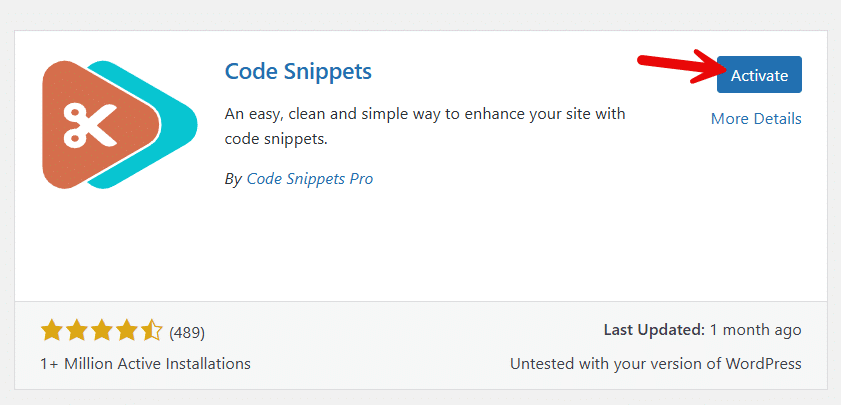
For this tutorial, we will be using the plugin method. First, install and activate the plugin on your website.
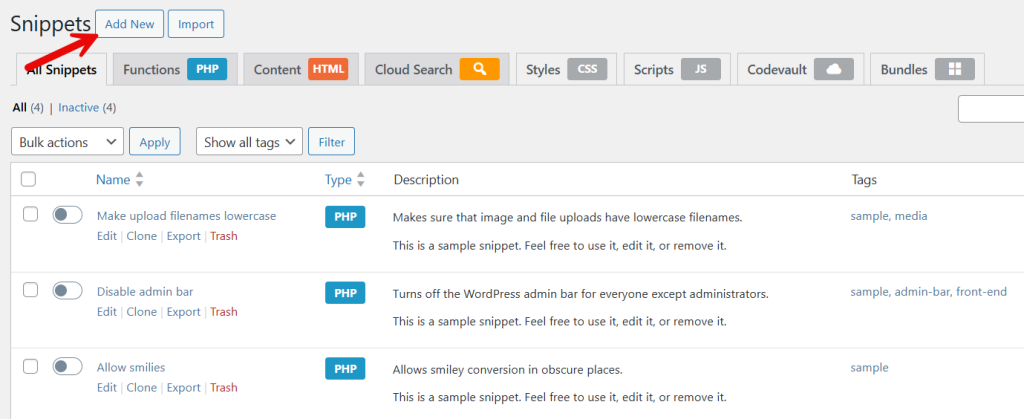
After activation, you need to add a new snippet.
The code you need to use is:
add_action( 'wc_gateway_stripe_process_payment_error', 'yaycommerce_handle_stripe_payment_failure', 10, 2 );

function yaycommerce_handle_stripe_payment_failure( $error, $order ) {

    if ( ! $order || ! is_a( $order, 'WC_Order' ) ) return;

    $order_id = $order->get_id();

    // Attempt count
    $attempt_count = $order->get_meta( '_stripe_payment_attempts', true );
    $attempt_count = $attempt_count ? intval( $attempt_count ) + 1 : 1;
    $order->update_meta_data( '_stripe_payment_attempts', $attempt_count );
    $order->save_meta_data();

    // Cancel order after 3 attempts
    if ( $attempt_count >= 3 ) {
        $order->update_status( 'cancelled', sprintf( 'Order cancelled after %d failed Stripe payment attempts', $attempt_count ) );
    }
}
If you take a look at the code, it is for Stripe. And after 3 failed payments, the order will be canceled. If needed, you can also increase the number.
Paste the code and activate the snippet.
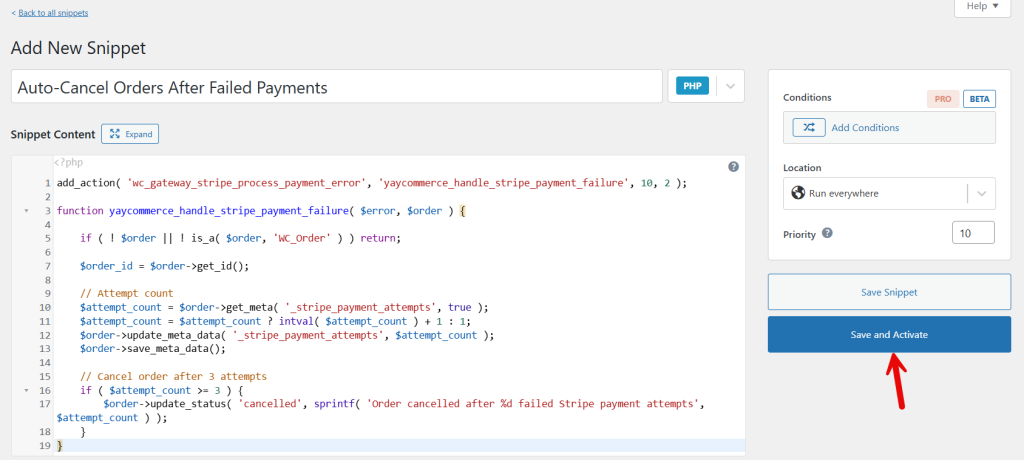
From now on, whenever someone uses the Stripe payment gateway, and there are 3 failed payments, the order will be moved to cancelled status.
That’s it!
This is how you can auto-cancel WooCommerce orders after failed payments.
Frequently Asked Questions
Now, let’s take a look at some of the frequently asked questions and answers regarding this topic.
WooCommerce orders often fail due to declined cards, insufficient funds, incorrect payment details, network issues, or interruptions during checkout. These orders are marked as failed and remain in your order list until action is taken.
WooCommerce does not cancel failed orders automatically by default. Failed orders remain in the system, so adding logic to automatically cancel them after a specified number of failed attempts is helpful for store management.
When a failed order is automatically canceled, the reserved stock is released back into inventory. This prevents products from being locked by unpaid orders and allows other customers to complete their purchases without issues.
Auto-canceling only changes the order status and does not delete customer accounts or order history. Customers can still place new orders normally after a failed payment attempt.
Yes, you can define the number of failed payment attempts before an order is canceled. This is usually done through custom code, allowing you to match the logic to your store’s payment flow.
For subscription or recurring payments, you should be careful with auto-cancel rules. Some payment gateways automatically retry failed payments, so immediate cancellation may disrupt valid recovery attempts.
Yes, it helps keep the order database clean, reduces admin workload, and improves reporting accuracy. Over time, this results in better performance and a more organized WooCommerce store.
Conclusion
Automatically canceling WooCommerce orders after failed payments is a practical way to keep your store organized and running smoothly. It helps prevent inventory from being held by unpaid orders, reduces manual cleanup in the admin area, and ensures your sales data remains accurate.
By proactively handling failed payments, you create a more reliable checkout process and avoid confusion caused by lingering orders that will never be completed. This approach also improves the overall shopping experience by making products available again without delays.
When implemented carefully, auto-canceling failed orders improves store performance, streamlines order management, and enhances the workflow for both store owners and customers.
What else would you do to customize your WooCommerce store?
Let us know in the comments.
