
Do you want to automatically log out WooCommerce customers after checkout? If you are looking for a simple guide, keep reading this article.
Automatically logging out WooCommerce customers after checkout can be an important security and user experience decision for many online stores.
By default, WooCommerce keeps users logged in even after an order is completed, which may not be ideal for stores that handle sensitive customer data or are frequently accessed from shared devices. In this guide, you will learn how to automatically log out WooCommerce customers after checkout using a simple code-based solution.
This approach gives you full control over the logout behavior without relying on plugins, making it lightweight, flexible, and easy to maintain for store owners who prefer custom WooCommerce functionality.
First, let’s see why you need to automatically log out WooCommerce customers after checkout.
Table of contents
Why You Need to Automatically Log Out WooCommerce Customers After Checkout
Automatically logging out WooCommerce customers after checkout helps improve security by preventing unauthorized access to customer accounts on shared or public devices.
This approach reduces the risk of exposing personal information such as order history, billing details, and saved addresses after a purchase is completed. Logging users out after checkout can also improve the shopping flow for guest-style purchases, especially for stores that do not rely on repeat logins.
In addition, it minimizes session-related conflicts when multiple users place orders from the same browser.
For stores handling sensitive data or operating in regulated environments, forcing a logout after checkout adds an extra layer of control while keeping WooCommerce behavior predictable and consistent.
How to Automatically Log Out WooCommerce Customers After Checkout
You will be using a PHP snippet for this task, so you need to use a site-specific plugin or a child theme. In this case, we will use the Code Snippets plugin. So install and activate the plugin on your website.
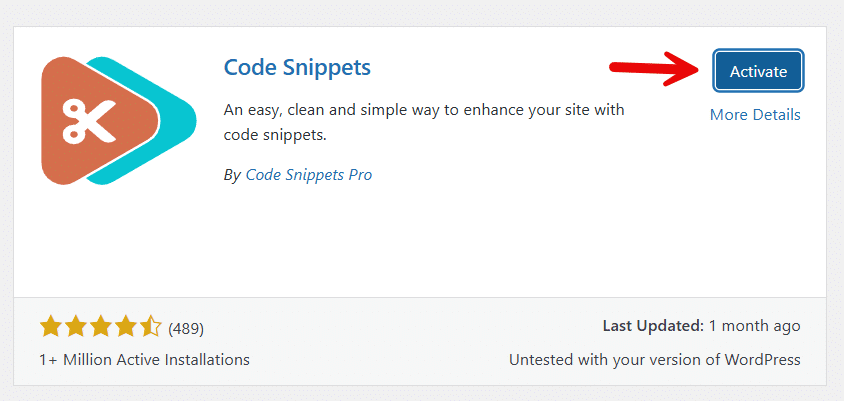
Now, open the plugin’s settings. Create a new snippet.

The code you will be using is:
add_action( 'woocommerce_thankyou', 'yaycommerce_set_logout_after_checkout' );

function yaycommerce_set_logout_after_checkout( $order_id ) {
    if ( is_user_logged_in() ) {
        WC()->session->set( 'logout_after_thankyou', true );
    }
}

add_action( 'template_redirect', 'yaycommerce_logout_after_thankyou_silent' );

function yaycommerce_logout_after_thankyou_silent() {
    if ( is_user_logged_in() && WC()->session->get( 'logout_after_thankyou' ) ) {
        wp_logout();
        WC()->session->__unset( 'logout_after_thankyou' );
    }
}
Paste the code and activate the snippet.
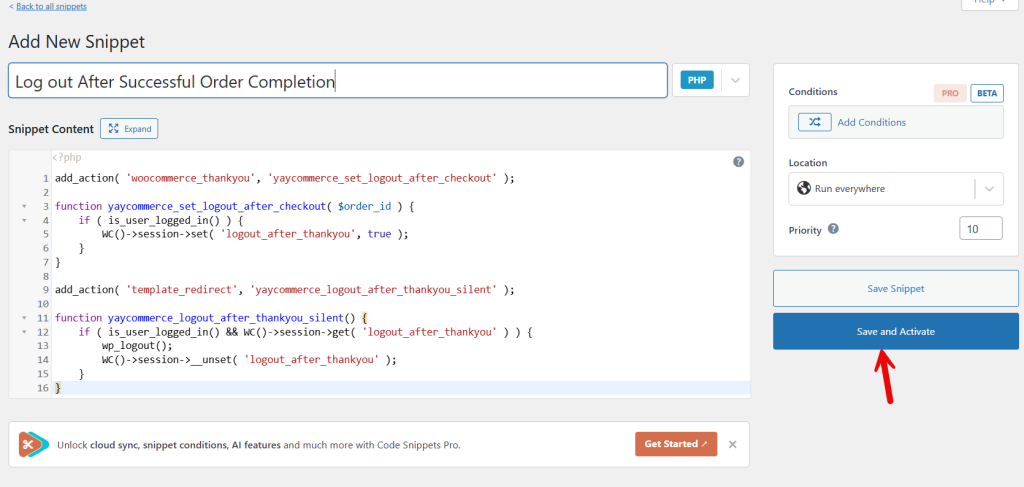
From now on, when someone completes an order successfully, they will be automatically logged out of their account.
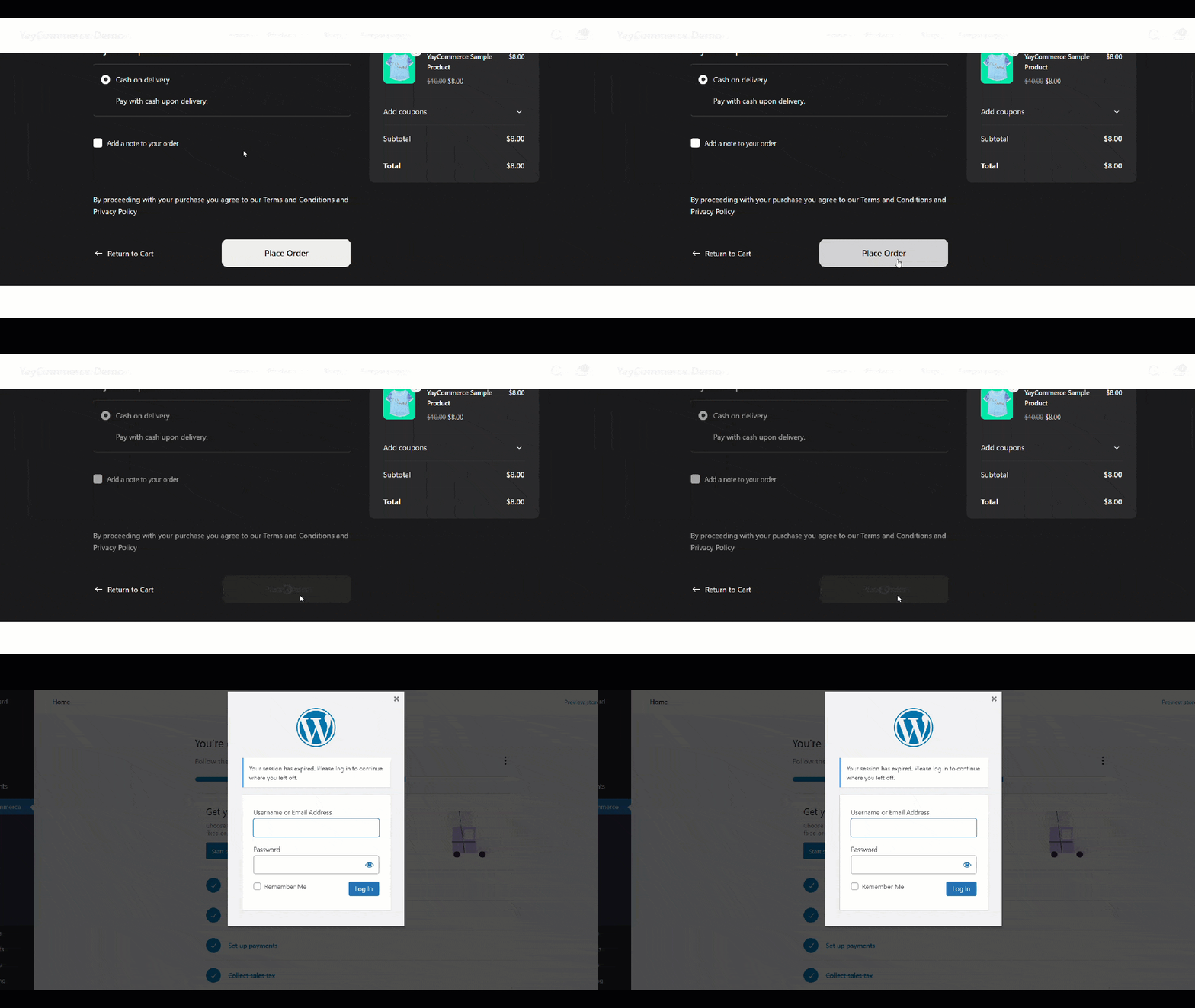
That’s it!
This is how you can automatically log out WooCommerce customers after checkout.
Frequently Asked Questions
Now, let’s take a look at some of the frequently asked questions and answers regarding this topic.
WooCommerce can automatically log out customers after checkout by using a custom code snippet that hooks into the order completion process. This code clears the user session after checkout, ensuring the customer is logged out immediately after placing an order.
Yes, it is safe when implemented correctly. Automatically logging out customers helps protect user accounts, especially when shoppers use shared or public devices, and prevents unauthorized access to order details after checkout.
No, the checkout process itself remains unchanged. The logout action only occurs after the order is successfully placed, so customers can complete payment and receive order confirmation without interruption.
The automatic logout applies only to logged-in customers. Guest users are not logged in by default, so this customization does not affect their checkout experience.
The code should be added to the functions.php file of your active theme or to a custom plugin. Using a child theme or a custom plugin is recommended to avoid losing changes during theme updates.
Yes, the code can be adjusted to trigger the logout only for specific order statuses, such as completed or processing, depending on how you want to control customer sessions after checkout.
No plugin is required for this method. The solution uses WooCommerce hooks and WordPress functions, making it a lightweight, efficient approach without adding additional dependencies to your site.
Conclusion
Automatically logging out WooCommerce customers after checkout is a simple yet effective way to improve account security and maintain better control over user sessions.
By applying a small code-based customization, store owners can ensure that customer data is not left accessible after an order is completed, especially on shared or public devices. This approach also helps avoid session conflicts and keeps the checkout experience clean and predictable.
Since the solution works directly with WooCommerce hooks, it does not rely on additional plugins and remains lightweight and easy to maintain.
For store owners who want more control over post-checkout behavior without adding unnecessary complexity, automatically logging users out after checkout is a practical and reliable enhancement.
How else would you improve your WooCommerce store?
Let us know in the comments.
