
Are you looking for the best WooCommerce product filter plugins? If you are, keep reading this article. Here, we will show you seven of the best options you can use!
Finding the right product quickly is one of the biggest challenges for online shoppers. When your WooCommerce store has dozens or hundreds of products, browsing without filters can feel slow and frustrating.
Product filter plugins solve this problem by letting customers narrow down results by price, attributes, categories, and more, helping them reach the right product faster.
In this article, we’ll look at the best WooCommerce product filter plugins and how they can improve both usability and sales for your store.
First, let’s see what product filter plugins are and why you should use them.
Table of contents
What Are WooCommerce Product Filter Plugins and Why You Should Use Them
WooCommerce product filter plugins add advanced filtering options to your shop and category pages, allowing customers to sort and refine products based on specific criteria such as price, categories, tags, attributes, ratings, or stock status.
Instead of scrolling through long product lists, shoppers can quickly narrow down results and see only the products that match their needs. This makes your store easier to use and helps visitors reach purchase decisions faster.
You should use WooCommerce product filter plugins because they:
- Improve user experience by making product discovery faster and more intuitive.
- Reduce bounce rates by helping customers find relevant products without frustration.
- Increase conversions since shoppers who find what they want quickly are more likely to buy.
- Support large catalogs where manual browsing becomes impractical.
- Allow customization of filters to match your store layout and product structure.
- Enhance mobile shopping by providing structured navigation on smaller screens.
By adding a product filter plugin to your WooCommerce store, you turn browsing into a guided shopping experience, which benefits both customers and store owners.
What to Look for In WooCommerce Product Filter Plugins
Choosing the right WooCommerce product filter plugin can directly affect how easily customers find products in your store. Not all filter plugins work the same way, so it’s important to evaluate them based on usability, performance, and flexibility.
Here are the key factors to look for:
- AJAX-based filtering: AJAX filters update product results instantly without reloading the page. This creates a smoother shopping experience and keeps users engaged while browsing.
- Customization and design control: Look for a plugin that lets you style filters to match your theme, change layouts (dropdowns, checkboxes, sliders), and control where filters appear on shop and category pages.
- Performance and speed: Filters should not slow down your store, especially if you have a large product catalog. The plugin should be optimized for speed and compatible with caching solutions.
- Mobile responsiveness: Filters must work well on mobile devices with collapsible panels or touch-friendly controls so customers can easily refine results on smaller screens.
- Compatibility with WooCommerce and themes: The plugin should work smoothly with your WooCommerce version and popular WordPress themes without layout conflicts or display issues.
- Ease of setup and management: The interface should be beginner-friendly, allowing you to create and manage filters without writing custom code.
By focusing on these features, you can select a WooCommerce product filter plugin that improves navigation, supports conversions, and scales with your store as it grows.
Best WooCommerce Product Filter Plugins to Try
| Plugin Name | Best for | Pros | Cons | Author Rating |
|---|---|---|---|---|
| Product Filters for WooCommerce | Stores using the default WooCommerce setup | Native WooCommerce integration, reliable performance, clean UI | Premium only, limited styling flexibility | 4.5/5 |
| YITH WooCommerce Ajax Product Filter | Beginners and small stores | Easy setup, AJAX filtering, good theme compatibility | Advanced features are locked behind the premium version | 4.3/5 |
| Product Filter for WooCommerce | Large stores with many attributes | Highly customizable, advanced filter logic, strong performance | The interface can be overwhelming for new users | 4.4/5 |
| HUSKY – WooCommerce Products Filter | Stores needing both free and paid options | Free version available, shortcode support, SEO-friendly URLs | Styling requires CSS for best results | 4.2/5 |
| Product Filter for WooCommerce by WBW | Stores needing visual filter builders | Drag-and-drop filter builder, mobile-friendly, AJAX support | Premium needed for advanced layouts | 4.1/5 |
| Themify – WooCommerce Product Filter | Themify theme users | Lightweight, simple UI, integrates well with Themify themes | Limited features compared to premium competitors | 3.9/5 |
| Filter Everything | Sites filter both products and posts | Works for products and content, flexible taxonomies, AJAX filtering | Configuration can be complex for beginners | 4.2/5 |
1. Product Filters for WooCommerce
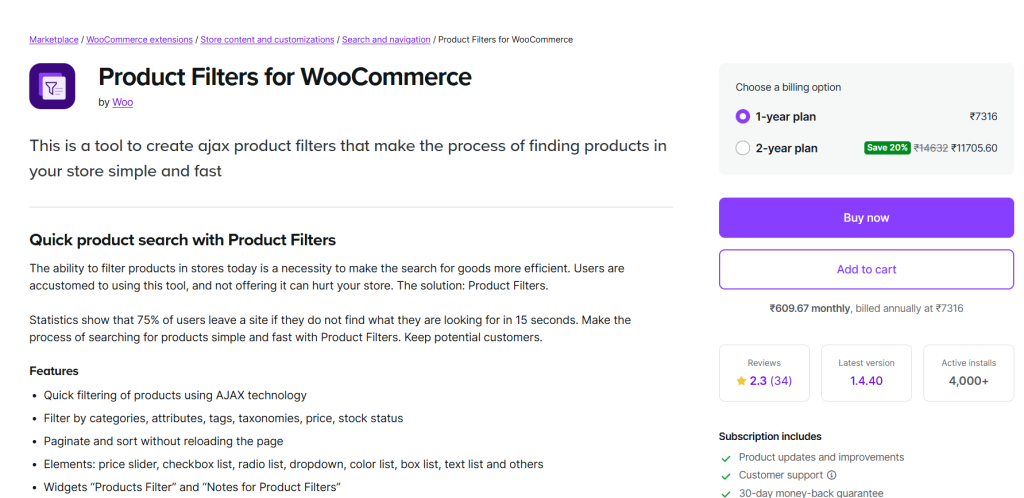
WooCommerce Product Filters is the official filtering extension developed by the WooCommerce team to help customers quickly narrow down product results based on their preferences. It allows store owners to add dynamic filters for price, categories, attributes, tags, and stock status directly to shop and category pages.
The plugin uses AJAX-based filtering, so products update instantly without requiring page reloads, creating a smoother shopping experience. With flexible layout options such as checkboxes, dropdowns, radio buttons, and sliders, it adapts easily to different store designs.
Since it is built specifically for WooCommerce, it integrates seamlessly with core features. It remains compatible with future updates, making it a stable and long-term solution for stores with large or complex product catalogs.
Key Features
- AJAX-based live product filtering
- Filter by attributes, categories, tags, and price
- Multiple display types (checkboxes, dropdowns, sliders)
- Adaptive product counts for each filter option
- Widget and shortcode support
Pros
- Official WooCommerce-supported plugin
- Reliable performance and updates
- Clean and simple configuration
Cons
- Limited design customization options
- No advanced visual filter styles
Pricing
2. YITH WooCommerce Ajax Product Filter
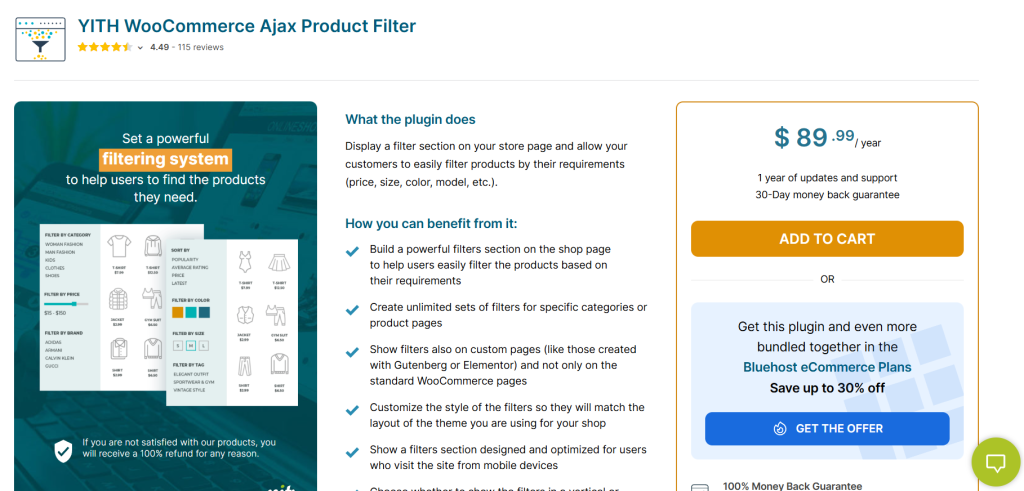
YITH WooCommerce AJAX Product Filter is a popular product filter plugin that enhances your WooCommerce store by enabling customers to refine product listings without page reloads.
Using AJAX, the plugin updates results instantly as users select filter criteria, creating a more interactive shopping experience. It supports multiple filter types, including color swatches, price sliders, checkboxes, and dropdowns, making it easy for visitors to find relevant products faster.
The filter widgets can be placed in sidebars or any widgetized area supported by your theme. With user-friendly settings and compatibility with most WooCommerce themes, this plugin helps boost usability and increase conversions by helping shoppers drill down to what they want quickly.
Key Features
- AJAX live product filtering
- Multiple filter types (checkboxes, dropdowns, sliders)
- Color and label filters for visual attributes
- Sidebar widget integration
- Filter presets and custom filter layouts
Pros
- Easy to set up with intuitive UI
- Supports visual filters like color swatches
- Great compatibility with a wide range of themes
Cons
- Limited styling options without custom CSS
Pricing
Premium version starting at €89.99 per year.
3. Product Filter for WooCommerce
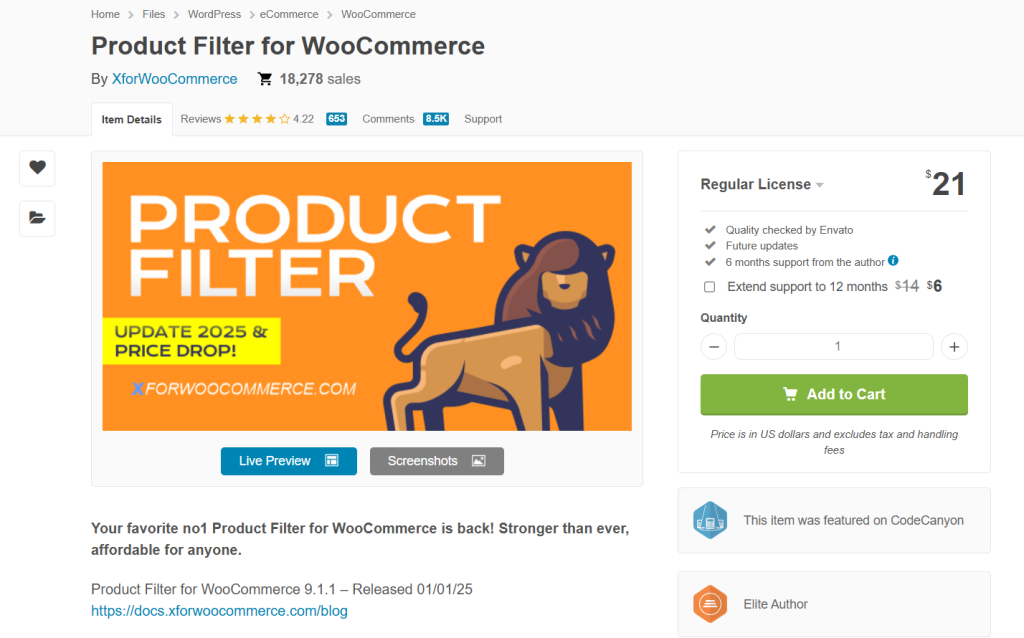
WooCommerce Product Filter is a highly customizable and feature-rich filtering plugin designed to help shoppers quickly narrow down product listings on WooCommerce stores.
It supports a wide range of filter types, including checkboxes, radio buttons, dropdowns, price sliders, and color swatches, making it suitable for stores with varied catalog sizes. The plugin offers AJAX filtering, so results update instantly without page reloads, improving user experience and keeping visitors engaged.
It also includes shortcodes and widgets that allow flexible placement of filters on shop and category pages. With robust options for filter logic and display styles, this plugin works well for stores that need advanced product discovery tools.
Key Features
- AJAX instant product filtering
- Multiple filter types, including checkboxes and dropdowns
- Price slider and color swatch filters
- Shortcode and widget support
- Custom filter presets and layouts
Pros
- Highly customizable filter settings
- Works well with complex catalogs
- Includes both widget and shortcode placement
Cons
- Requires a bit of setup for advanced configurations
- Design options may need custom CSS to match all themes
Pricing
Premium plugin available on CodeCanyon starting at $21 (one-time purchase).
4. HUSKY – WooCommerce Products Filter
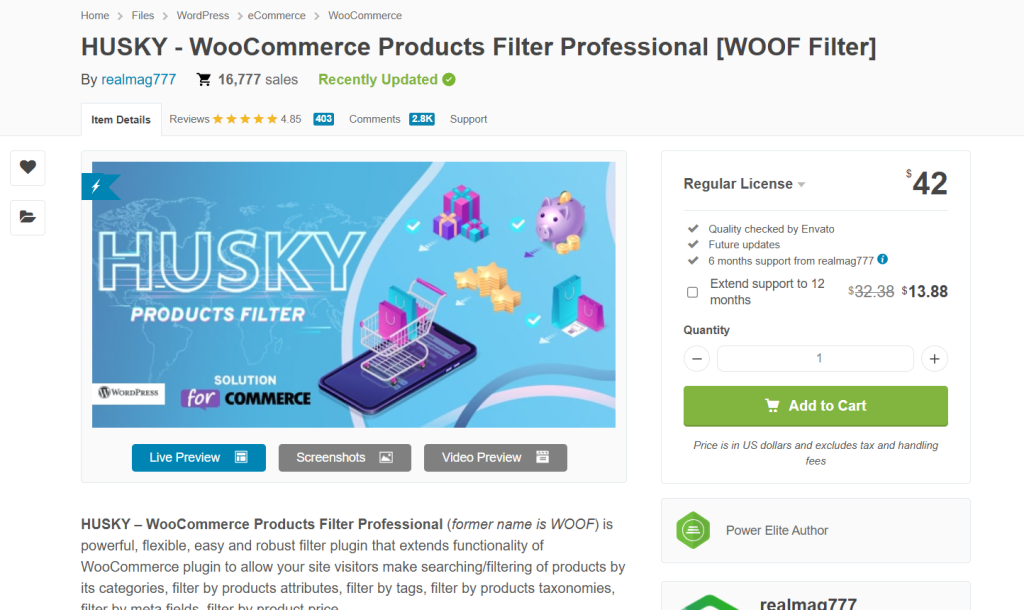
WOOF – WooCommerce Products Filter is a powerful product filtering solution that lets customers find products quickly by applying multiple filter criteria without leaving the page. The free version adds useful filters such as categories, price, attributes, and tags, while the premium version expands these options with advanced features.
AJAX-based filtering updates product listings instantly, creating a more interactive and fast shopping experience. You can place filter widgets in sidebars or use shortcodes to insert filters anywhere on shop or category pages.
With both free and premium options available, WOOF is suitable for stores of all sizes that want flexible product discovery tools without compromising performance.
Key Features
- AJAX product filtering with instant updates
- Filter by categories, tags, price, and attributes
- Shortcode and widget support for flexible placement
- Option to show product counts for filters
- Compatibility with most WooCommerce themes
Pros
- Free version available with useful basic filters
- Easy to set up and manage
- Works well with diverse product catalogs
Cons
- Some premium features require the paid add-on
- Design customization is limited without extra styling
Pricing
Freemium plugin with premium version starting at $42 (one-time purchase).
5. Product Filter for WooCommerce by WBW
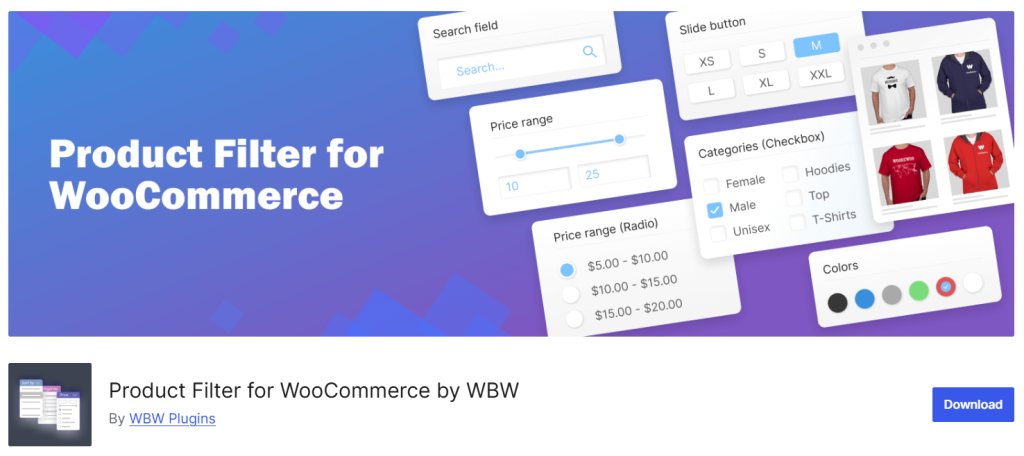
Woo Product Filter is a flexible and user-friendly WooCommerce product filtering solution that helps customers narrow down search results based on specific criteria.
The free version offers essential filters such as price, attributes, and categories, while the premium version expands functionality with more filter types and advanced options. Filters can be displayed using widgets or shortcodes, giving you flexibility in placement on shop and category pages.
With AJAX support, product results update instantly without full page reloads, creating a faster and smoother browsing experience for shoppers. This plugin works well for store owners who want to improve product discovery without a steep learning curve.
Key Features
- AJAX-powered product filtering with instant results
- Filter by price, categories, attributes, and tags
- Widget and shortcode support for custom placement
- Option to display product counts for filters
- Compatible with most WooCommerce themes
Pros
- Free version available with basic filtering features
- Easy to configure and use
- Supports multiple filter types
Cons
- Premium features require a paid upgrade
- Design options may need custom CSS for full visual control
Pricing
Freemium plugin with the premium version starting at $59 per year.
6. Themify – WooCommerce Product Filter
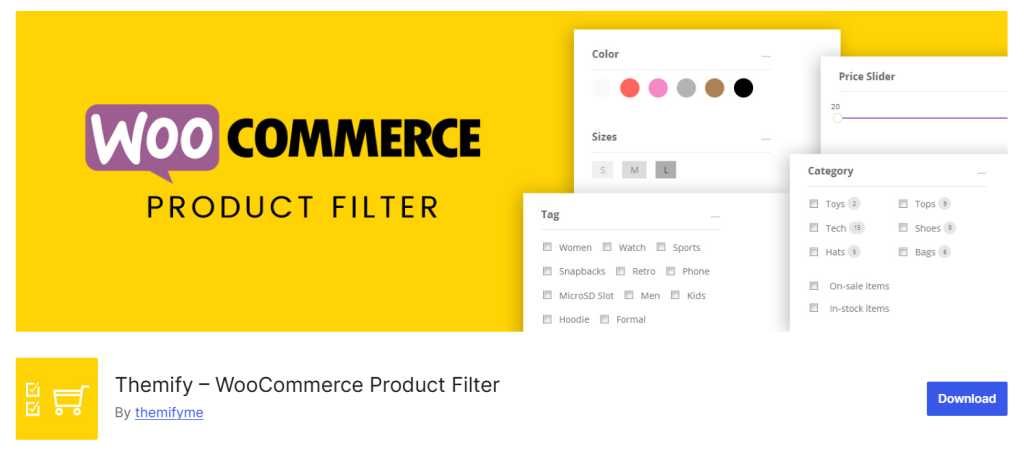
Themify WooCommerce Product Filter is a lightweight and intuitive filtering plugin that helps customers refine product listings using multiple filter types.
It integrates seamlessly with WooCommerce and allows you to add filters for product categories, price, attributes, tags, and custom taxonomies. The plugin uses AJAX so products update instantly as shoppers apply filters, creating a smooth browsing experience.
Filters can be displayed in widget areas or via shortcodes, making placement flexible on shop and category pages. With its clean interface and strong compatibility with many WooCommerce themes, this plugin is great for stores that want simple yet effective product filtering without complexity.
Key Features
- AJAX live product filtering
- Filter by price, categories, tags, and attributes
- Widget and shortcode placement options
- Custom label and filter text settings
- Optimized for mobile responsiveness
Pros
- Easy to set up and use
- Works well with most WooCommerce themes
- Focus on performance and simplicity
Cons
- Fewer advanced filter types than some premium options
- Limited layout customization without CSS
Pricing
Free plugin available with basic filtering functionality.
7. Filter Everything
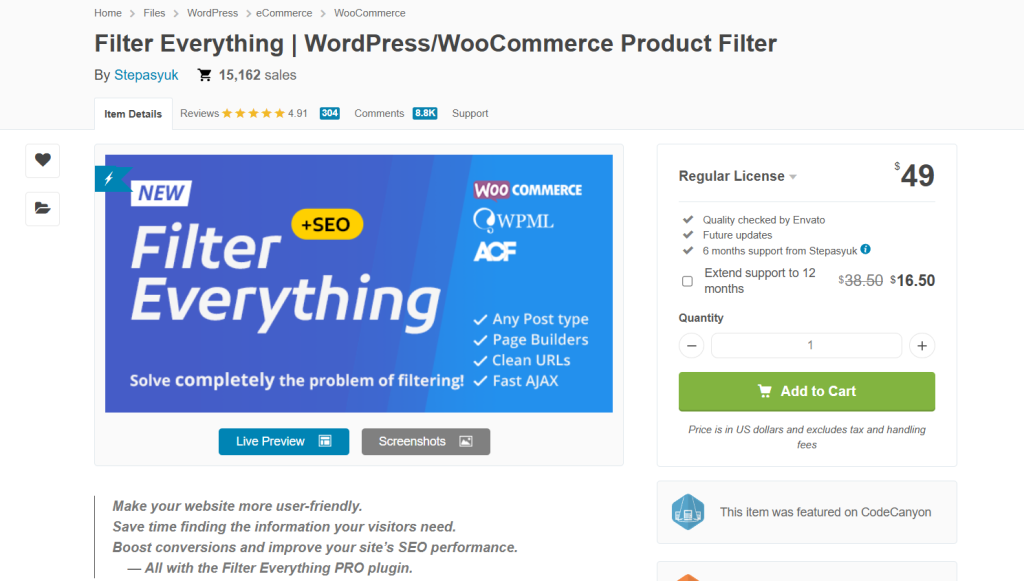
Filter Everything – WordPress & WooCommerce Filter is a versatile product filtering solution that works for both WooCommerce products and general WordPress content.
The plugin allows customers to narrow down shop listings quickly using multiple filter criteria such as price, categories, post types, tags, attributes, and custom taxonomies. It provides AJAX support so products update dynamically without full page reloads, improving browsing speed and user experience.
The plugin includes widgets and shortcodes for flexible filter placement on shop, category, and archive pages. Its broad compatibility with WordPress and WooCommerce makes it suitable for stores or sites that need a unified filtering approach across different content types.
Key Features
- AJAX dynamic filtering for products and content
- Filter by price, taxonomies, attributes, and tags
- Widget and shortcode support for custom placement
- Works with multiple post types, including WooCommerce products
- Option to combine multiple filter criteria
Pros
- Supports both WooCommerce and WordPress content filtering
- Flexible filter placement options
- Good control over filter combinations
Cons
- The user interface can feel complex for beginners
- Some advanced settings require configuration time
Pricing
Premium plugin available on CodeCanyon starting at $49 (one-time purchase).
Here are a few articles you will find useful:
- How to Import and Export WooCommerce Products Properly
- How to Set Up Restricted WooCommerce Discount Coupons Based on Advanced Quantity
- How to Create a Distraction-Free WooCommerce Admin Panel
- How to Add a Refund Request Button to WooCommerce
- How to Allow Only Simple Products in WooCommerce
Frequently Asked Questions
Now, let’s take a look at some of the frequently asked questions and answers regarding this topic.
A WooCommerce product filter plugin is a tool that adds filtering options to your shop and category pages. It allows customers to narrow down products by factors like price range, attributes, categories, ratings, or availability. This helps shoppers find relevant products faster instead of scrolling through long product lists.
Yes, product filters can improve sales by making it easier for customers to find what they want. When shoppers can quickly find relevant products, they are more likely to stay on your site and complete a purchase rather than leave due to poor navigation.
Product filter plugins are helpful for both small and large stores. Even with fewer products, filters make browsing feel more structured and professional. They also prepare your store for future growth as your catalog expands.
Poorly optimized filters can affect performance, especially on large catalogs. That is why it is important to use a filtering system that relies on efficient queries and works well with caching. A properly built filter should load results quickly without hurting page speed.
Yes, most filtering systems support variable products and attributes such as size, color, brand, or material. This allows customers to refine results based on specific product features, which is essential for stores selling configurable items.
Yes, filters can usually be added to shop pages, category pages, and sometimes even custom product listing pages. This ensures customers can refine product results wherever they are browsing in your store.
Most modern product filter solutions are responsive and work well on mobile devices. They often use dropdowns or slide-out panels so customers can apply filters easily without cluttering the screen.
Conclusion
Choosing the right WooCommerce product filter plugin can make a noticeable difference in how customers browse and buy from your store.
A well-designed filtering system helps shoppers narrow down products faster, reduces frustration, and improves overall user experience.
By focusing on plugins that offer strong filtering logic, fast performance, mobile-friendly layouts, and easy customization, you can create a smoother product discovery process.
In the end, the best plugin is the one that fits your store’s size, product structure, and customer behavior while helping you guide visitors toward the products they actually want to purchase.
Which plugin are you going to use?
Let us know in the comments.
We hope you found this article helpful and enjoyed reading it. If you need to learn more WooCommerce tips and tricks, check out the YayCommerce blog. Also, feel free to check out our social media handles, such as Facebook, X, Instagram, and YouTube, for more interesting content.