
Do you want to boost conversions on your WooCommerce product pages? If you are looking for a simple guide, keep reading this article.
Your WooCommerce product pages play a critical role in turning visitors into paying customers.
Even small improvements in layout, content, and user experience can significantly impact sales performance. By optimizing how products are presented and how easily shoppers can make purchasing decisions, you can reduce friction and build stronger buying intent.
This guide covers practical strategies to improve product page effectiveness, increase trust, and drive more completed purchases from your existing traffic.
First, let’s see why you should boost conversions on the product pages.
Table of contents
- Why You Should Boost Conversion on Your WooCommerce Product Pages
- How to Boost Conversion on Your WooCommerce Product Pages
- 1. Optimize Product Page Layout and Design
- 2. Write High-Converting Product Descriptions
- 3. Use High-Quality Images and Videos
- 4. Improve Call-to-Action (Add to Cart) Performance
- 5. Leverage Social Proof
- 6. Optimize Pricing and Offers
- 7. Speed and Performance Optimization
- 8. SEO Optimization for Product Pages
- 9. Reduce Checkout Friction from Product Pages
- 10. Use Analytics and A/B Testing
- Frequently Asked Questions
- Conclusion
Why You Should Boost Conversion on Your WooCommerce Product Pages
Boosting conversions on your WooCommerce product pages directly impacts revenue without requiring more traffic. When your product pages convert better, the same number of visitors generates more sales, making your marketing efforts more efficient and cost-effective.
Optimized product pages also improve user experience by reducing confusion, highlighting value clearly, and guiding shoppers toward confident purchase decisions.
In addition, higher conversion rates strengthen your store’s overall performance metrics, which can support better search visibility and long-term growth. Focusing on conversion optimization ensures that your store maximizes the potential of every visitor who lands on a product page.
How to Boost Conversion on Your WooCommerce Product Pages
In a nutshell, the best methods to boost conversions are:
- Optimize product page layout and design
- Write persuasive product descriptions
- Use high-quality product images and videos
- Improve the Add to Cart call-to-action
- Add customer reviews and social proof
- Optimize pricing and promotional offers
- Improve page speed and performance
- Apply SEO best practices to product pages
- Reduce friction in the buying process
- Use analytics and A/B testing for optimization
Below, we will show you how each option can help you. Without any further ado, let’s get into the list.
1. Optimize Product Page Layout and Design
A clean, conversion-focused product page layout directly impacts how easily shoppers can evaluate and purchase a product. Key elements like product images, price, reviews, and the add-to-cart button should appear above the fold and follow a clear visual hierarchy.
Use consistent spacing, readable typography, and minimal distractions to guide users toward the purchase action. Mobile responsiveness is critical, as a large share of WooCommerce traffic comes from smartphones.
This optimization should extend beyond the product page itself into post-purchase communication. Tools like YayMail allow you to design branded, well-structured WooCommerce emails that match your store’s visual style.
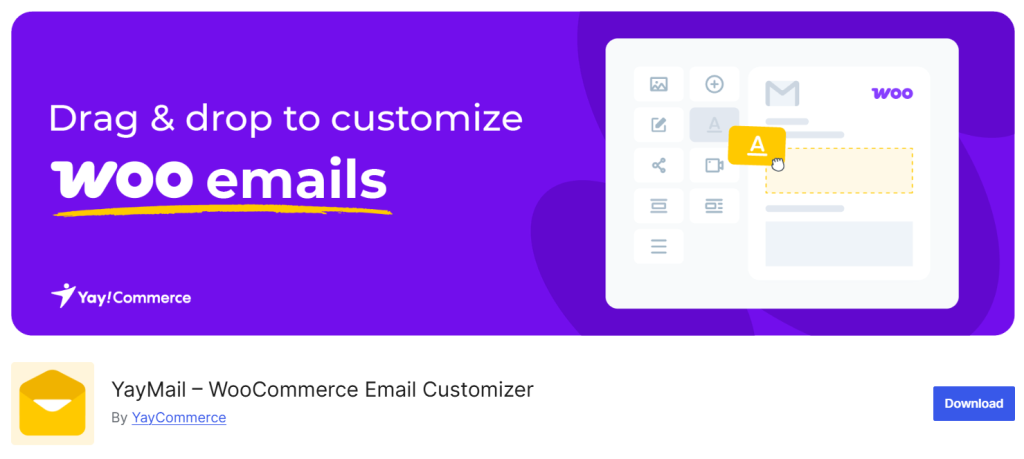
Consistent design across product pages and transactional emails improves trust, reinforces branding, and creates a smoother overall user experience, which contributes to higher long-term conversion rates.
2. Write High-Converting Product Descriptions
Product descriptions play a major role in persuading visitors to buy. Instead of listing only technical features, focus on explaining how the product solves problems and improves the customer’s life. Clear, benefit-driven language helps shoppers quickly understand why the product is valuable.
Breaking content into short paragraphs and bullet points makes it easier to scan and digest, especially on mobile devices. Effective descriptions also anticipate common objections and answer key questions about usage, sizing, compatibility, and care.
Including practical details builds trust and reduces hesitation before checkout. Tone and clarity matter just as much as content, so avoid generic phrases and write in a way that matches your brand voice. Well-crafted product descriptions guide visitors toward confident purchase decisions and directly contribute to higher conversion rates.
3. Use High-Quality Images and Videos
Visual content strongly influences how customers perceive your products and whether they feel confident enough to purchase.
High-resolution images allow shoppers to see important details such as texture, color, and build quality. Showing products from multiple angles and in real-life contexts helps customers better understand what they are buying and reduces uncertainty.
Videos add another layer of clarity by demonstrating how a product works, how it fits, or how it can be used in everyday situations. This is especially helpful for complex or premium items where static images may not be enough.
Optimizing image sizes for fast loading is also essential, since slow pages can discourage buyers. Together, professional images and informative videos create a more engaging shopping experience and significantly improve conversion potential.
4. Improve Call-to-Action (Add to Cart) Performance
The add-to-cart button is one of the most important elements on a product page because it directly drives conversions. Its placement should be highly visible without requiring users to scroll excessively.
Using clear, action-oriented text such as “Add to Cart” or “Buy Now” helps customers understand the next step instantly. Button color and size should contrast with the rest of the page so it stands out without feeling intrusive.
Surrounding the call-to-action with helpful context also improves its effectiveness. Displaying price, key benefits, and delivery or return information nearby reduces hesitation at the moment of decision. Avoid cluttering this area with unnecessary links or distractions.
A strong, well-positioned call-to-action guides users smoothly from interest to action and plays a central role in increasing product page conversions.
5. Leverage Social Proof
Social proof plays a powerful role in influencing buying decisions, especially when customers are unsure about product quality or reliability. Reviews, ratings, and testimonials reassure shoppers that others have already purchased and had a positive experience.
Displaying recent reviews and average star ratings near the product title or price helps build trust quickly and reduces hesitation.
User-generated content, such as customer photos or usage feedback, also strengthens credibility by showing the product in real-world situations. Highlighting best-selling items or showing how many people have purchased a product can further reinforce confidence.
Trust badges, return guarantees, and secure payment indicators add another layer of reassurance. When customers see clear proof that others trust your products, they feel more comfortable completing their purchase, which directly improves conversion rates.
6. Optimize Pricing and Offers
Pricing strategy has a direct impact on purchase decisions, especially on product pages where customers compare value and cost within seconds. Clear pricing displays, visible discounts, and well-structured offers help reduce hesitation and encourage faster action.
Showing original prices next to discounted ones, highlighting savings, and using limited-time offers can create urgency without overwhelming the buyer. Bundles and tiered pricing can also increase average order value by guiding customers toward higher-value options.
Dynamic pricing tools such as YayPricing allow store owners to create flexible discount rules based on quantity, cart value, or customer roles.
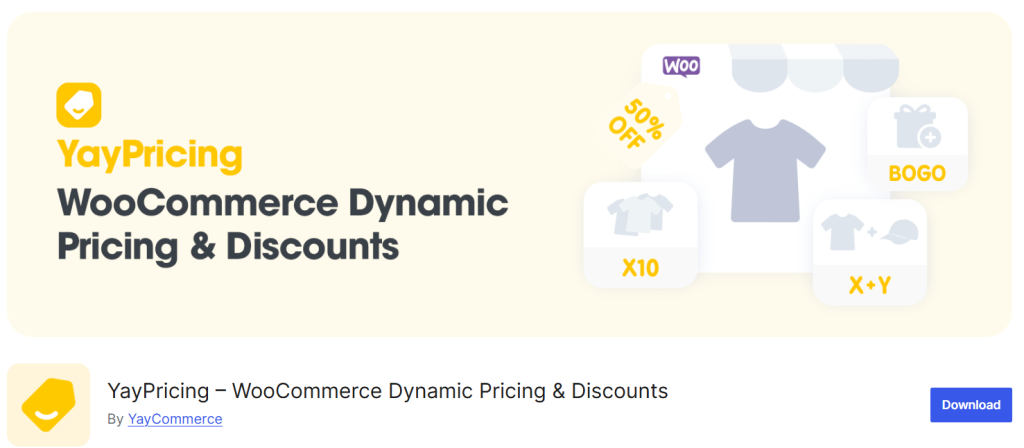
This makes it easier to run targeted promotions without manually changing product prices.
When offers feel personalized and easy to understand, customers are more likely to perceive higher value and complete their purchase.
7. Speed and Performance Optimization
Fast-loading product pages are critical for both user experience and conversions. When pages take too long to load, visitors are more likely to abandon them before viewing product details or adding items to the cart.
Optimizing images by compressing them and using properly sized formats reduces page weight without affecting quality. Caching, minimizing scripts, and reducing unnecessary plugins also help improve loading times.
Server performance and hosting quality play an important role as well, since slow servers can delay every interaction on your store. Clean themes and lightweight page builders prevent layout bloat and keep product pages responsive across devices.
By prioritizing speed and performance, you create smoother browsing experiences, lower bounce rates, and increase the likelihood that customers will complete their purchase instead of leaving due to frustration.
8. SEO Optimization for Product Pages
Optimizing your product pages for search engines helps attract high-intent traffic that is more likely to convert. Each product page should target a clear primary keyword and use it naturally in the title, headings, and product description.
Write unique descriptions instead of relying on manufacturer text, and focus on explaining benefits as well as features. Clear URL structures and well-written meta titles and descriptions also improve click-through rates from search results.
Images play an important role in SEO as well, so use descriptive file names and meaningful alt text to improve visibility in image search. Internal linking between related products and categories helps search engines understand your store structure and improves crawlability.
When you combine strong on-page SEO with conversion-focused design, your product pages can rank better and turn more visitors into customers.
9. Reduce Checkout Friction from Product Pages
Reducing friction on the path from product page to checkout is critical for improving conversions. Shoppers often abandon purchases when they encounter unexpected costs, unclear policies, or complicated steps.
Your product pages should clearly display shipping information, return policies, and delivery timelines so users feel confident before adding items to their cart. Avoid forcing customers to create an account before purchasing, and keep required form fields to a minimum.
You should also make the transition to checkout as smooth as possible by using clear call-to-action buttons and minimizing page reloads. Features such as one-click add-to-cart, visible cart summaries, and simplified navigation help users move forward without hesitation.
By removing unnecessary obstacles and answering key questions early, you create a faster and more comfortable buying experience that leads to higher completion rates.
10. Use Analytics and A/B Testing
Data-driven optimization is essential for improving conversions on WooCommerce product pages. Analytics tools help you understand how visitors interact with your pages, including where they click, how long they stay, and where they abandon the purchase process.
By analyzing this behavior, you can identify weak points such as confusing layouts, poorly placed call-to-action buttons, or slow-loading elements that reduce engagement.
A/B testing allows you to compare different versions of product page elements such as headlines, product images, button text, and pricing displays. Instead of relying on assumptions, you can test real variations and measure which one produces better results.
Continuous testing and refinement ensure that design and content decisions are based on actual customer behavior, leading to steady and measurable conversion improvements over time.
If you need to read more similar articles, check these:
- 7 Best AI Coding Tools and Plugins for WordPress
- How to Give WooCommerce Discounts for Specific Regions
- How to Give Discounts on WooCommerce Shipping Fees
- Best 7 Cloudflare Alternatives: CDN Options & More in 2026
- How to Give Discounts to Specific WooCommerce Customers
Frequently Asked Questions
Now, let’s take a look at some of the frequently asked questions and answers regarding this topic.
You can increase conversions by making small but impactful changes, such as improving product descriptions, adding clearer call-to-action buttons, and displaying reviews more prominently. Optimizing images, simplifying layout spacing, and highlighting key benefits near the price can also make a noticeable difference without a full redesign.
Yes, images strongly influence buying decisions. Clear, high-quality visuals help customers understand what they are purchasing and reduce uncertainty. Showing multiple angles and real-life usage images builds confidence and lowers the chance of hesitation before adding items to the cart.
Page speed is critical because slow-loading pages frustrate users and increase bounce rates. Faster pages keep visitors engaged longer and make it easier for them to browse products and complete purchases. Even small speed improvements can lead to higher conversion rates over time.
Yes, post-purchase and cart-related emails influence how customers perceive your store and whether they return. Well-designed transactional emails created with tools like YayMail improve brand consistency and user experience, which can increase repeat purchases and overall conversion performance.
Pricing directly affects how customers evaluate value. Clear discounts, limited-time offers, and bundle deals make products feel more attractive and urgent. Dynamic discount tools such as YayPricing help create targeted offers based on quantity or cart value, which can increase both conversions and average order value.
Social proof reassures customers that others trust your products. Reviews, ratings, and testimonials reduce the fear of making the wrong choice. When shoppers see positive feedback from real buyers, they feel more confident and are more likely to complete their purchase.
Yes, testing helps you avoid relying on guesswork. By comparing different layouts, button styles, or pricing displays, you can see what performs better with real users. Regular testing ensures your product pages continue improving based on actual customer behavior rather than assumptions.
Conclusion
Boosting conversions on your WooCommerce product pages is not about making drastic changes, but about refining the elements that influence buying decisions.
Clear layouts, persuasive product descriptions, strong visuals, and visible social proof all work together to build trust and reduce hesitation. Improving call-to-action placement, page speed, and pricing presentation further removes friction from the purchase journey.
When these improvements are guided by analytics and tested regularly, they become even more effective over time. By focusing on user experience and decision-making psychology, you can turn more visitors into customers without increasing your traffic.
Consistent optimization ensures your product pages remain competitive, engaging, and capable of delivering steady growth for your online store.
We hope you found this article helpful and enjoyed reading it. If you need to learn more WooCommerce tips and tricks, check out the YayCommerce blog. Also, feel free to check out our social media handles, such as Facebook, X, Instagram, and YouTube, for more interesting content.
Do you know any other methods?
Let us know in the comments.
