
Do you want to give WooCommerce discounts for specific regions? If you are looking for a simple guide, keep reading this post.
Running promotions in an online store becomes more effective when discounts are tailored to specific customer locations.
Many WooCommerce businesses sell to multiple countries or regions, and offering the same pricing everywhere may not always deliver the best results. Regional discounts allow store owners to run targeted promotions, support location-based campaigns, and adjust pricing for different markets.
For example, you might want to offer a special discount to customers from a specific country, promote products in a new region, or offer limited-time deals for local shoppers.
WooCommerce alone has limited options for creating these types of rules. With YayPricing, store owners can easily create flexible discount rules based on customer regions and manage location-specific promotions without complicated configurations.
In this post, we will see how to properly apply WooCommerce discounts to specific regions.
First, let’s see why you should give WooCommerce discounts for specific regions.
Why You Should Give WooCommerce Discounts for Specific Regions
Offering region-specific discounts helps WooCommerce store owners run more targeted promotions and improve sales in selected markets.
- Support regional marketing campaigns by offering special promotions tailored to customers in specific countries or locations.
- Encourage sales in slower markets by offering discounts to attract customers from regions with lower conversion rates.
- Adjust shipping or operational costs in locations where expenses are higher to help maintain competitive pricing.
- Promote new markets by offering introductory discounts to customers in regions where your brand is just entering.
- Reward local customers with exclusive deals designed for shoppers from particular countries or areas.
- Increase overall conversion rates by showing relevant discounts to the right audience instead of using storewide promotions.
Now, let’s see how to use YayPricing for this job.
How to Give WooCommerce Discounts for Specific Regions
For this tutorial, we will be using the premium version of YayPricing. A lite version is also available in the WordPress plugins repository. If you are new to this plugin, you can test the lite version. After installing and activating the plugin, you can see its configuration on the left-hand side.
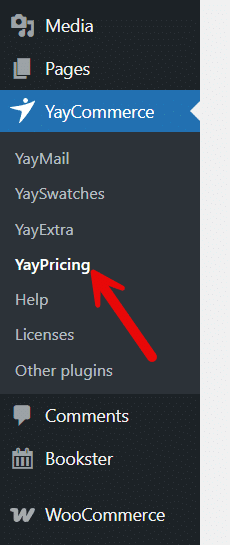
Now, you can see the main options:
- Product pricing
- Cart discount
- Checkout fee

Now, add a new rule under product pricing.
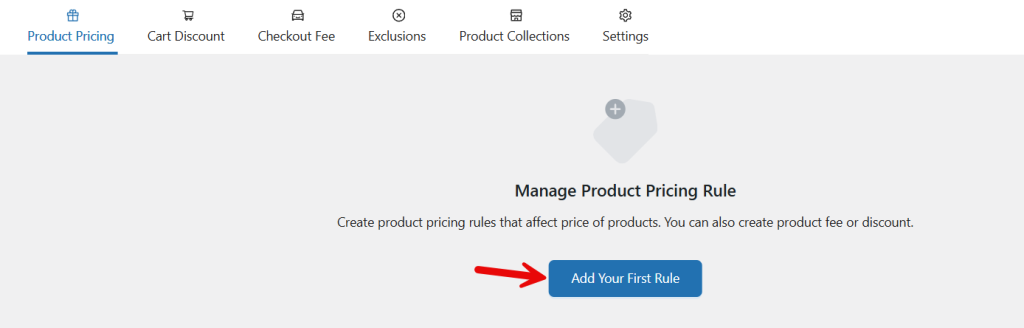
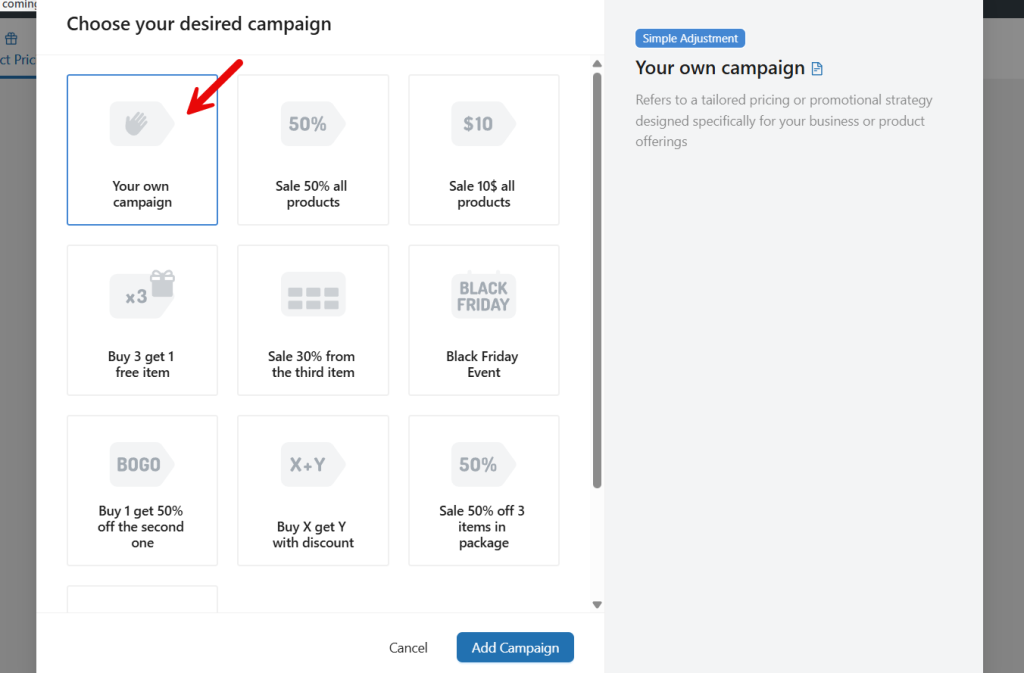
A blank template would be fine.
Next, you have to choose a name and rule type.
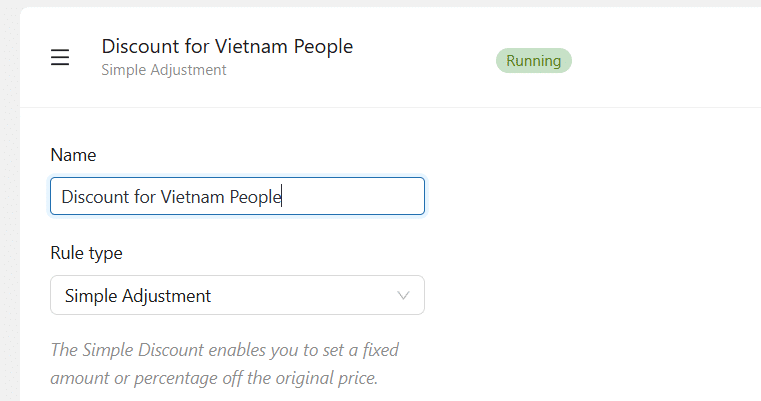
The name is just for identification. You can use a simple adjustment in the rule type option. Now, it is time to choose the pricing type.
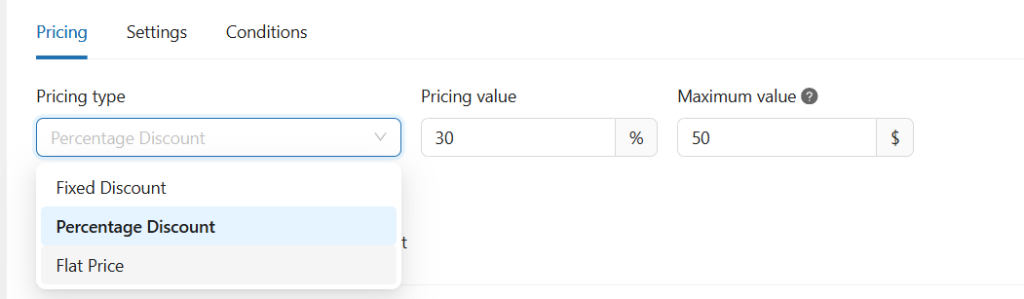
There are three modes:
- Fixed discount
- Percentage discount
- Flat price
You can pick an option based on your needs. In this case, we will be using a percentage discount. And the value we will be choosing is 30%. On top of that, we will set a maximum discount cap of $50.
Next, choose the products you need to offer this discount.
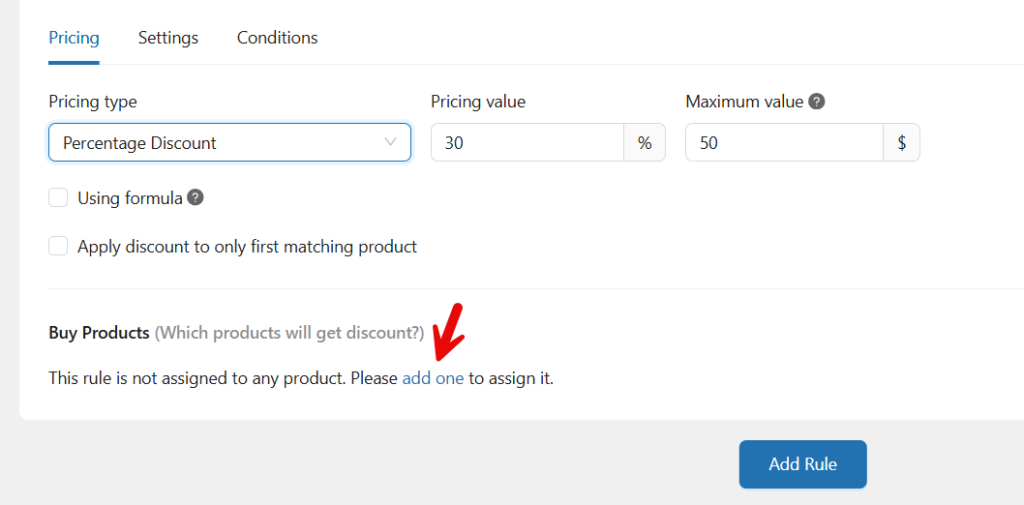
You can use the available filters to choose products.
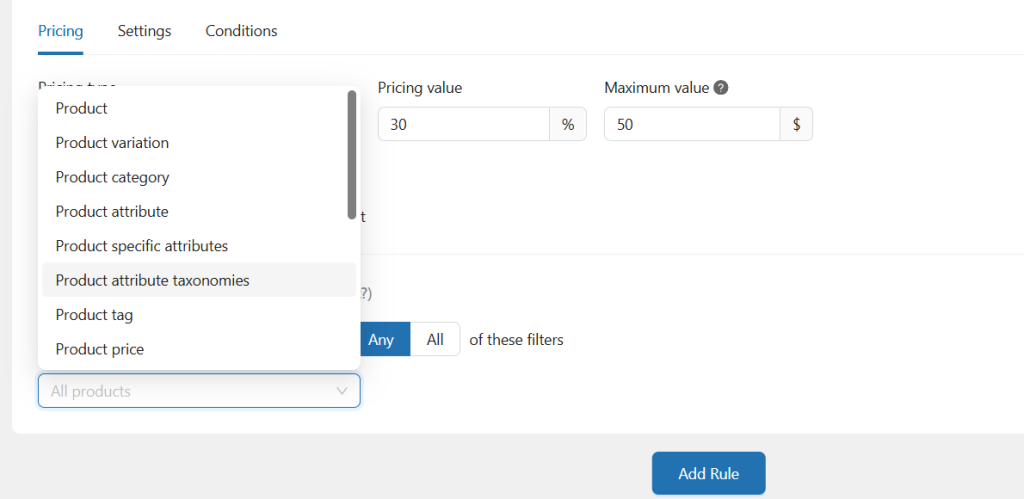
We will be choosing all products. Next, you have to add a new condition.
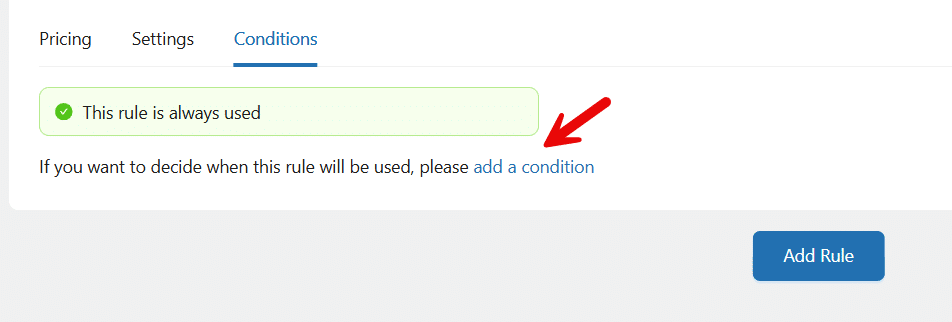
The condition you need to choose is the shipping region. You can find it from the dropdown. After choosing the condition, add the country or region.
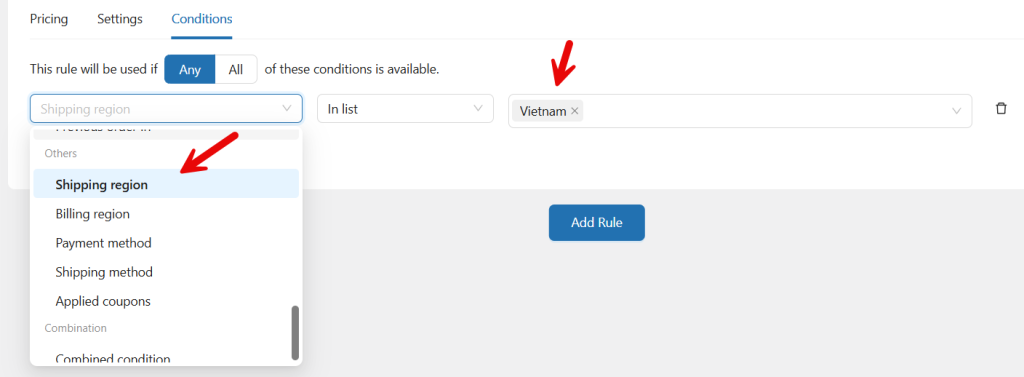
As you can see in the screenshot, we have added Vietnam. Now save and activate the campaign.
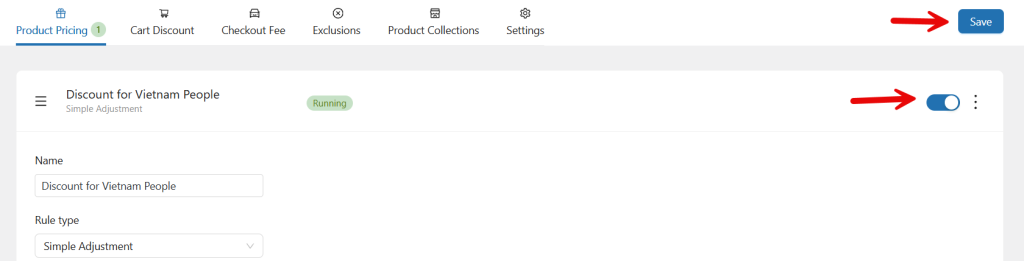
From now on, when someone uses the Vietnam shipping region, they will get a 30% discount on the products (max $50).
That’s it!
This is how you can give WooCommerce discounts for specific regions.
Here are some articles you might like:
- 7 WooCommerce Discount Strategies That Actually Increase Average Order Value
- How to Get More (and Better) Product Reviews on Your WooCommerce Store
- How to Add a Request a Quote Button to Your WooCommerce Store
- What’s New in YayExtra 2.1.0
- Yay Wholesale vs Wholesale Suite: Which WooCommerce B2B Plugin Fits Your Store?
Frequently Asked Questions
Now, we will take a look at some of the frequently asked questions and answers regarding this topic.
You can create region-based discounts by setting rules that apply to customers from certain countries or locations. This can be done by checking the customer’s billing or shipping address and applying the discount accordingly. Many store owners use a dynamic pricing plugin to create these rules more easily.
WooCommerce does not provide advanced location-based discount rules by default. While basic coupons are available, they do not offer flexible region targeting. Using a plugin like YayPricing lets you create automatic discounts for customers in specific countries or regions.
For simple promotions, you might use coupons with restrictions. However, managing automated regional pricing rules often requires additional tools. A plugin such as YayPricing helps store owners set location-based conditions and apply discounts without complex manual configurations.
Yes, you can create separate discount rules for multiple countries. For example, you could offer one discount for customers in the US and another promotion for customers in Europe. This helps tailor pricing strategies to different markets.
Yes, regional discounts can be applied automatically when a customer from a specific location visits your store or enters their address during checkout. With tools like YayPricing, these rules can run automatically without customers needing to enter a coupon code.
No, region-based discounts apply only to customers who meet the defined location criteria. Other shoppers will continue to see the regular product prices unless they qualify for the promotion.
Yes, in many cases, you can combine regional discounts with other offers, such as seasonal sales or product-specific promotions. Just make sure the rules do not conflict with each other to avoid unexpected pricing results.
Conclusion
Applying discounts for specific regions is a practical way to run more targeted promotions in your WooCommerce store. It allows you to create location-based offers, attract customers from selected markets, and adjust pricing strategies for different regions.
Instead of offering the same deal to everyone, regional discounts help you deliver more relevant promotions that can improve conversions and customer engagement. While WooCommerce provides basic pricing options, creating flexible location-based discount rules can be much easier with the right tool.
YayPricing makes it simple to build advanced discount rules, target customers by region, and automate your pricing strategy. With the right setup, store owners can manage regional promotions efficiently and create better shopping experiences for customers across different locations.
We hope you found this article helpful and enjoyed reading it. If you need to learn more WooCommerce tips and tricks, check out the YayCommerce blog. Also, feel free to check out our social media handles, such as Facebook, X, Instagram, and YouTube, for more interesting content.
What other condition would you set up on your WooCommerce store?
Let us know in the comments!

