
Hello everyone…
If you are using the Brandy WordPress theme with the Brandy Blocks plugin, we have some exciting news for you…
Brandy Blocks 2.0 is a major update for anyone building pages in the WordPress editor. This release adds an AI Layout Builder, a rebuilt Pricing Table, new sliders, and a large set of content blocks for charts, teams, notices, progress bars, and more.
You also get better WooCommerce and blog loops, stronger defaults, faster loading, and a long list of editor fixes. If you use the Brandy theme or want more design control inside Gutenberg, this update is worth a close look.
Here is what is new and what has improved.
Table of contents
What’s New In Brandy Blocks 2.0
In the 2.0 release, we have
- added a lot more cool stuff to help you build stunning websites
- improved some of the existing features
- rebuilt a few features
- fixed some of the minor bugs and compatibility issues
Let’s take a closer look at the major changes below.
What’s New
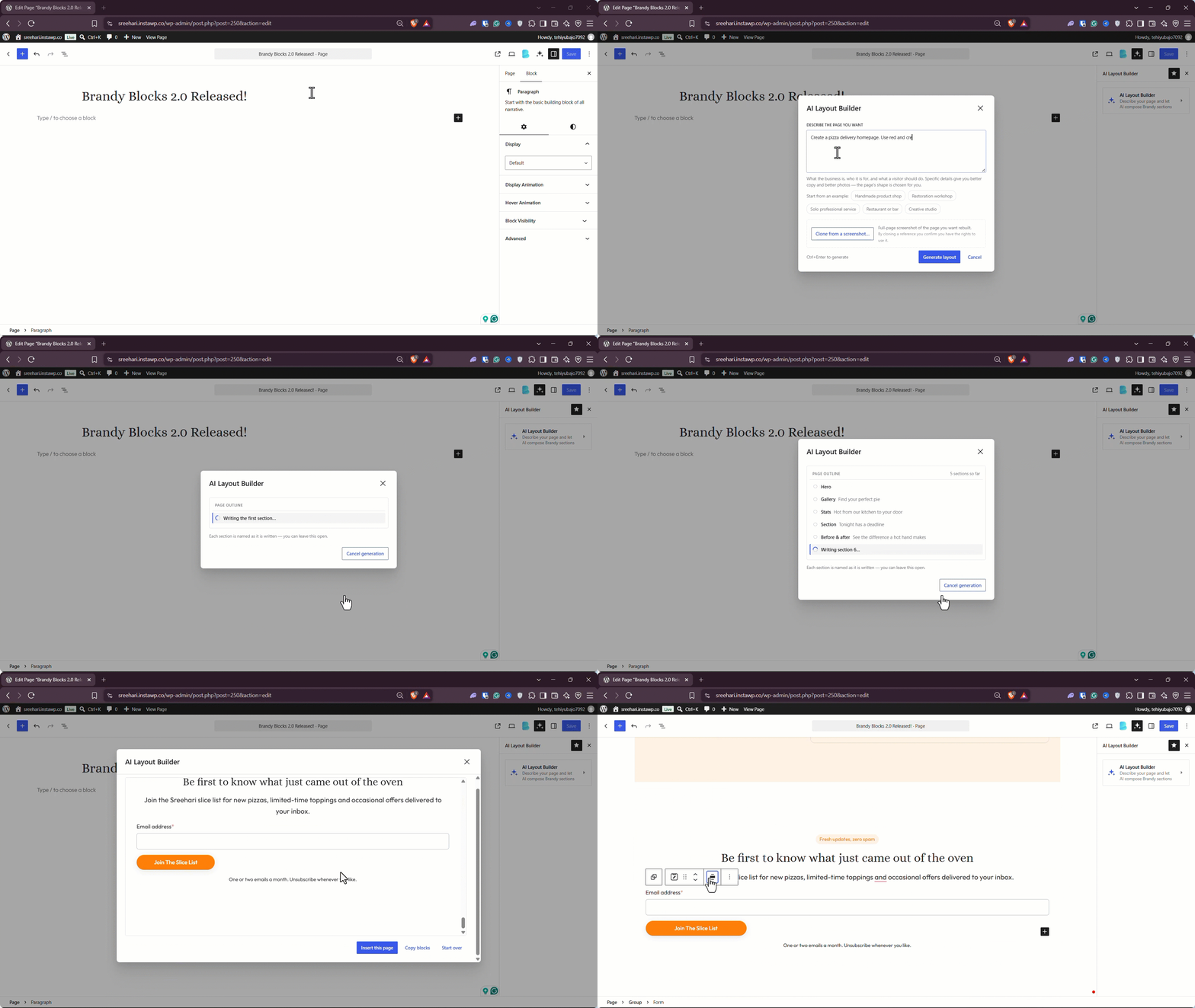
- AI Layout Builder: Type what you want the section to look like and Brandy Blocks builds it in the editor. You can watch it come together, stop halfway without losing the work so far, or upload a screenshot and ask it to follow that design.
- Pricing Table: Plans are now built from separate Table, Plan, and Options blocks. You start with a ready-made three-plan layout instead of rebuilding a pricing section from a single rigid block.
- New content blocks: You can now add charts, badges, medals, notices, info boxes, icon lists, progress bars, shape dividers, social icons, team members, and a table of contents without extra plugins.
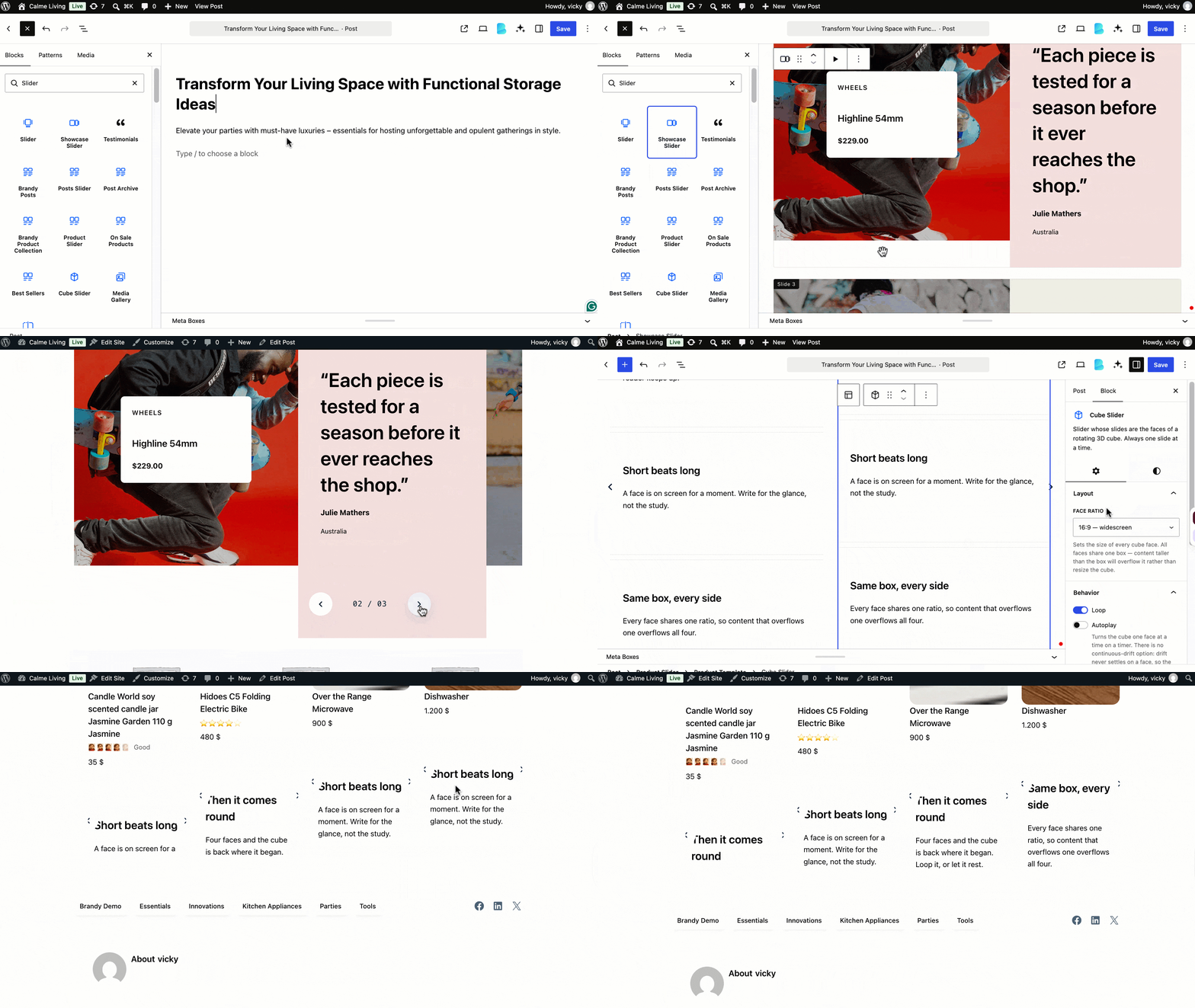
- Slider family: Drop any blocks into a standard Slider, use Showcase Slider when you want a fixed text panel, Cube Slider for a 3D effect, or Loop Slider for a rail that switches from vertical to horizontal on smaller screens.
- More layout tools: Rotator, Scroll Statement, Pinned Notes, and Filterable Sections help you cycle content, pin notes, and let visitors filter content groups on the same page.
- Posts loop: Show blog posts in a responsive grid or slider using a native loop you can style once and reuse.
- Product Collection: Do the same for WooCommerce products, with columns that adapt and an optional slider view.
- Avatar Group: Stack profile images from items you pick yourself or from dynamic sources.
- Buttons wrapper: Group Brandy buttons and control their alignment within a single parent block.
- Load More for related posts: Let readers load the next set of related posts on the same page instead of jumping to another archive.
- Tabs that feel more designed: Use logos or images as tab labels, add a hover link, and choose from layout presets, including segmented and minimal styles.
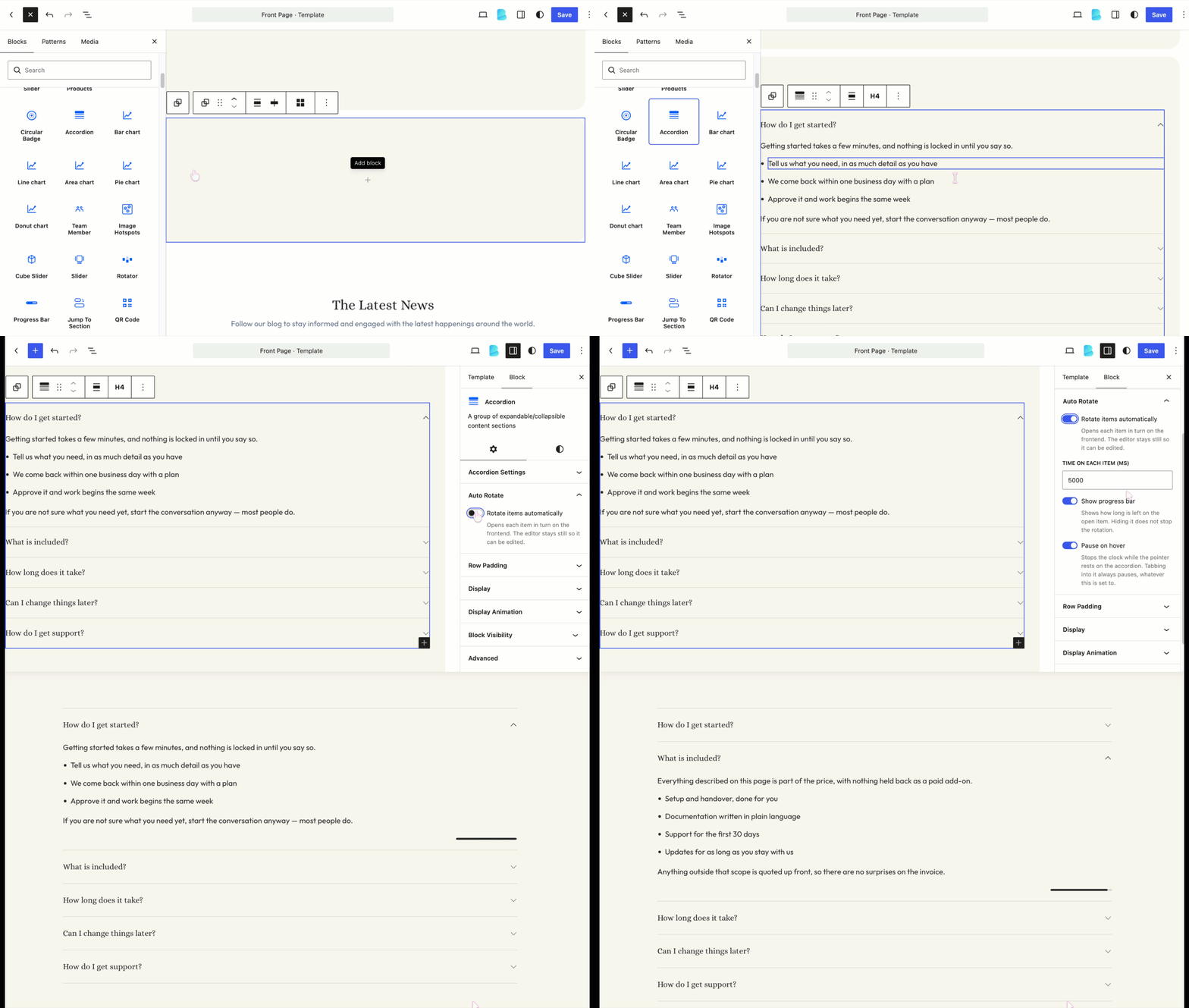
- Smarter Accordion: Place a full row of blocks inside a question, and optionally rotate items on a timer, with a progress bar indicating the pace.
- Richer Slider controls: Add continuous auto-scroll, show controls on hover, display partial slides, dim outer slides, fade the edges, and preview playback from the editor toolbar.
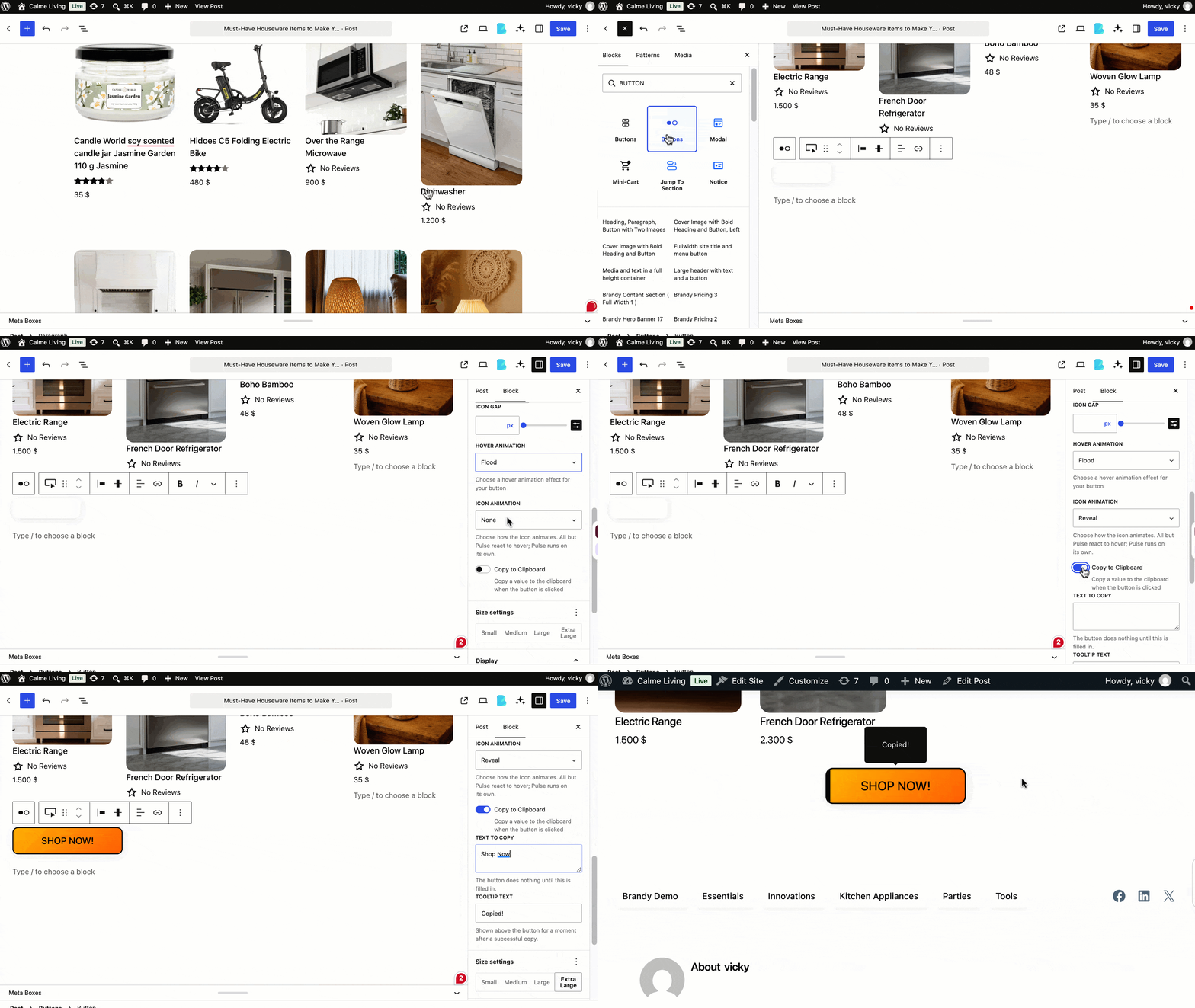
- Better Buttons: Copy text to the clipboard with a confirmation tooltip, use a Flood hover effect, and add reveal or pulse animations to icons.
- Frosted Glass: Apply a frosted look with a dedicated toggle that replaces the old Blur option.
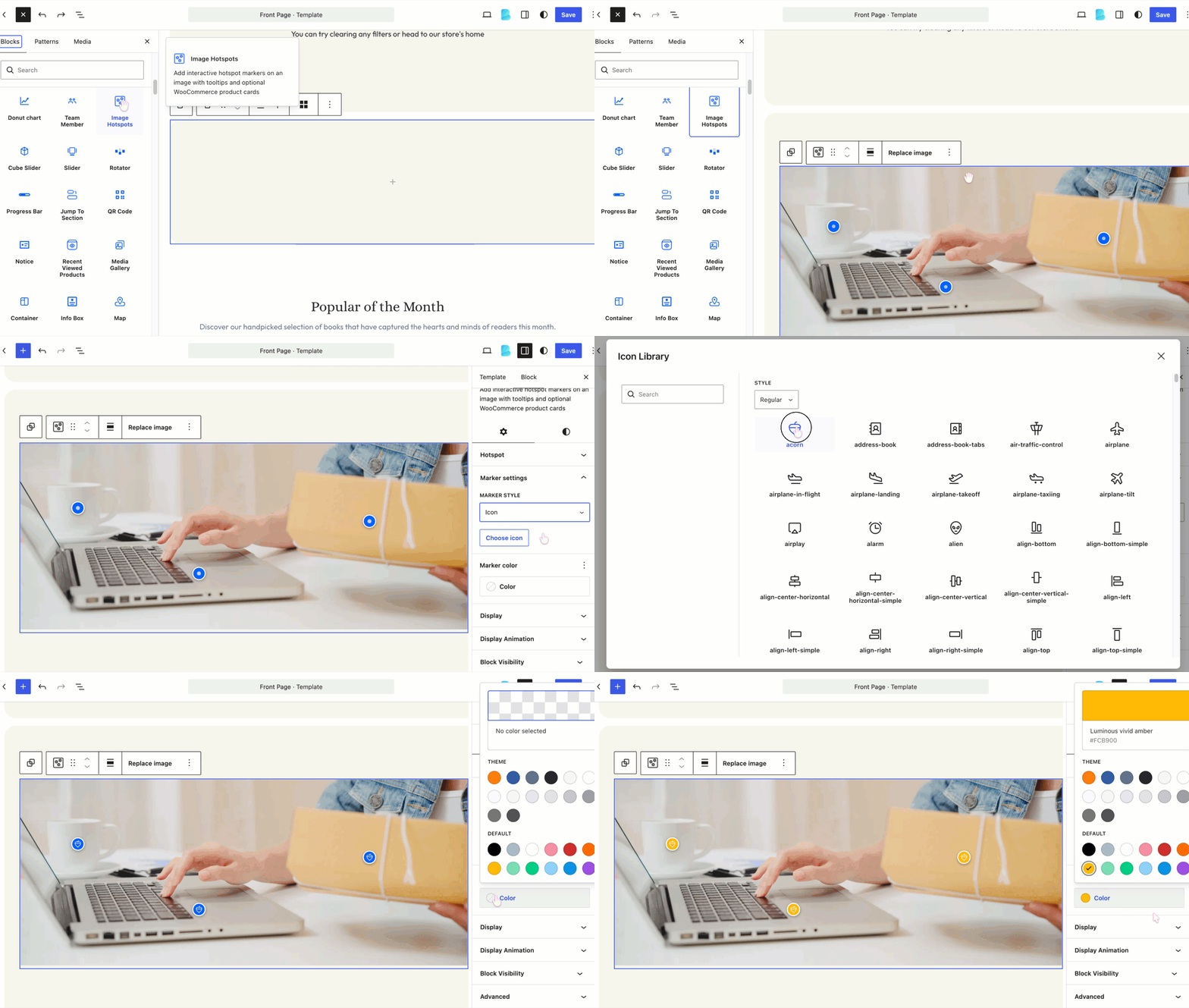
- Finer styling details: Use icon markers on Image Hotspots, style Before/After labels separately, add prefix, suffix, and description styling to Counters, and list child categories in the new Product Categories layouts.
- Images from a URL: Add remote images directly in Media Gallery, Before/After, and Accordion Images instead of uploading every file first.
Better than Before
- Ready-made block content: New blocks no longer drop in empty. They arrive with designed starter content and show a clearer preview in the inserter, so you can judge the layout before you add it.
- Colors that follow your site: Color choices now save as palette references. When you change the site palette, those blocks can follow it instead of staying locked to old CSS values.
- Replay entrance motion: You can replay entrance animations in the editor whenever you need another look, without saving or refreshing the page.
- Lighter pattern loading: Brandy Blocks now loads patterns from files rather than loading them all into memory, keeping the editor leaner.
- Slider scripts only when needed: The slider library loads on pages that actually use a slider, so other pages stay lighter.
- Fresher assets after updates: Block files are versioned with each plugin release. That helps prevent old cached CSS or scripts from sticking around after you update.
Updated and Rebuilt
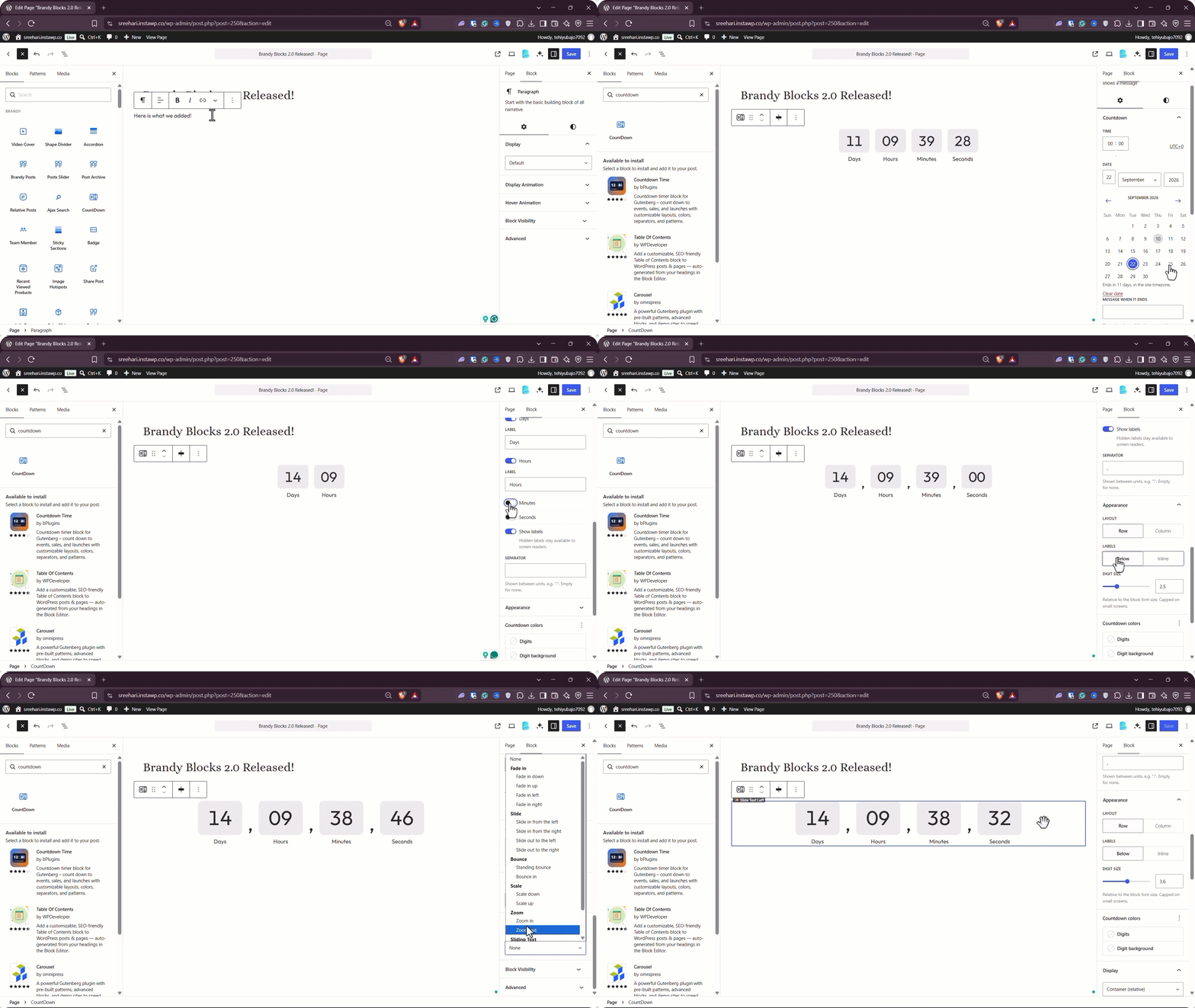
- Countdown: The timer now runs on a clock-based system, with simpler settings to manage.
- Jump to Section: This block has been rebuilt for better accessibility and now includes a progress ring.
- Rebuilt patterns: FAQ, pricing, testimonial, hero, and tabs patterns now use the actual Brandy blocks, so the designs match what you can edit in the editor.
- Carousel replacement: The Carousel and Carousel Slide blocks have been replaced with the new Slider blocks. Use Slider going forward for the same layout types.
- Breadcrumbs: The Breadcrumbs block has been removed. Breadcrumbs now come from the theme instead of the plugin.
- Tab image fit: Tab images now default to Contain, so non-square images stay in shape instead of being cropped. Choose Cover on a tab if you want the old look.
- Image hotspots: There is a whole new experience when you need to use our image hotspot feature.
- Settings location: Block settings are now live under the Extensions tab in the theme dashboard, keeping plugin options in one place.
Quick Fixes
- Block spacing: Spacing now applies correctly in Media Gallery, Tab Region, and other blocks that do not have full layout support.
- Before/After slider: Dragging no longer stops when the pointer moves outside the image.
- Quick View: The correct product now opens when used within a product loop.
- Map block: The map initializes properly in the iframed editor.
- Product Collection filters: Product Collection now stays in sync with WooCommerce product filters.
- Category tiles: Product category tiles no longer overflow in the editor.
- Editor previews: Wishlist, Recently Viewed, and Compare blocks no longer render empty while you edit.
- Table of Contents markers: List markers stay visible even when a host theme tries to reset them.
- Accordion motion: Collapsible and Accordion animations now finish cleanly even if you interrupt a toggle midway.
- Zero gap: Setting a block gap to zero now keeps that value, rather than treating it as unset.
- Preset colors: Preset color references now expand correctly across more blocks.
How to Update to Brandy Blocks 2.0
If you are updating the plugin manually, you can download it from the WordPress plugin repository. When you download it from the official repository, it will be version 2.0.
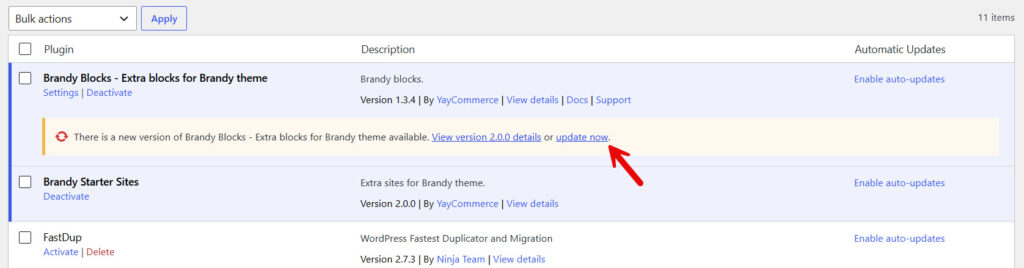
On the other hand, if you are updating directly via the plugin’s section:
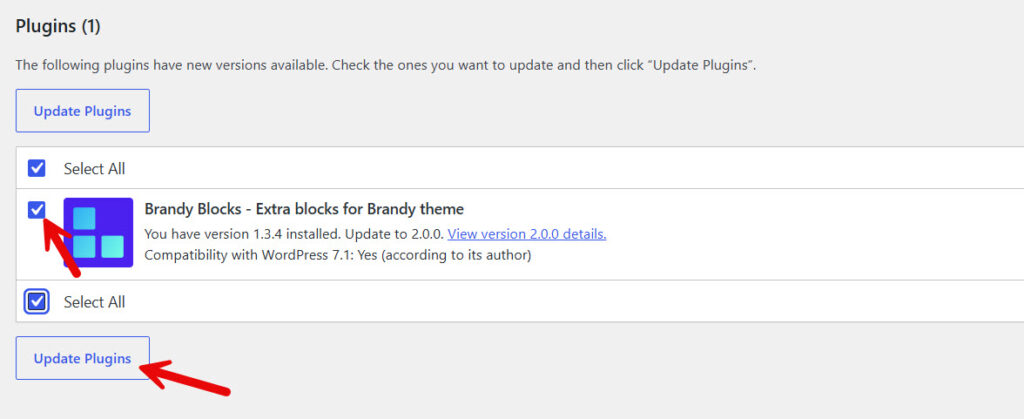
Or from the main WordPress updates page:
Here are some more product update-related news you can check:
Conclusion
Brandy Blocks 2.0 is a large update with a clearer editing experience and a much wider set of blocks.
You get an AI Layout Builder, a rebuilt Pricing Table, and new sliders. Plus, stronger WooCommerce and blog loops, and a long list of content blocks for everyday page sections.
The smaller changes matter too. Defaults look better, and colors can match your site palette. Sliders load only when needed, and several editor issues have been fixed. If you already use Brandy Blocks, this is a good time to update.
If you use the Brandy theme, the combination is even stronger. Update when you are ready. If anything feels off after the upgrade, the YayCommerce support team can help. Just chat with us, and we can help you.
