
Hello… Here is what’s new in YayExtra 2.1.0, the latest version of the plugin…
If you use YayExtra to add extra product options in WooCommerce, we have some news for you… YayExtra 2.1.0 is an update for anyone building option sets. This release adds a Steps/Accordions layout, new static elements (images, heading, divider, spacing, paragraph, HTML), and Pro elements for popup, product list, and link.
You also get search in the option type selector and option types grouped into Input, Choice List, Swatch, and Static. If you already run YayExtra, this update is worth a close look. Here is what is new and what has improved.
Table of contents
What’s New in YayExtra 2.1.0
In the 2.1.0 release, we have
- added new layouts and elements for option sets
- added search so you can find a field type faster
- grouped option types into clearer categories
- kept the extra options builder easier to scan as the list grows
Let’s take a closer look at the major changes below.
What’s New
YayExtra Free and Pro
- Steps/Accordions layout: You can present an option set as steps or accordions instead of one long stack of fields.
- Images Element: Add image content inside the option set when you need visuals next to the fields.
- Heading Element: Add a heading to break the form into labeled sections.
- Divider Element: Add a divider between groups of options.
- Spacing Element: Add space between fields without custom CSS.
- Paragraph Element: Add short helper text in the option set.
- HTML Element: Add custom HTML when a heading or paragraph is not enough.
- Search in the option type selector: Search the field list instead of scrolling through every type.
YayExtra Pro
- Popup Element: Open extra content in a popup from the option set.
- Product list Element: Show a product list inside the option set.
- Link Element: Add a link field when the customer needs to click through to another page or resource.
Better than Before
YayExtra Free and Pro
- Grouped option types: Field types now sit in categories: Input, Choice List, Swatch, and Static. The selector is easier to scan when you add a new option than when you use a single mixed list.
The search box from What’s New works with this grouping. You can jump to a type by name or browse by category.
How to Update to YayExtra 2.1.0
If you download the YayExtra plugin from the WordPress plugins repository, it will be version 2.1.0.
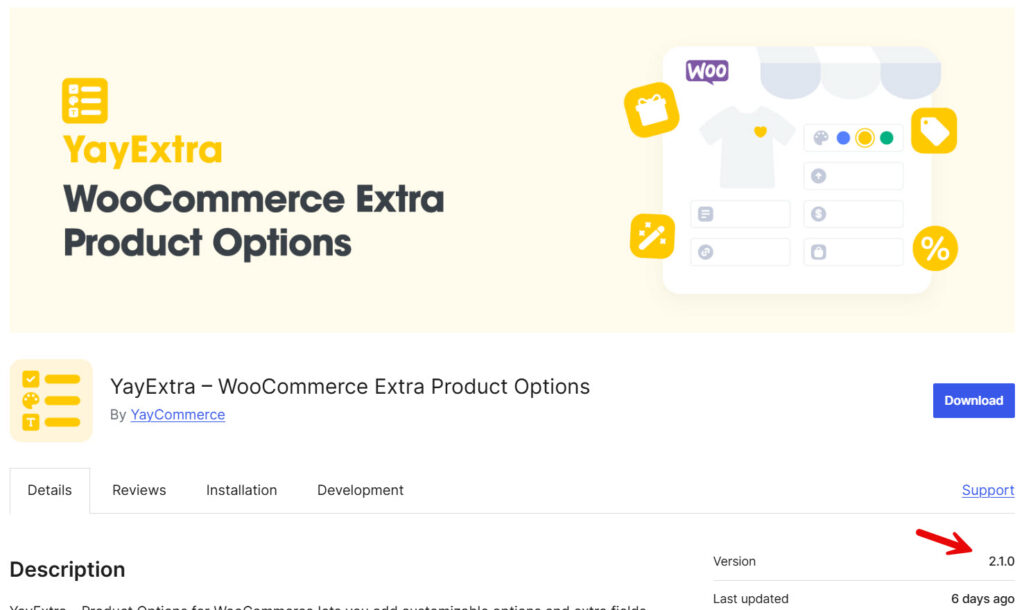
If you are already using the plugin, you can update it directly via the plugins page.

Or you can visit the WordPress updates page and initiate the update process.
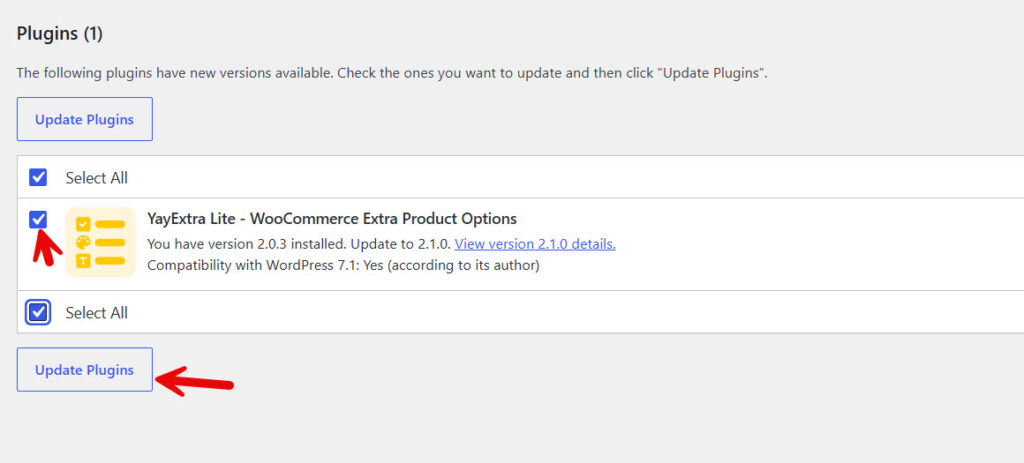
If you are using the pro version of YayExtra and need to update to 2.1.0, make sure you have verified the license key first. If you have verified the license key, you can update the plugin to the latest version without any issues.
Here are some similar product update news you might be interested in:
Conclusion
YayExtra 2.1.0 is a builder update. You get a Steps/Accordions layout and new static elements for images, headings, dividers, spacing, paragraphs, and HTML.
Pro adds popup, product list, and link elements. The option type selector is easier to use too.
Types are grouped into Input, Choice List, Swatch, and Static, and you can search when the list gets long. If you already use YayExtra, this is a good time to update and rebuild option sets that felt cramped into a single long form.
Update when you are ready. If something feels off after the upgrade, the YayCommerce support team can help. Just chat with us.
