
Do you want to give discounts to specific WooCommerce customers? If you are looking for a simple guide, keep reading.
Offering targeted discounts is one of the most effective ways to increase conversions and build stronger relationships with your WooCommerce customers. Instead of giving the same promotion to everyone, store owners can create special offers for selected customers, user roles, or purchase groups.
This approach helps reward loyal buyers, encourage repeat purchases, and attract high-value customers.
WooCommerce provides flexible options for managing pricing strategies, but applying discounts to specific customers often requires the right setup or tools. With the proper configuration, you can easily create personalized promotions that appear only to the intended audience.
In this guide, you will learn how to give discounts to specific WooCommerce customers, why targeted pricing is useful for online stores, and how to implement it efficiently without affecting other shoppers.
First, let’s see why you should give discounts to specific WooCommerce customers.
Table of contents
Why You Should Give Discounts to Specific WooCommerce Customers
Offering discounts to specific WooCommerce customers helps store owners build stronger relationships while creating targeted pricing strategies.
- Reward loyal customers with exclusive discounts to increase retention and repeat purchases.
- Create personalized pricing for wholesale buyers, members, or VIP customers in your WooCommerce store.
- Encourage higher-order values by providing special offers to selected customer groups.
- Improve customer satisfaction by giving returning buyers better deals than standard pricing.
- Run targeted promotions that attract new customers while keeping your pricing strategy flexible.
How to Give Discounts to Specific WooCommerce Customers
Now let’s see how to give discounts to specific WooCommerce customers. For this, we will be using the premium version of YayPricing. There is a lite version available with basic features too. If you are a beginner, you can test it to see how the plugin works.
The first thing you need to do is install and activate the plugin on your website. After activation, you will see the configuration options on the left-hand side.
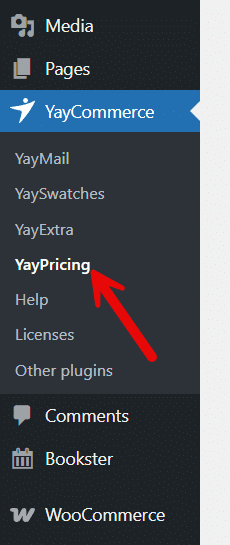
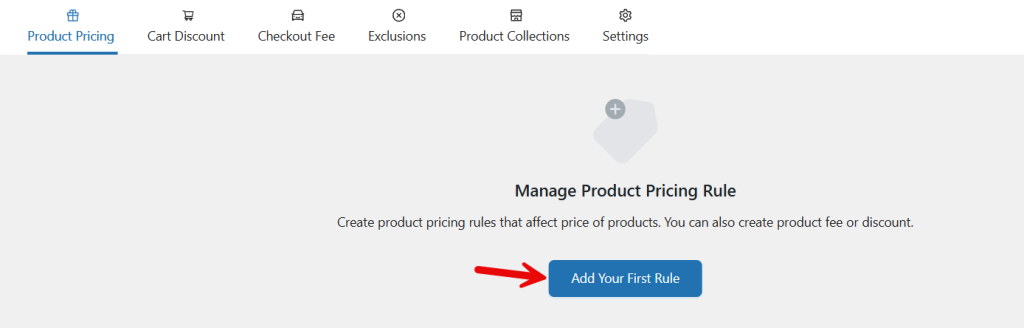
You will see three main rule configuration options:
- Product pricing
- Cart discount
- Checkout fee

From there, choose product pricing and add a new rule.
You can start with a blank template.
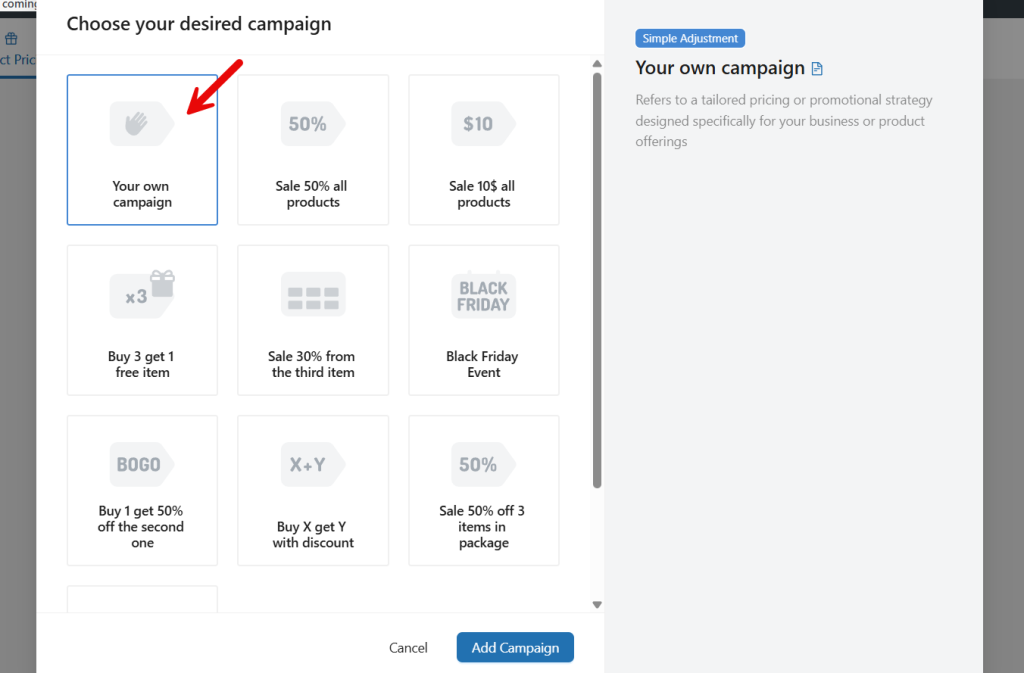
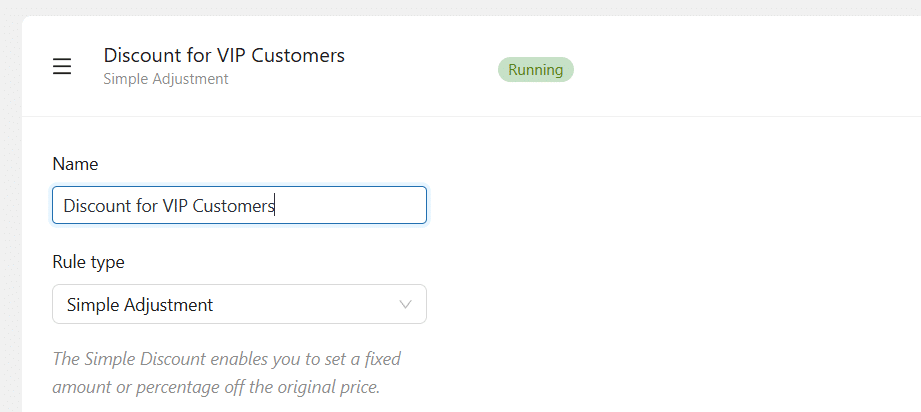
Name your campaign and choose simple adjustment as the rule type.
Next, you have to choose a pricing type. There are three types:
- Fixed discount
- Percentage discount
- Flat price
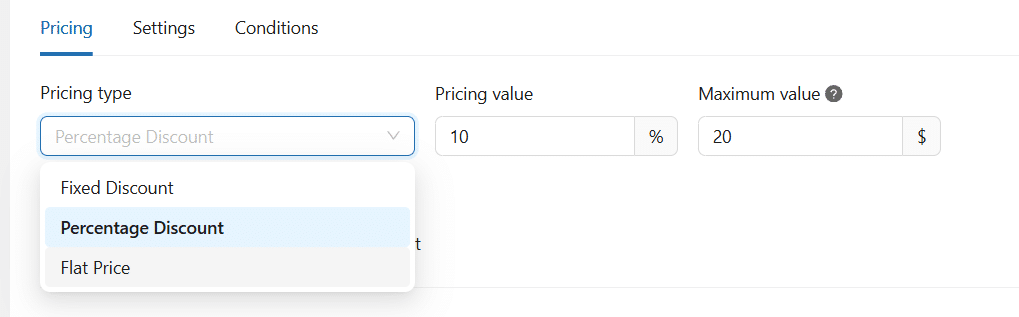
In our case, we will choose a percentage discount. The pricing value would be 10%. The discount cap would be $20 per customer.
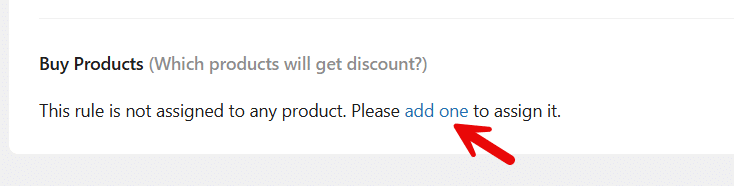
Now it is time to add the products under this campaign.
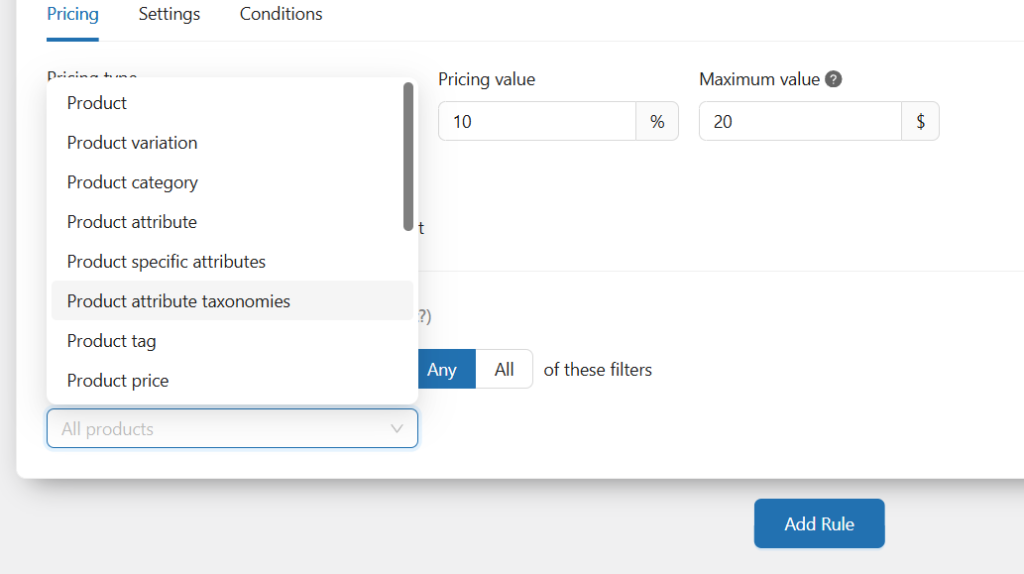
You can choose individual products, based on categories, tags, or all the products, and more. You have many options in the dropdown. In this case, we will apply this campaign to all products.
Now move to the next step and add a condition.
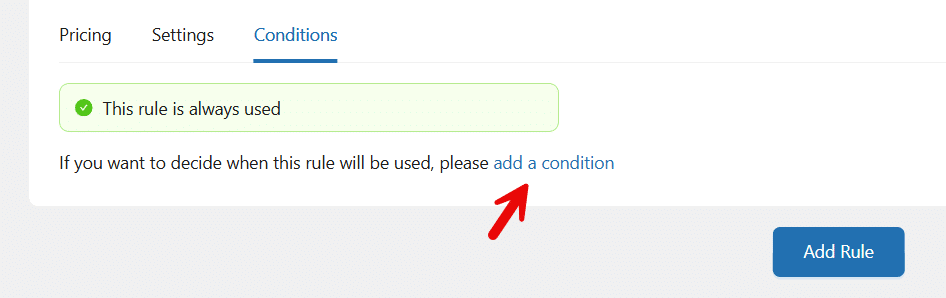
The condition you would use is “specific customer”.

Now, add the customers in the field.
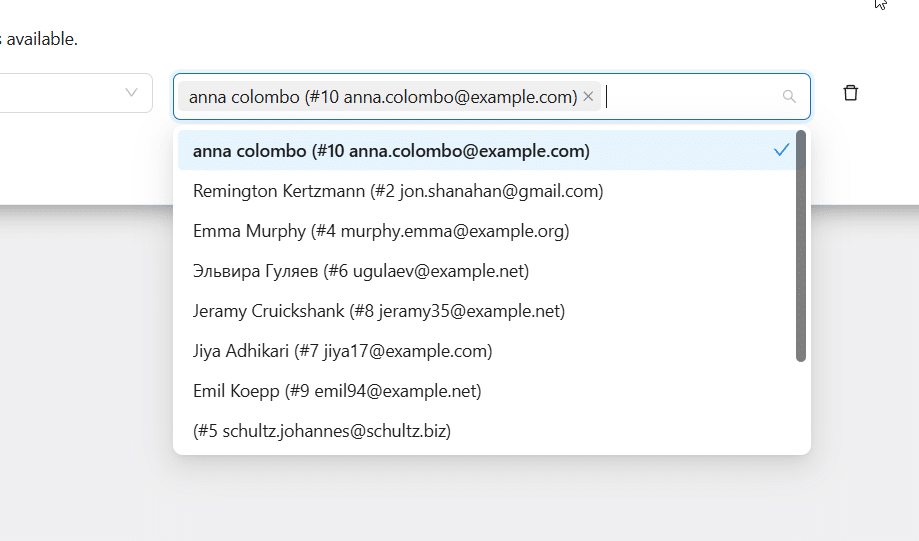
You can add as many customers as you need. And once you are done with it, save and activate the campaign.
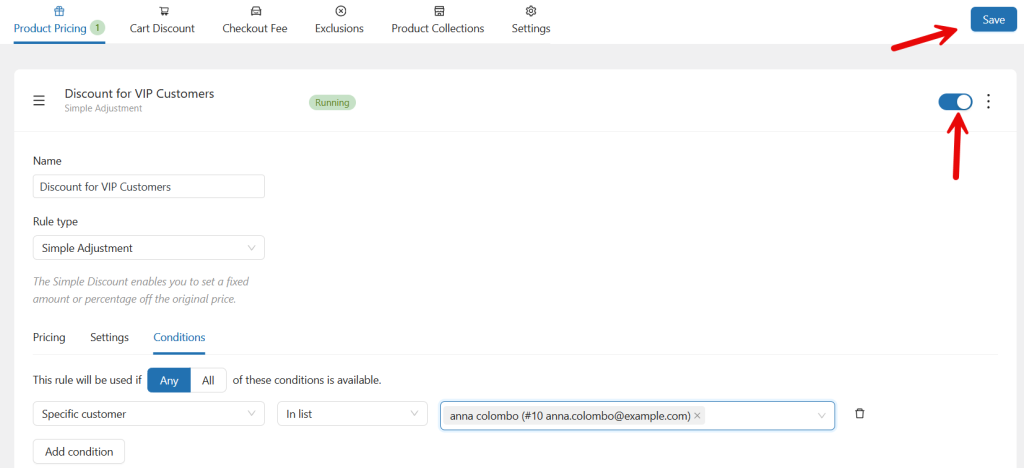
From now on, anyone on the list will purchase products from the store and will receive a 10% discount on the total amount (maximum $20 per purchase, per our rule).
That’s it!
This is how to give discounts to specific WooCommerce customers.
Here are some similar articles you might be interested in:
- What’s New in YayExtra 2.1.0
- Why WhatsApp Blocked My Number and How to Unblock
- What’s New in Brandy Blocks 2.0
- WooCommerce vs Shopify: Key Differences for Your Online Store
- How to Create a Notification Bar in WordPress (Notibar Tutorial)
Best Practices to Follow for Customer Discounts
Following the right strategy when offering discounts ensures you attract customers without hurting your store’s profitability.
- Set clear rules for who qualifies for the discount to keep pricing fair and consistent.
- Avoid offering large discounts too frequently, as this can reduce the perceived value of your products.
- Use targeted discounts for specific customer groups such as loyal buyers, members, or wholesale customers.
- Monitor the performance of discount campaigns to assess their impact on sales and overall revenue.
- Keep the checkout process transparent so customers clearly understand when and how discounts are applied.
Frequently Asked Questions
Now, let’s take a look at some frequently asked questions and answers about this topic.
You can provide targeted discounts by creating rules based on customer roles, email addresses, or purchase history. WooCommerce store owners often use dynamic pricing tools to automatically apply discounts to selected customers rather than offer storewide promotions.
Yes, WooCommerce can apply discounts to particular customer roles such as wholesalers, members, or VIP customers. This allows store owners to offer different pricing levels while keeping standard prices for regular shoppers.
The easiest method is using a pricing rule plugin. A plugin like YayPricing lets you set discount conditions for selected customers, roles, or order values without writing custom code. This makes it simple to manage targeted pricing strategies in your store.
Yes, WooCommerce stores can reward repeat buyers with automatic discounts. This can be done by creating rules based on order history or customer roles, so returning customers receive special pricing during checkout.
Yes, store owners can restrict certain discounts so only logged-in users receive them. This method works well for membership stores or loyalty programs that reward registered customers with exclusive pricing.
Yes, WooCommerce supports multiple pricing rules that allow store owners to create separate discounts for different groups. With a plugin such as YayPricing, you can configure role-based pricing and targeted promotions for specific customers without complex setup.
No, targeted discounts usually do not change the original product price. The standard price remains visible in the store, and the discount is applied only to eligible customers who add the product to their cart or complete checkout.
Conclusion
Providing discounts to specific WooCommerce customers is a smart way to reward loyal buyers, attract new shoppers, and create personalized shopping experiences in your store.
Instead of applying storewide promotions, targeted discounts allow you to control who receives special pricing, which helps improve conversions and customer satisfaction. While WooCommerce offers basic pricing features, managing advanced discount rules for particular customers or user roles becomes much easier with the right plugin. This is where YayPricing becomes a practical solution.
With YayPricing, you can quickly create flexible discount rules, target specific customers or roles, and automate pricing strategies without complex configurations. It helps store owners run smarter promotions, manage pricing efficiently, and deliver personalized deals that keep customers coming back.
What other condition would you add to your WooCommerce store?
Let us know in the comments.

