
Do you want to create a WhatsApp link with a custom message? In this article, we will show you how to do it step by step.
Creating a WhatsApp link with a custom message is a simple way to start conversations with your audience instantly.
With WhatsApp links, users can click and chat without saving your phone number, making it easier to connect with potential customers. By using a link with a predefined message, you can guide users with a pre-filled message and improve response rates.
Many businesses use a WhatsApp link generator or free WhatsApp link tools to create and share links across marketing channels, landing pages, or even QR codes, helping streamline communication and boost engagement.
First, let’s see what a WhatsApp link is.
Table of contents
- What Is WhatsApp Link?
- Why Use a WhatsApp Link with a Custom Message
- WhatsApp Link Format Explanation
- How to Create a WhatsApp Link with a Custom Message (Step by Step)
- Best WhatsApp Custom Link Generators
- Examples of WhatsApp Links with Custom Messages
- Add WhatsApp Chat to WordPress Using WP Chat App
- Frequently Asked Questions
- Conclusion
What Is WhatsApp Link?
A WhatsApp link is a direct URL that lets users start a chat with a specific phone number on WhatsApp instantly. Instead of saving a WhatsApp number to their address book, users can simply click the link and begin chatting right away.
These WhatsApp links are commonly used in websites, landing pages, email signatures, and social media profiles to create immediate contact with potential customers. You can also create a WhatsApp link with a pre-filled message, which automatically adds a predefined message when the chat opens.
This makes communication faster and more structured, especially for WhatsApp marketing campaigns. Many businesses use a WhatsApp link generator or free WhatsApp link tools to customize, personalize, and share links across different marketing channels.
Why Use a WhatsApp Link with a Custom Message
Using a WhatsApp link with a custom message helps streamline communication and improve user engagement across your marketing channels.
- Start conversations instantly: A direct WhatsApp link lets users click to chat without saving your phone number.
- Use pre-filled messages: A link with a pre-filled message ensures users send the right message without typing manually.
- Improve user experience: Predefined message links make it easier for users to start chatting quickly.
- Boost conversions: Faster communication increases the chances of turning visitors into customers.
- Personalize interactions: You can customize the message that appears to match different campaigns or audiences.
- Support marketing campaigns: Share WhatsApp links across landing pages, email, or social media to drive engagement.
WhatsApp Link Format Explanation
A WhatsApp link uses a simple structure to start a chat instantly with a predefined message. Here is a sample link:
https://wa.me/1234567890?text=Hello%20I%20am%20interested%20in%20your%20servicesThis link is made up of three main parts:
- wa.me: This is the base URL used by WhatsApp to create direct chat links
- Phone number: 1234567890 should be your WhatsApp number in international format, without spaces or symbols
- Message parameter: ?text= is used to add a pre-filled message
The message must be URL encoded, so spaces become %20. When users click this link, it opens a WhatsApp chat with the message already filled in, making it easier to start a conversation quickly.
How to Create a WhatsApp Link with a Custom Message (Step by Step)
Now, let’s see how to create a WhatsApp link with a custom message. There are multiple websites that allow you to create a WhatsApp link.
For this tutorial, we will be using one called wa.link.
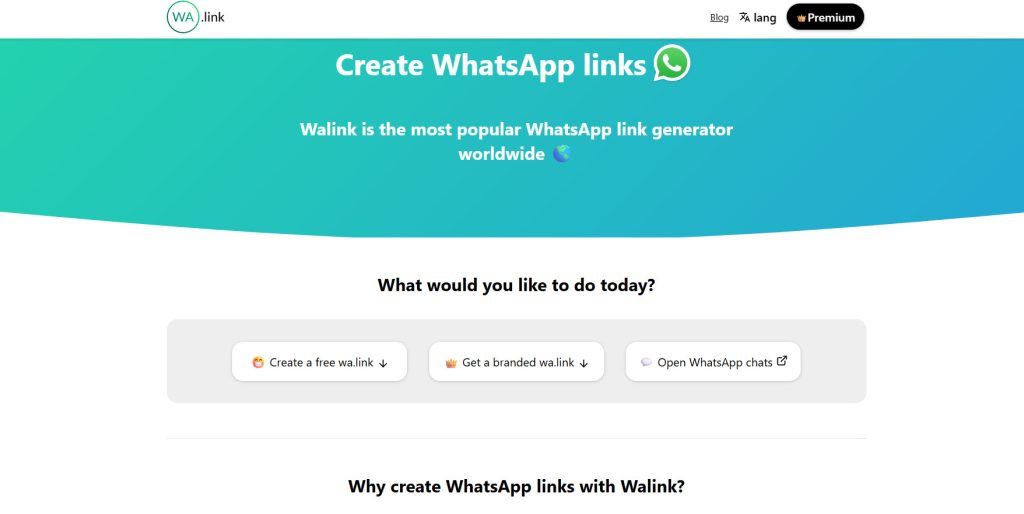
If you scroll down, you will see the option to customize the WhatsApp link.
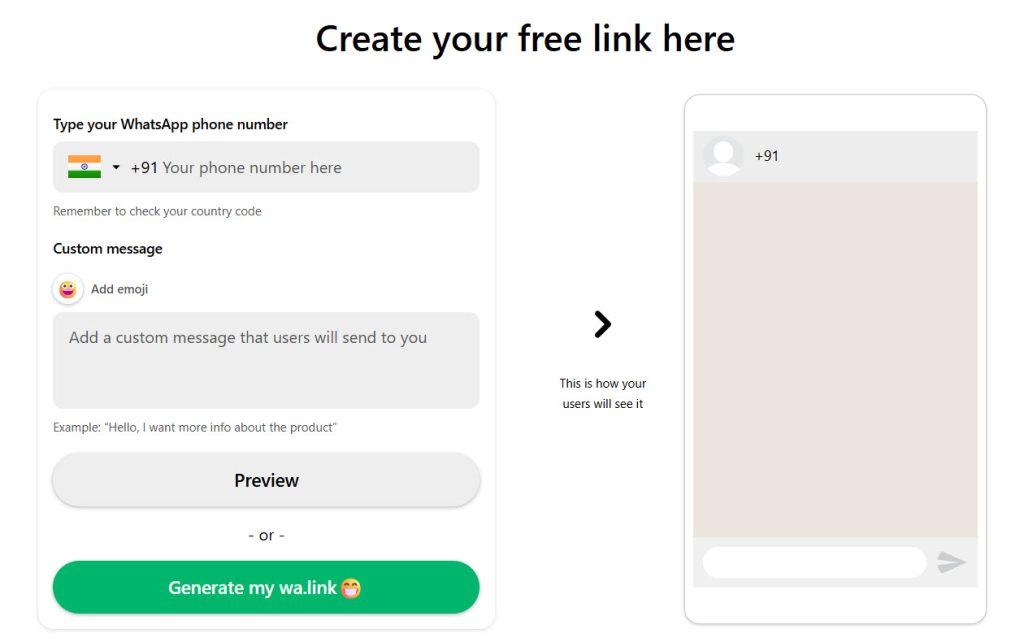
As you can see in the screenshot, you need to add
- Your number
- Custom message
The good thing about wa.link is you can see a live preview of the custom message on the right-hand side. Insert the number and text in the fields.
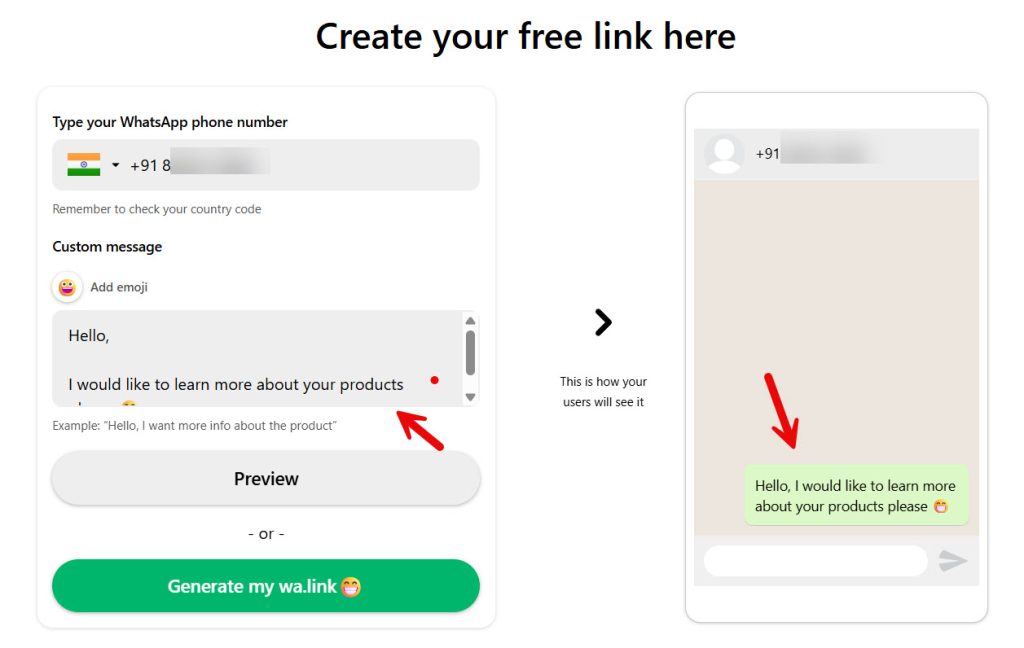
Once you are ok with the custom message, click to generate the wa.link.
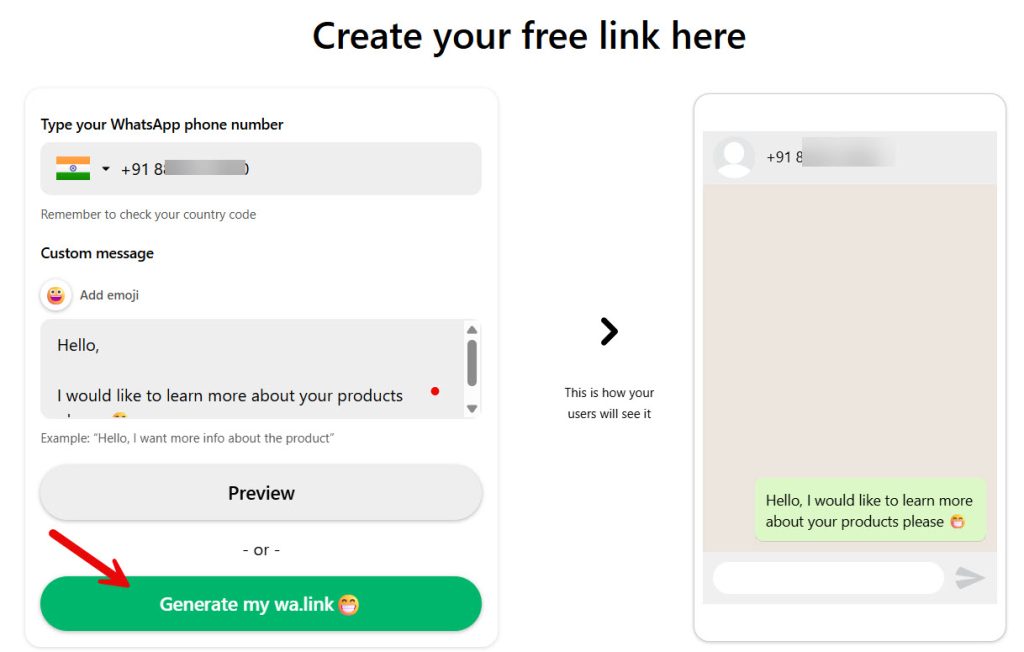
The platform will now give you a custom shortlink.
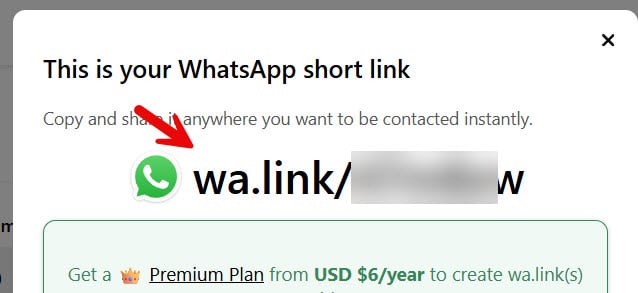
You can use this link in your website’s menu, widget, or in-content. When someone clicks on the link, they will be redirected to your WhatsApp chat with the custom message.
Wa.link will also give you a QR code.
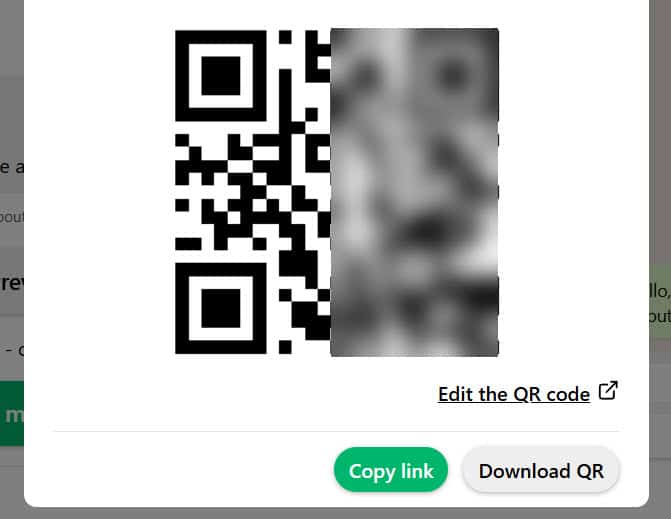
The purpose is the same. If someone scans it, they will be redirected to your WhatsApp chat.
Feel free to use any of the websites we mentioned below to create the link.
Best WhatsApp Custom Link Generators
Examples of WhatsApp Links with Custom Messages
Here are some practical examples of WhatsApp links with custom messages for different use cases:
- Appointment Booking: https://wa.me/1234567890?text=Hello%20I%20would%20like%20to%20book%20an%20appointment
- Online Store Pre-Sale Question: https://wa.me/1234567890?text=Hi%20I%20have%20a%20question%20about%20a%20product%20on%20your%20store
- Dance Class Appointment: https://wa.me/1234567890?text=Hello%20I%20want%20to%20join%20your%20dance%20class%20can%20you%20share%20details
Each link includes a pre-filled message, making it easier for users to start a conversation quickly and clearly.
The options are not limited. Based on your business type, you can tweak it.
Add WhatsApp Chat to WordPress Using WP Chat App
If you want to go beyond simple links and offer a seamless chat experience on your WordPress site, using a dedicated plugin is the best approach.
WP Chat App allows you to easily add a WhatsApp button or chat widget to your website, so visitors can start chatting without manually clicking a link. It helps you create WhatsApp links with a pre-filled message, customize the chat button, and control where it appears on your site.
With this plugin, you can improve user experience, capture more leads, and manage conversations directly through your WhatsApp Business account. It is especially useful for businesses that want to automate communication, handle multiple inquiries, and integrate WhatsApp into their overall marketing workflow.
Here are some articles you might like:
- How to Get More (and Better) Product Reviews on Your WooCommerce Store
- How to Add a Request a Quote Button to Your WooCommerce Store
- What’s New in YayExtra 2.1.0
- Why WhatsApp Blocked My Number and How to Unblock
- What’s New in Brandy Blocks 2.0
Frequently Asked Questions
Now, let’s see some frequently asked questions and answers about this topic.
You can create a link using the wa.me format with your phone number in international format and a prefilled text message. Many free WhatsApp link generator tools allow you to generate WhatsApp links quickly and customize the message you want before sharing.
Yes, a direct link lets users chat on WhatsApp without saving your number. This makes it easier to connect with potential customers instantly across your marketing channels.
A WhatsApp link with a predefined message includes prefilled text that appears automatically when users click it. This helps guide conversations and improves response quality.
Yes, you can create branded links and share them across platforms, such as your website, bio, or Facebook posts. You can also add UTM parameters and use analytics tools to track performance.
If you use WordPress, a plugin like WP Chat App is a great option. It allows you to add a WhatsApp button, create WhatsApp links, and manage chats directly from your dashboard without manual setup.
Yes, you can use link shorteners like Bitly to make your links cleaner and easier to share. This is useful for creating branded URLs and improving click rates.
Yes, plugins like WP Chat App let you create your WhatsApp link, customize messages, and manage communication through your WhatsApp account, making it easier to handle multiple conversations efficiently.
Conclusion
Creating a WhatsApp link with a custom message is a simple yet powerful way to improve communication and engagement. By using a direct link, you can connect with users instantly without requiring them to save your number.
You can also create a custom link with a predefined message, making it easier to guide conversations and support your marketing goals.
Whether you use a free tool, the WhatsApp Business app, or a link shortener, these links can be shared across your marketing channels, helping you streamline communication and improve customer interactions.
We hope you found this article helpful and enjoyed reading it. If you need to learn more WooCommerce tips and tricks, check out the YayCommerce blog. Also, feel free to check out our social media handles, such as Facebook, X, Instagram, and YouTube, for more interesting content.
How else would you improve customer experience on your website?
Let us know in the comments.

