
Do you want to create a vanity URL in WordPress in the right way? If you are looking for a simple guide, keep reading this post.
Creating a vanity URL in WordPress is a simple way to improve your brand, boost SEO, and make links easier to share. A vanity URL in WordPress is a clean, branded web address that redirects users to a specific landing page or destination URL.
Instead of using a complex URL, you can create one that is easy to read, memorable, and optimized for marketing campaigns. Vanity URLs help build trust, improve click-through rates, and simplify campaign tracking with tools like Google Analytics. In this step-by-step guide, you will learn how to create a vanity URL effectively.
First, we will show you what a vanity URL is.
Table of contents
What is a Vanity URL in WordPress
A vanity URL in WordPress is a short, branded web address that redirects users to a specific destination, such as a landing page or product page. Instead of using a long or complex URL, you can create a vanity URL that is easier to remember and reflects your brand.
These vanity URLs work by setting up a 301 redirect from a custom slug or permalink to the real destination URL. Vanity URLs make it easier to share links in digital marketing campaigns and improve click-through rates.
They also support SEO by including relevant keywords and tracking parameters such as UTM. By using a redirect plugin or configuring settings in your WordPress dashboard, you can create vanity URLs that help build trust and track performance effectively.
Why You Should Use Vanity URLs in a WordPress Site
Using vanity URLs in a WordPress site helps improve branding, SEO, and overall marketing performance.
- Strengthens your brand: A vanity URL in WordPress creates a branded link that reflects your business and builds trust with users.
- Improves click-through rates: Short and memorable URLs are easier to share and can increase CTR across campaigns.
- Better SEO benefits: Using relevant keywords in a custom web address can help improve SEO and search engine visibility.
- Simplifies campaign tracking: Vanity URLs work well with UTM tracking and analytics tools to monitor performance.
- Enhances user experience: A clean, easy-to-remember vanity link improves the user experience across online and offline channels.
Best Ways to Create a Vanity URL in WordPress
There are three methods you can follow to create a vanity URL in WordPress:
- Using an affiliate link cloaking plugin
- With htaccess
- Using a dedicated redirection plugin
We will take a closer look at all methods.
1. Affiliate Link Cloaking Plugin Method
This is the simplest option for an affiliate marketer who needs to create vanity URLs. There are several link cloaking plugins available on the market. We will be using Pretty Links.
The idea is pretty simple.
By default, some affiliate URLs will look a bit too long, too many strings. They won’t be easy to remember or SEO friendly. So one way to fix this situation is to use a link cloaking plugin, turn the long, not-that-friendly affiliate URL into a simple one.
That’s what we are going to do this time.
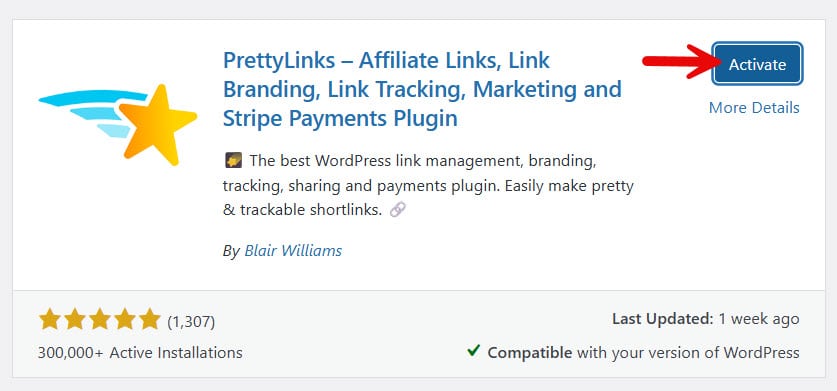
Install and activate the plugin on your website.
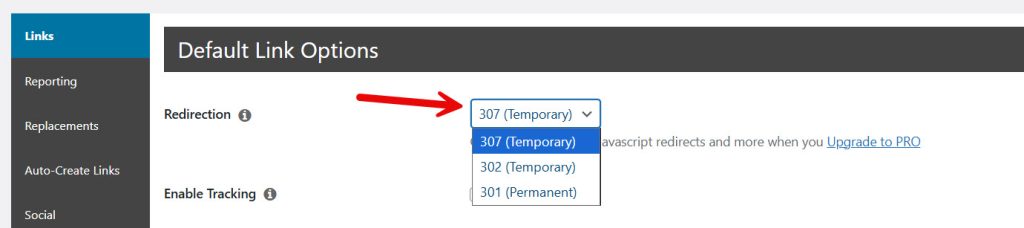
After activation, go to the options. From there, you can configure the redirection type.
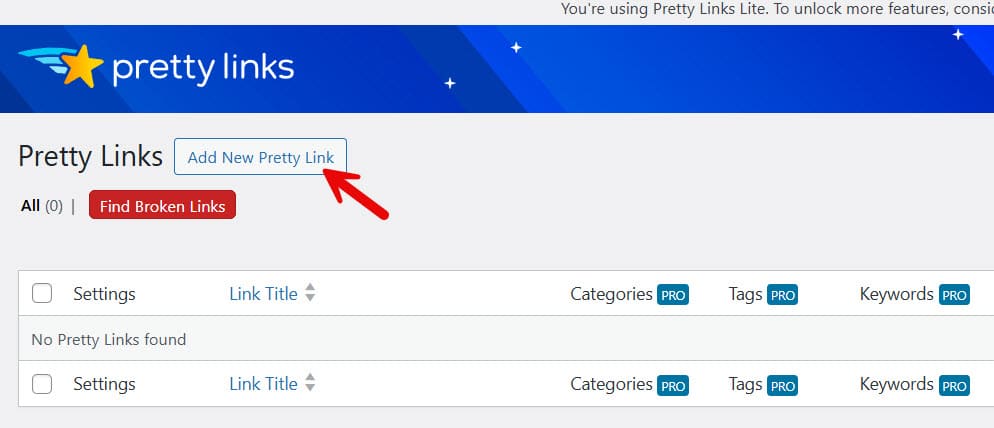
Next, add a new link.
On the next page, you can choose an individual redirection type, type in the target URL, and the slug you need. Once you’re done that, save the settings.
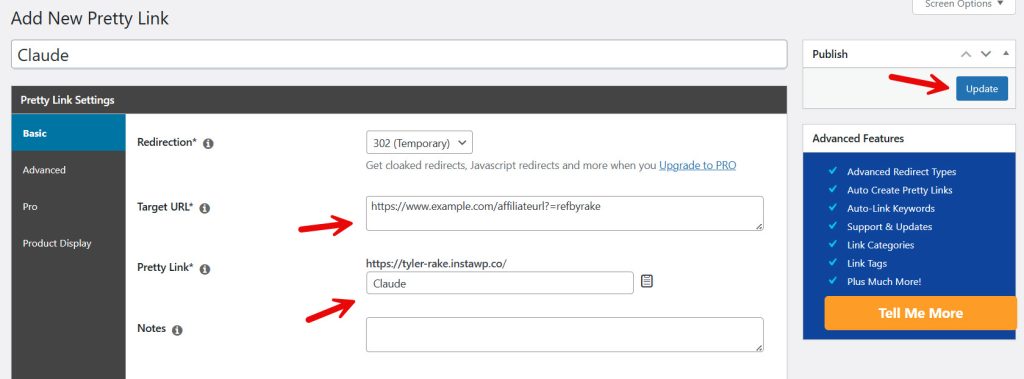
Within a few seconds, the link will be created.
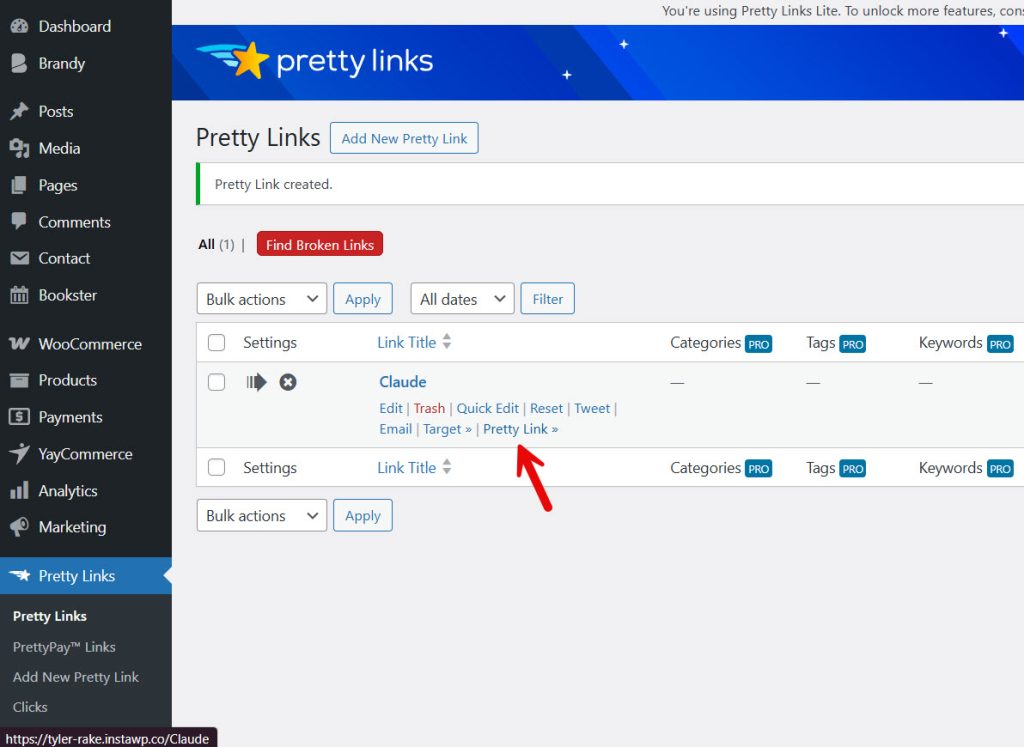
This way, you can create as many links as you need. For affiliate marketers, this is the best way to create a vanity URL.
Now, let’s see how to use the htaccess file to set up vanity URLs.
2. Htaccess Method
This method is not that beginner-friendly. If you do not need to use additional plugins to create vanity URLs, you can use the htaccess method.
You need to use an FTP client such as FileZilla or a dedicated file manager plugin called Filester. You can also use your SEO plugin to edit the htaccess file.
For this tutorial, we will be using the SEO plugin method. We are using the Rank Math plugin on the website. You can find the htaccess editor under general settings.
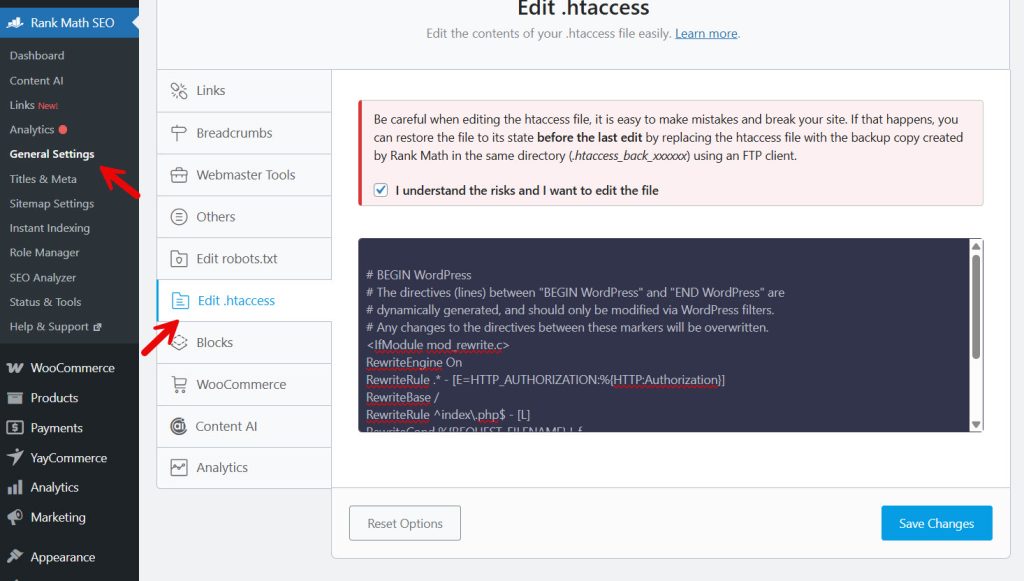
This is the code you need to add to the bottom:
Redirect 301 /custom-link /destination-pageOnce you have done that, save the file, and from now on, the redirection will work just fine.
Next, let’s see how to use a dedicated redirection plugin for the task.
3. Dedicated Redirection Plugin Method
Now, let’s use the Redirection plugin to create vanity URLs in WordPress. First, you need to install and activate the plugin on your website.
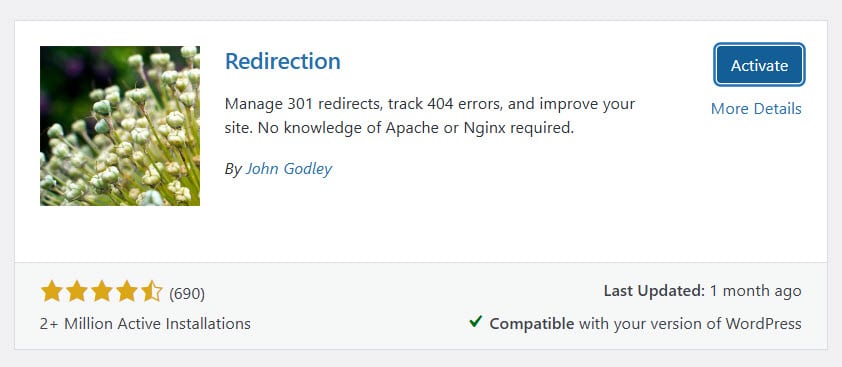
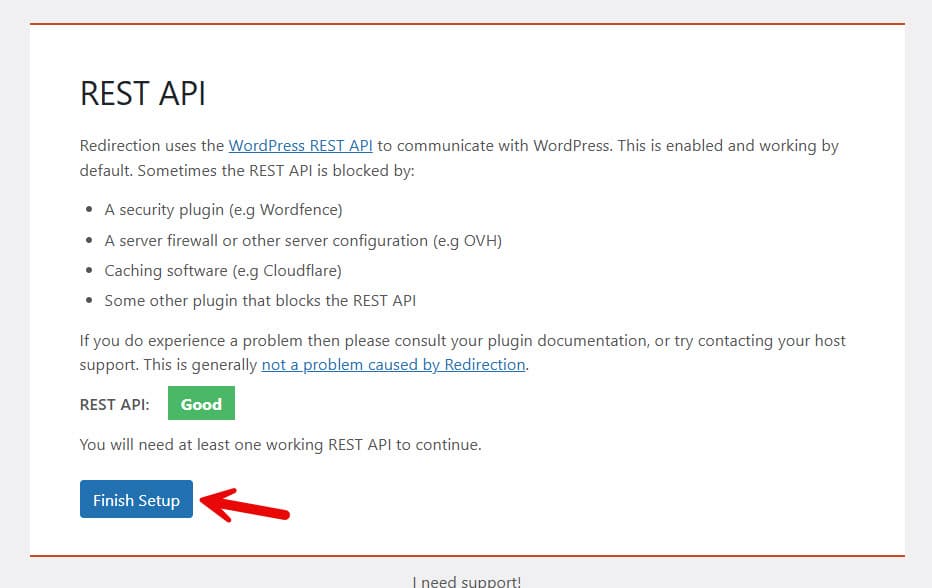
After activation, you need to configure the plugin.
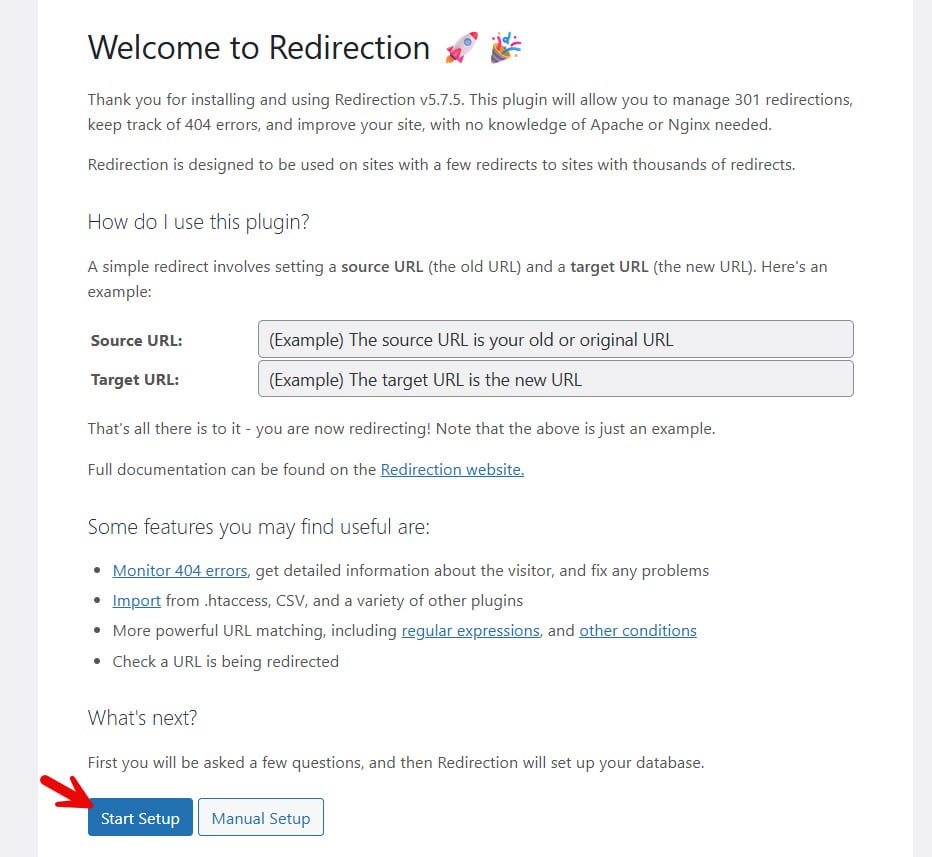
The configuration is very simple, and you can finish it with a few mouse clicks.
The plugin’s dashboard will look like:
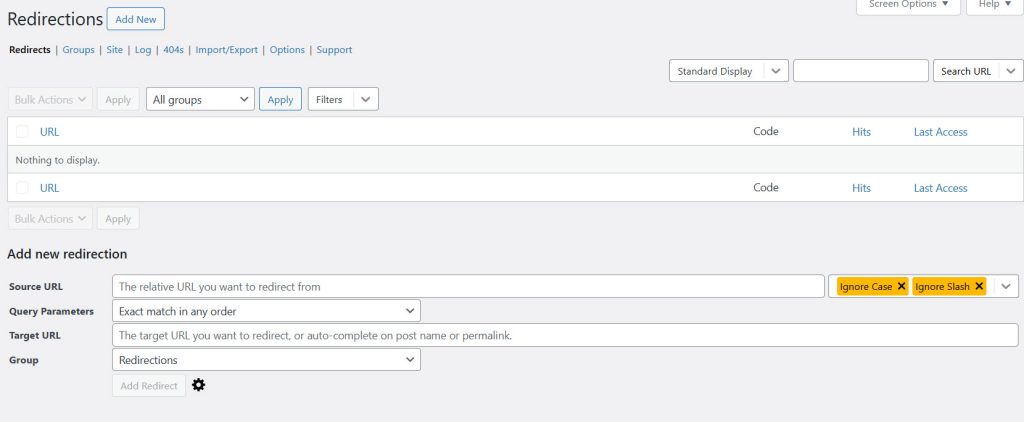
As you can see, you can enter the source URL and target URL. Once that is done, add a redirect. For example, the source URL is www.yourdomain.com/hi, and the target URL is www.yourdomain.com/hello. When someone visits the hi slug, they will be automatically redirected to the hello slug.
You can even group the redirects for better management.
That’s it!
This is how you can create vanity URLs in WordPress.
Best Plugins to Create Vanity Link in WordPress and WooCommerce
Here are some of the best plugins for creating vanity URLs and managing redirects in WordPress and WooCommerce.
Best Practices to Follow While Setting Up a Vanity URL or a Redirect
Setting up a vanity URL or redirect correctly ensures better performance, tracking, and user experience.
- Keep it short and memorable: A good vanity URL is easy to read, simple to type, and ideal for sharing across platforms.
- Use a branded URL that redirects: Make sure your vanity URL reflects your brand and clearly points to key pages or campaigns.
- Use proper redirect methods: When setting up a redirect, use reliable methods like plugins or server rules (e.g., such as htaccess or RewriteRule) for better control.
- Choose relevant keywords: Include a campaign name or keyword to make the link more meaningful and easier to understand.
- Avoid overusing shorteners: Vanity URLs are not just shorteners; they should add branding and value to your links.
- Plan for long-term use: Create evergreen links that can be reused across multiple campaigns and platforms.
- Ensure smooth performance: Configure redirects on your web server to improve the user experience and prevent broken links.
Here are some more articles you might find useful:
- Why WhatsApp Blocked My Number and How to Unblock
- What’s New in Brandy Blocks 2.0
- WooCommerce vs Shopify: Key Differences for Your Online Store
- How to Create a Notification Bar in WordPress (Notibar Tutorial)
- 7 Best WordPress Education Themes for Schools (Updated)
Frequently Asked Questions
Now, let’s take a look at some frequently asked questions and answers about this topic.
A vanity URL in WordPress is a branded web address that redirects users to a specific page or a deep destination on your site. It is a clean, memorable URL that reflects your brand and improves the user experience.
To create a vanity URL, you can use a plugin or set up a 301 redirect manually. This involves creating a new custom slug and linking it to a destination URL using redirect rules or tools inside your WordPress dashboard.
Yes, vanity URLs can improve SEO by incorporating relevant keywords and enhancing the user experience. A good vanity URL is easy to read, helps search engines understand the content, and can improve click-through rates.
A vanity URL is a branded or custom URL designed for marketing, while a shortener simply shortens a link. Vanity URLs focus on branding, while short URLs focus on shortening.
You should use a 301 redirect for most vanity URLs as it passes SEO value to the destination page. A 302 redirect is temporary and usually not recommended for long-term use.
Yes, you can use a custom domain to create branded or custom URLs. This helps reinforce your brand and makes your links more professional and trustworthy.
Vanity URLs allow you to create branded links for campaigns, making them easier to share and track. They help improve conversion rates and allow you to track performance across different channels.
Conclusion
Creating a vanity URL in WordPress is a simple yet powerful way to improve your brand, enhance user experience, and optimize your marketing efforts.
A well-structured vanity URL in WordPress makes your web address easier to remember, share, and track across campaigns. By using proper redirect methods and following best practices, you can create one that delivers better performance and higher conversions.
Vanity URLs are especially useful for building trust and improving click-through rates while keeping your links clean and professional. When used correctly, they help streamline your workflow and make your WordPress site more effective for both users and search engines.
We hope you found this article helpful and enjoyed reading it. If you need to learn more WooCommerce tips and tricks, check out the YayCommerce blog. Also, feel free to check out our social media handles, such as Facebook, X, Instagram, and YouTube, for more interesting content.
Which method are you going to pick to create a vanity URL in WordPress?
Let us know in the comments.
