
Are you looking for the complete WooCommerce vs Shopify comparison? In this post, we will show you what each eCommerce platform offers to create an online store and which one is the best.
Choosing between WooCommerce and Shopify is one of the biggest decisions for anyone building an online store.
Both platforms are popular in 2026, but they work in very different ways. Shopify is a fully hosted eCommerce platform that handles hosting, security, and updates for you. WooCommerce is a free WordPress plugin that gives you more control over your store, themes, and extensions.
The right platform depends on your budget, technical comfort, and growth plans. In this comparison, we break down the key differences between Shopify and WooCommerce so you can choose the option that best fits your online store.
First, let’s take a closer look at Shopify and WooCommerce.
Table of contents
- WooCommerce: An Introduction
- Shopify: An Introduction
- Shopify vs WooCommerce: Quick Comparison for Online Stores
- WooCommerce vs Shopify: The Ultimate Comparison
- Who Should Choose WooCommerce
- Who Should Choose Shopify
- Common Mistakes to Avoid When Choosing Between WooCommerce and Shopify
- Frequently Asked Questions
- Conclusion
WooCommerce: An Introduction
Link: https://woocommerce.com/
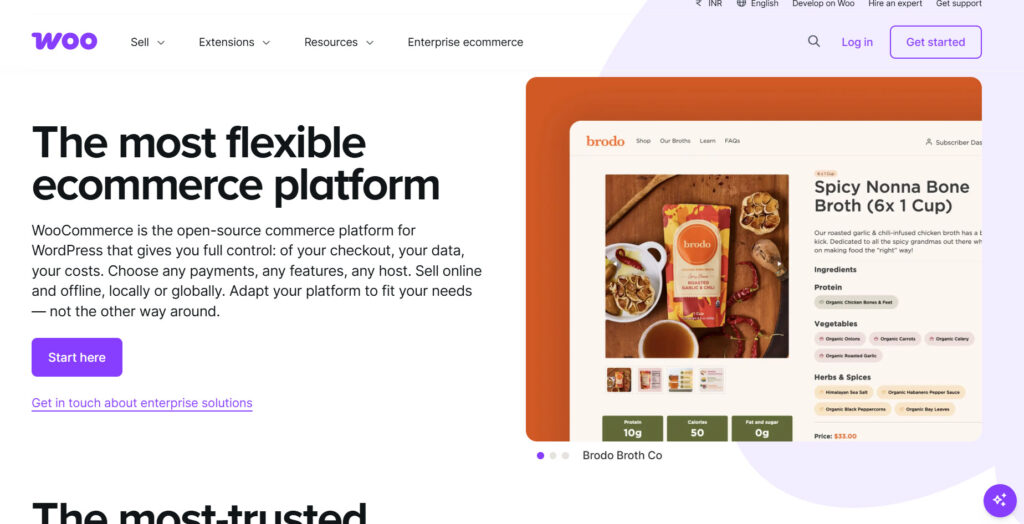
WooCommerce is a free WordPress plugin that turns any WordPress website into a full online store. Unlike Shopify, it is not a hosted platform. You install the WooCommerce plugin on your own WordPress site, then choose your hosting, theme, and extensions.
This gives store owners more control over design, features, and data. The core plugin is free to install and open-source, which is one reason many people compare Shopify and WooCommerce when deciding on the right platform.
You can accept payments through various gateways, add shipping options, and expand functionality with thousands of free and paid WooCommerce extensions. Because it runs on WordPress, it also benefits from the large ecosystem of WordPress themes and plugins.
WooCommerce can be cheaper to start with, but costs depend on hosting, premium themes, and paid extensions. It suits store owners who want flexibility and are comfortable managing a self-hosted setup.
Shopify: An Introduction

Link: https://www.shopify.com/
Shopify is a fully hosted ecommerce platform that lets you build and run an online store without managing servers or software updates. Unlike WooCommerce, which is a WordPress plugin, Shopify handles hosting, security, and core store features for you.
You choose a Shopify plan, pick a theme, and start adding products through a simple dashboard. Shopify comes with built-in tools for payments, shipping, and marketing. Shopify Payments is the native option for many stores, and the Shopify App Store offers thousands of apps to extend functionality.
Higher-tier plans, including Shopify Plus, support larger and more complex businesses. Because Shopify is an all-in-one platform, it is often easier for beginners and store owners who prefer less technical work.
Costs are more predictable with monthly plans, though transaction fees can apply if you do not use Shopify Payments. It is a strong choice when you want a polished, managed ecommerce experience.
Shopify vs WooCommerce: Quick Comparison for Online Stores
Both Shopify and WooCommerce can power a successful online store, but they take different approaches. Shopify is a fully hosted platform that handles the technical side for you.
WooCommerce is a free WordPress plugin that gives you more control and flexibility, but also more responsibility. Here’s a quick side-by-side look at the main differences:
| Category | Shopify | WooCommerce |
|---|---|---|
| Type | Fully hosted ecommerce platform | Free WordPress plugin (self-hosted) |
| Hosting | Included | You choose and manage hosting |
| Starting Cost | Monthly plan required | Free plugin (hosting and extensions cost extra) |
| Ease of Use | Beginner-friendly, less technical | More flexible, but needs more setup |
| Customization | Themes + App Store (more limited code access) | Full control with themes, plugins, and custom code |
| Payments | Shopify Payments + other gateways | Multiple gateways (Stripe, PayPal, and more) |
| Best For | Store owners who want a simple, managed solution | Store owners who want control and WordPress flexibility |
| Ownership | Store runs on Shopify’s platform | You fully own your site and data |
In short, Shopify simplifies the process and reduces technical work. WooCommerce gives you more freedom and can be cheaper in the long term if you manage it well. The right choice depends on your budget, technical comfort, and the level of control you want over your online store.
WooCommerce vs Shopify: The Ultimate Comparison
We will be comparing the following factors:
- Pricing
- Ease of use
- Customization and flexibility
- Apps, extensions and ecosystem
- Payments and checkout
- Scalability and performance
We will take a closer look below.
1. Pricing
Pricing is one of the biggest factors when choosing between Shopify and WooCommerce. The two platforms differ significantly in cost because one is a free plugin and the other is a hosted subscription service.
WooCommerce
WooCommerce is an open-source plugin, so the software itself is free. Your main costs come from hosting, a domain, themes, and any paid extensions you need. This means WooCommerce can be cheaper to start, especially for smaller stores.
Over time, total cost depends on hosting quality and the tools you add. If you keep the setup lean, it can remain affordable. If you need many premium plugins or stronger hosting, costs can rise.
Shopify
Shopify uses monthly plans that include hosting, security, and core store features. Higher plans unlock more advanced tools. You may also pay transaction fees if you do not use Shopify’s native payments.
The pricing is more predictable, which many store owners prefer. Shopify may cost more upfront, but it reduces the need to manage separate hosting and technical services. The better value depends on your budget and how much hands-on work you want to avoid.
2. Ease of Use
Ease of use often decides which platform feels right in daily work. A simple-to-manage store saves time, especially if you do not have a technical team. Shopify and WooCommerce take different approaches here.
WooCommerce
WooCommerce is a WordPress plugin, so the experience depends on how comfortable you are with WordPress. You need to manage hosting, updates, plugins, and security yourself. Once set up, the dashboard is flexible, but the learning curve can be steeper.
Free WooCommerce is powerful, yet it requires more hands-on work. For users who already know WordPress, it can feel natural. For beginners, the extra responsibility may slow things down.
Shopify
Shopify is built to be simple from the start. Hosting, security, and core updates are handled for you, and the dashboard is designed for quick product and order management.
Adding features through the app store is usually straightforward. For many new store owners, Shopify is the clear winner in terms of ease of use because it reduces technical work and helps you focus on running the business.
3. Customization and Flexibility
Customization and flexibility decide how far you can shape your online store. Some store owners want full control over design and features, while others prefer a simpler system with fewer technical decisions. Shopify and WooCommerce differ clearly in this area.
WooCommerce
WooCommerce is an open-source WordPress plugin that gives you extensive control over your store. You can change themes, edit templates, add custom code, and use a large range of plugins.
Because the WooCommerce plugin itself is free and built on WordPress, developers can customize almost every part of the site. This flexibility is one reason many people choose WooCommerce when they need unique features or advanced design control.
The trade-off is that more freedom also means more responsibility for setup and maintenance.
Shopify
Shopify makes it easy to customize your store with themes and apps, but the platform is more closed off. You can adjust design with Shopify themes and extend features through the app store, yet bigger changes are more limited than with WooCommerce.
For many businesses, this balance works well. Shopify is generally simpler to manage, while WooCommerce has a slight edge when full flexibility and custom development matter most.
4. Apps, Extensions, and Ecosystem
Apps and extensions shape what your online store can do beyond the core platform. Both Shopify and WooCommerce have large ecosystems, but they are built differently and offer varying levels of flexibility.
WooCommerce
WooCommerce is a free WordPress plugin, so it benefits from the wider WordPress ecosystem. You can add functionality through WooCommerce extensions and thousands of general WordPress plugins for SEO, marketing, memberships, and more.
This gives you a high degree of control, but quality varies, and too many plugins can affect performance. The ecosystem is open, flexible, and often more customizable than a closed app marketplace.
Shopify
Shopify has a large app store with tools for marketing, shipping, upsells, loyalty, and operations. Apps are generally easier to install and manage, which makes it simple to extend a Shopify store without technical work.
The trade-off is less flexibility. You work within Shopify’s system, and some advanced needs may require paid apps or custom development. For many store owners, the Shopify app ecosystem is polished and convenient, while WooCommerce offers broader open-source options.
5. Payments and Checkout
Payments and checkout experience have a direct impact on conversions. Customers expect a fast, secure process with familiar payment options. Shopify and WooCommerce both support major methods, but they approach payments differently.
WooCommerce
WooCommerce is a free WordPress plugin, so payment options depend on the gateways you connect. You can use Stripe, PayPal, and many other processors through free or paid extensions.
This flexibility is useful if you want specific local methods or lower fees. The checkout experience can be customized, but setup and testing are your responsibility. Performance and reliability depend on how well the chosen plugins work with your store.
Shopify
Shopify comes with Shopify Payments as a native option in many regions, which simplifies setup and can reduce extra transaction fees. You can also add third-party gateways if needed.
The checkout is streamlined and consistent across stores, which makes it easy for customers to complete purchases. Shopify generally offers a more polished out-of-the-box checkout, while WooCommerce provides more control over how payments are handled.
6. Scalability and Performance
Scalability and performance matter as your online store grows. A platform that works well with a few products can struggle once traffic, orders, and catalog size increase. Both Shopify and WooCommerce can support growth, but they handle it differently.
WooCommerce
WooCommerce is a free WordPress plugin, so performance depends heavily on your hosting, theme, and plugins. With quality hosting and careful optimization, a WooCommerce store can scale well.
You control caching, server resources, and how the site is built. The downside is that poor hosting or too many plugins can slow things down. Growth is possible, but you are responsible for keeping the store fast and stable.
Shopify
Shopify manages hosting and infrastructure for you, which makes scaling simpler. The platform is built to handle traffic spikes and larger catalogs without the same level of technical maintenance.
Performance is generally consistent across stores, and Shopify makes it easier to grow without worrying about servers. For many store owners, this reliability is one of the biggest advantages when comparing Shopify and WooCommerce.
Who Should Choose WooCommerce
WooCommerce is a strong option when you want more control over your online store and are comfortable working within the WordPress ecosystem.
- You already use WordPress or prefer a free, open-source ecommerce platform
- You want full ownership of your store data and design
- You are comfortable managing hosting, updates, and security
- You need advanced customization through themes, plugins, and custom code
- You want flexible payment gateway options beyond a single built-in processor
- You are looking for a setup that can be cheaper long-term with the right hosting and tools
- You plan to grow a complex store and value flexibility over a fully managed system
Who Should Choose Shopify
Shopify is a strong option when you want a fully managed ecommerce platform and prefer less technical work.
- You want a hosted platform that handles security, updates, and server management
- You prefer a simple setup and dashboard over managing WordPress yourself
- You value built-in tools for payments, shipping, and marketing
- You want access to the Shopify App Store and ready-made themes
- You are starting a new online store and want to launch quickly
- You prefer predictable monthly plans over managing hosting and plugin costs
- You may later need advanced features through higher plans or Shopify POS
- You want a polished, all-in-one system with strong support and reliability
Common Mistakes to Avoid When Choosing Between WooCommerce and Shopify
Choosing between WooCommerce and Shopify is easier when you look past surface-level comparisons. Many store owners focus only on price or popularity and miss the factors that actually affect long-term success.
- Assuming free always means cheaper: WooCommerce is free to install, but hosting, themes, and extensions can add up. Shopify has clear monthly plans, so total cost depends on your setup.
- Ignoring technical comfort: WooCommerce offers more control, but also requires more management. Shopify handles more of the technical side for you.
- Choosing based only on design options: Both platforms offer strong themes, but the real difference is how much customization and flexibility you need.
- Overlooking payment and fee structures: Shopify Payments and third-party gateways work differently from WooCommerce payment options. Compare fees based on your expected sales.
- Not thinking about growth: A platform that feels simple at launch may limit you later. Consider how each option handles scaling, apps, and advanced features.
- Skipping the ownership question: With WooCommerce, you own more of your site and data. With Shopify, you operate within a fully hosted platform that manages more of the system for you.
Here are some similar articles you might like:
- Photo & Video Reviews in WooCommerce: Why They Convert Better Than Text
- 7 WooCommerce Discount Strategies That Actually Increase Average Order Value
- How to Get More (and Better) Product Reviews on Your WooCommerce Store
- How to Add a Request a Quote Button to Your WooCommerce Store
- What’s New in YayExtra 2.1.0
Frequently Asked Questions
Now, let’s take a look at some frequently asked questions and answers on this topic.
Neither platform is better for every store. Shopify is a fully hosted solution that is easier to manage, while WooCommerce is a free WordPress plugin that offers more control. The right choice depends on your budget, technical skills, and growth plans.
If you want a simple, managed setup, Shopify is often easier to start with. If you already use WordPress or want full ownership of your site, WooCommerce is a strong option. Both can support a successful store in 2026.
WooCommerce can be cheaper because the plugin itself is free, but you still pay for hosting, themes, and extensions. Shopify charges a monthly plan and may add transaction fees if you do not use Shopify Payments. Total cost depends on your setup and sales volume.
Yes. Many store owners switch from Shopify to WooCommerce to gain more control or reduce ongoing platform costs. Migration tools and services can help transfer products, customers, and order data, though some cleanup is usually needed.
Yes. Shopify also supports migration from other platforms, including WooCommerce. The process is often straightforward for products and basic store data, but custom features may need to be rebuilt using Shopify apps or themes.
WooCommerce generally offers more flexibility because it is an open-source WordPress plugin. You can change almost anything with themes, plugins, and custom code. Shopify provides strong themes and a large app store, but deeper customization is more limited.
Shopify is usually easier for beginners because it manages hosting, security, and updates. WooCommerce requires more setup and ongoing maintenance, so it suits users who are comfortable with WordPress or willing to learn.
Both support major payment methods, but they work differently. Shopify provides Shopify Payments as a native option, while WooCommerce lets you connect Stripe, PayPal, and many other gateways through plugins. Your preferred processors should influence the decision.
Yes. Shopify is a great choice for many growing businesses, especially if you want reliability and less technical work. Higher plans and tools like Shopify Shipping and apps make it scalable, while WooCommerce can also grow well with the right hosting and extensions.
List your priorities first: ease of use, cost, customization, ownership, and support needs. Then compare how Shopify and WooCommerce handle those points for your specific store. The best platform is the one that fits how you want to build and run your online store.
Conclusion
Both WooCommerce and Shopify remain strong choices for building an online store in 2026. Shopify offers a fully managed platform that simplifies setup, payments, and day-to-day management.
WooCommerce gives you more control as a free WordPress plugin, with deeper customization and ownership of your site. There is no universal winner. Shopify is often better if you want a polished, hosted experience with less technical work.
WooCommerce can be better if you value flexibility, open-source tools, and long-term control. Your budget, comfort with WordPress, and growth plans should guide the decision.
Look at how each platform fits your store, test the options if needed, and choose the right platform based on what matters most to you.
Which one are you going to choose? Shopify or WooCommerce?
Let us know in the comments.
We hope you found this article helpful and enjoyed reading it. If you need to learn more WooCommerce tips and tricks, check out the YayCommerce blog. Also, feel free to check out our social media handles, such as Facebook, X, Instagram, and YouTube, for more interesting content.
