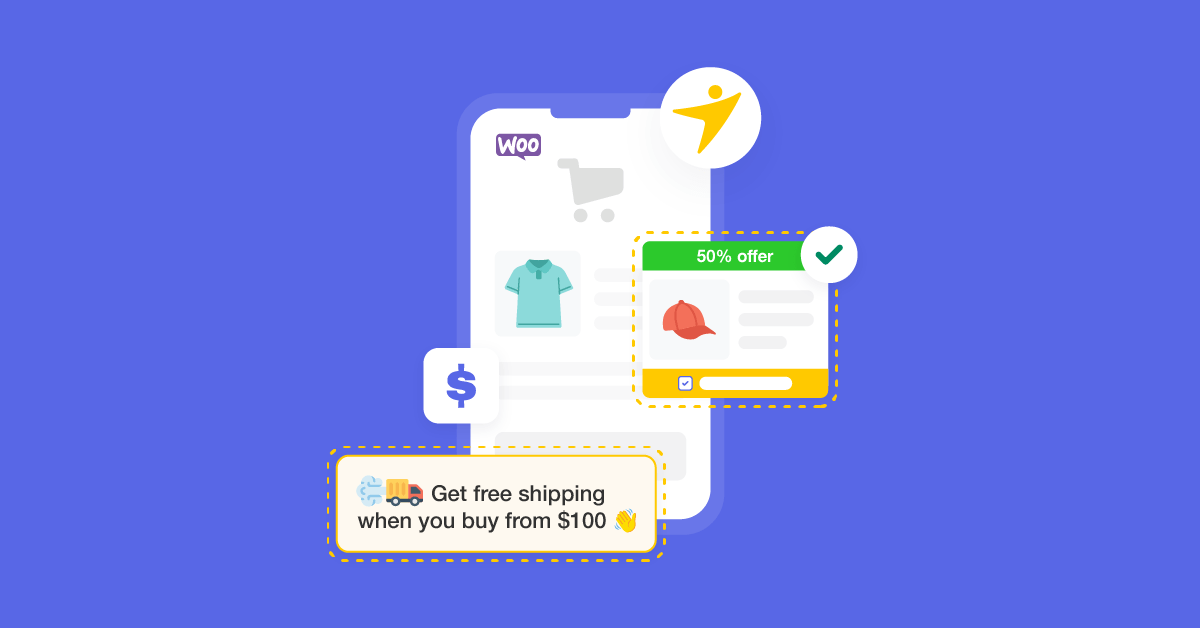

Are you looking for the best WooCommerce order bump plugins to upsell better? If you are, keep reading this article. Here are the best eight tools you should try to sell more stuff.
When running an online store, upselling is one of the best ways to increase product visibility and improve conversion rate. Plugins like WooCommerce come with an upselling feature, but it has limitations.
Do you want to take your product upselling strategy to the next level?
If you are looking for the right tools, read on. Here are the eight best tools to improve your WooCommerce upselling without hassle.
Before going further, let’s see what WooCommerce order bump plugins are and why you should start using them.
Table of contents
What Are WooCommerce Order Bump Plugins and Why Use Them
Displaying similar products to those the customer has ordered is an excellent way to boost conversion rate. You do not need to miss the opportunity to increase revenue through product upselling.
Most eCommerce giants, such as Amazon, use this method to increase revenue and product visibility. When using WordPress, you should rely on WooCommerce order bump plugins to enhance the feature.
Most plugins come with cutting-edge features you can use to enhance your experience. Hence, dedicated WooCommerce order bump plugins can help you sell more stuff on your WooCommerce store.
Now you know what WooCommerce order bump plugins are and why you should use them. Next, let’s move to the core of the article: a list of the eight best tools to enhance WooCommerce product upselling on your online store.
Best 8 WooCommerce Order Bump Plugins to Upsell Better
In a nutshell, the eight plugins we are going to list are:
- YayPricing
- FunnelKit
- WPFunnels
- Upsell Order Bump Offer for WooCommerce
- WooCommerce Checkout Upsell Order Bump
- WooCommerce Upsell and Order Bump
- YITH WooCommerce Frequently Bought Together
- WooCommerce Product Bundles
Each plugin has unique features. Below, we will explain what makes the tool outstanding. You can select one based on your requirements and preferences.
Without any further ado, let’s get into the list.
1. YayPricing
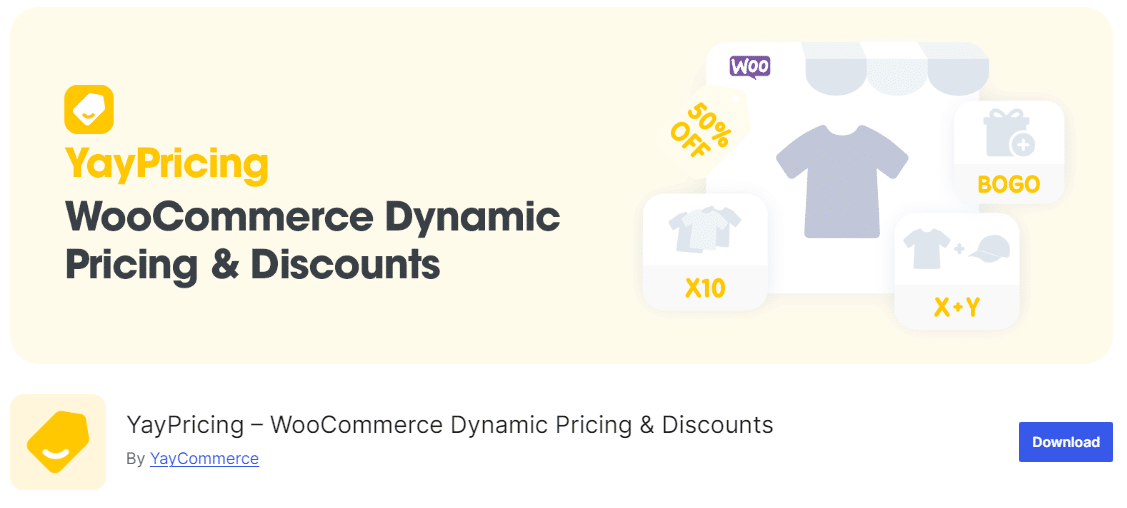
If you are looking for an all-in-one plugin to take your WooCommerce pricing strategy to the next level, you should check out YayPricing. WooCommerce doesn’t have the features to control product pricing based on specific scenarios. With multiple pre-made campaigns available, you can get started with dynamic pricing in just a couple of mouse clicks.
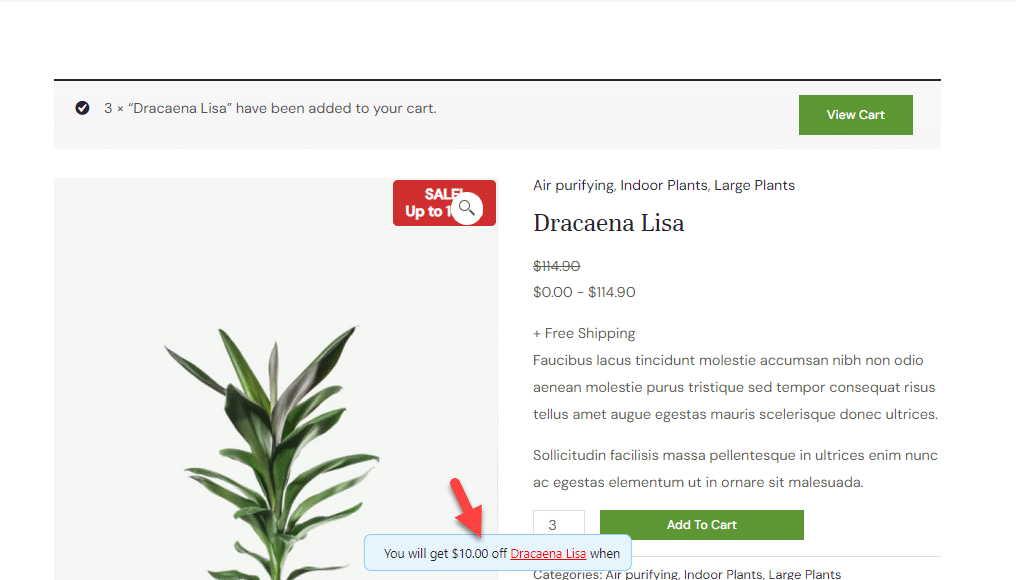
Conditional logic is a notable feature of YayPricing. Using conditional logic, you can apply campaigns based on your configured rules. For example, you can create campaigns tailored for specific products, product categories, tags, or shipping methods. You can display encouragement notices from the plugin’s settings to boost sales.
The plugin also comes with lightweight code. It won’t negatively affect the speed or performance of the WooCommerce installation. YayPricing will never restrict the number of campaigns you can have. You can create as many campaigns as needed through the plugin’s settings.
Features
- No compatibility issues
- Easy to use
- Lightweight
- Pre-made campaigns
- Conditional logic
Pros
- Combines dynamic pricing, order bumps, and upsell functionality in one WooCommerce tool.
- Lets you create conditional offers and pricing rules based on cart contents, user roles, or order totals.
- Includes customizable templates and display options that work with most WooCommerce themes.
Cons
- Many advanced rule combinations are available only in premium versions.
- The feature set may be more than needed for stores wanting only simple bumps without dynamic pricing.
Pricing
YayPricing is a freemium WordPress plugin. You can get the free version of the tool from the WordPress plugins repository. The premium subscription starts at $49 a year.
Live demo:
2. WowRecommend
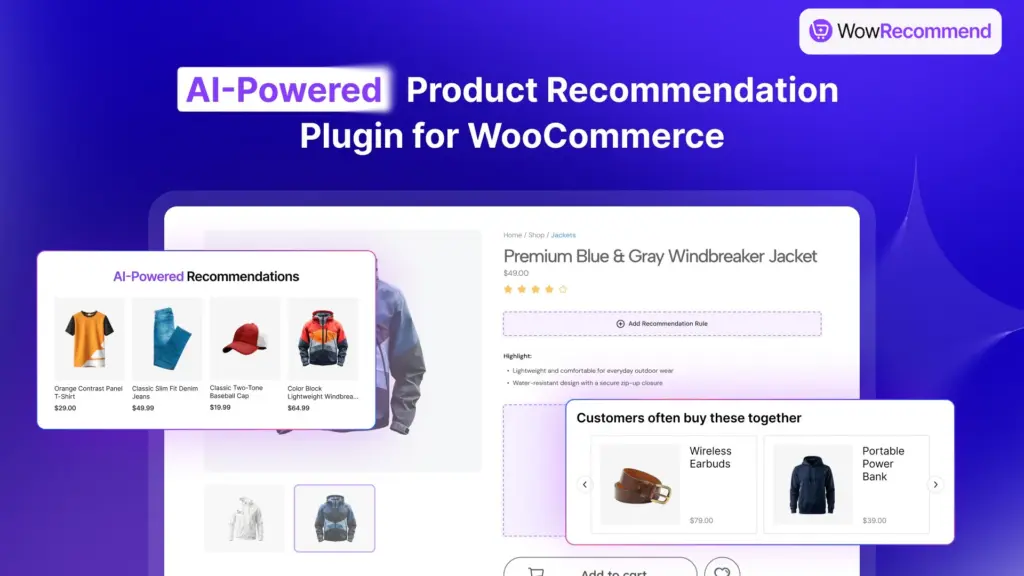
WowRecommend is an advanced product recommendation plugin for WooCommerce with AI-powered rule building, smart upsells, and personalized product suggestions. It helps store owners create effective order bumps, cross-sells, and product recommendations by showing the right products at the right stage of the customer journey.
WooCommerce’s default upsell and cross-sell features offer limited control over how products are recommended. With WowRecommend, store owners can create recommendation rules using AI, customer behavior, product relationships, and advanced filters to display relevant offers on product pages, cart pages, checkout, and more.
The AI-powered rule builder is one of the standout features of WowRecommend. You can simply describe the recommendation you want to create, and the plugin will generate the rule for you. For example, you can create recommendations like showing complementary products after adding an item to the cart, displaying best-selling products on product pages, or suggesting products based on customer behavior.
Features
- AI-powered recommendation rule builder
- 32+ advanced product recommendation filters
- Add checkout order bumps
- Create popup upsell offers
- Customer behavior-based recommendations
- Smart product sorting and prioritization
- Show recommendations in 16+ placements
- Recommendation analytics and revenue tracking
Pros
- Uses AI to quickly create and customize product recommendation rules without complex setup.
- Supports different recommendation strategies, including related products, upsells, cross-sells, and frequently bought together.
- Provides flexible control over filters, sorting, and placement to create personalized shopping experiences.
Cons
- More recommendation templates would be beneficial for users who want to quickly launch common recommendation campaigns.
- Advanced recommendation strategies such as AI rule builder require additional setup.
Pricing
WowRecommend is a premium WooCommerce plugin with a lifetime pricing model. The early bird lifetime plan started at $149/unlimited sites which will eventually become $299 for unlimited sites after the offer window expires.
3. FunnelKit
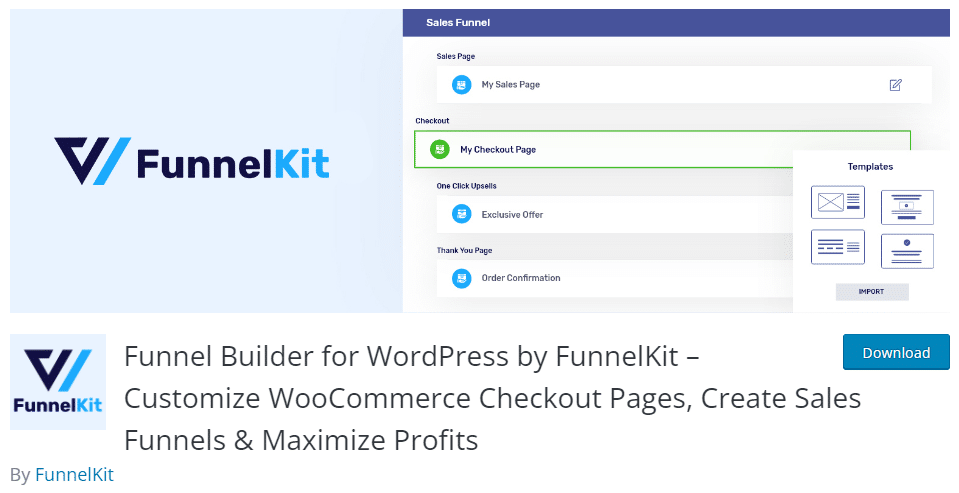
If you need an easy-to-use plugin to enhance the WooCommerce upselling feature, you should check out FunnelKit. With FunnelKit, you can access mobile-responsive templates to maximize mobile and desktop conversion rates.
You can use the built-in analytics feature to understand how your funnels are doing. This will help you identify potential modifications and tweaks to the funnels. The A/B testing feature will help you find the right page design and template. You can split-test the products offered or the pricing strategy.
The plugin also has a checkout page field editor. You can use this feature to rearrange the fields on your checkout page. Another excellent feature the plugin has is cart abandonment tracking. Overall, FunnelKit is one of the best plugins for your WooCommerce store.
Features
- WooCommerce checkout page optimization
- Funnel Builder
- Optimized for conversion rate
- Custom landing pages
- Rule-based product upselling
Pros
- Allows the creation of advanced one-click upsell and order-bump funnels after checkout.
- Includes drag-and-drop funnel builder for intuitive design and workflow setup.
- Supports multiple upsell, downsell, and cross-sell offers in a single funnel.
Cons
- Complete feature set requires a premium subscription.
- It can be complex for users who only need a simple bump offer, not the full funnel logic.
Pricing
FunnelKit is a freemium WordPress plugin. You can get the Lite version plugin from the repository. Their premium plans start at $99.50 a year.
4. WPFunnels

WPFunnels is a comprehensive sales funnel builder designed for WooCommerce store owners who want to increase conversions and average order value. It allows you to create customized checkout experiences with features like order bumps, one-click upsells, and downsells, all within a structured funnel flow.
With its visual drag-and-drop builder, users can design high-converting funnels without needing advanced technical skills. The plugin also includes ready-made templates to speed up the setup process and A/B testing tools to optimize performance.
WPFunnels integrates smoothly with WooCommerce, making it easier to guide customers through a targeted buying journey and present relevant offers at the right stage of the checkout process.
Features
- Create high-converting sales funnels with a drag-and-drop builder
- Add order bumps on checkout pages
- One click upsells and downsells
- Pre-built funnel templates for quick setup
- A/B testing to optimize conversions
Pros
- Easy funnel builder with a visual interface
- Built in order bump and upsell features
- Supports A/B testing for optimization
- Pre-designed templates save time
Cons
- Advanced features may require a premium version
Pricing
WPFunnels offers a free version with basic funnel-building features, while premium plans unlock advanced options like A/B testing, automation, and deeper customization for growing WooCommerce stores. Their premium version starts at $129.99/year for funnels and $149.99/year for automation.
5. Upsell Order Bump Offer for WooCommerce
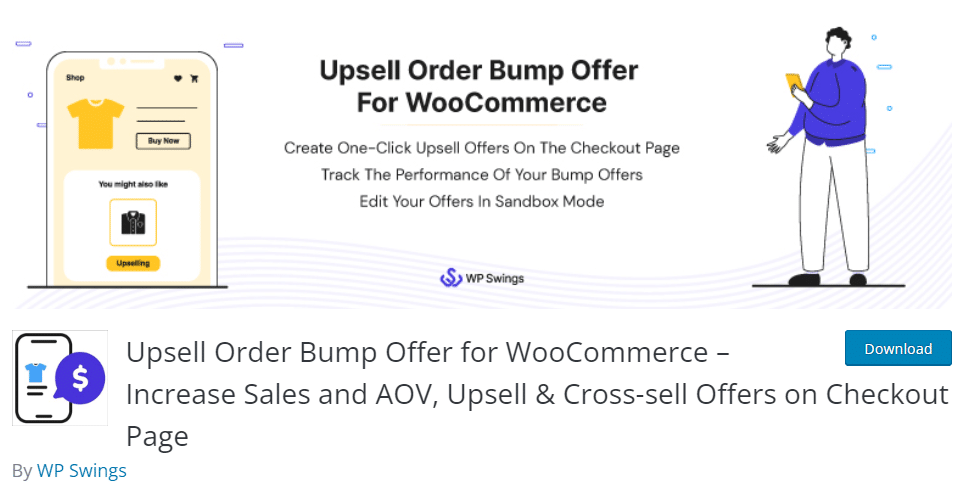
When looking for a reliable plugin for WooCommerce order bumping and upselling, check out Upsell Order Bump Offer for WooCommerce. The plugin has an easy-to-use configuration wizard. You do not need to be a tech-savvy person to customize the plugin. Upselling scheduling is another great option.
The plugin is compatible with most WooCommerce themes and third-party plugins. So there won’t be any issues. To embed upsells, use the dedicated shortcodes.
Inside the plugin, you can also get several pre-built mobile-optimized templates. All the templates are 100% customizable, and you can use any page builder plugin, such as Elementor or Beaver Builder, to further customize them. You can create global upsells or upsells dedicated to custom products or categories.
Features
- Easy configuration
- Scheduling
- Built-in analytics
- Location management
- Compatible with most themes and plugins
Pros
- Let’s you create one-click upsell and downsell funnels that launch after checkout to increase average order value.
- Supports multiple upsell and downsell offers per funnel to enable layered monetization.
- Offers flexible rule options to target offers based on cart contents or purchase history.
Cons
- Most advanced funnel and styling options are available only with the premium version.
- Setup may be more complex for beginners than with simple order-bump tools.
Pricing
Upsell Order Bump Offer for WooCommerce is a freemium WordPress plugin. The lite version is available for download from the repository. On the other hand, the premium version of the plugin costs $89 per year.
Live demo:
6. WooCommerce Checkout Upsell Order Bump
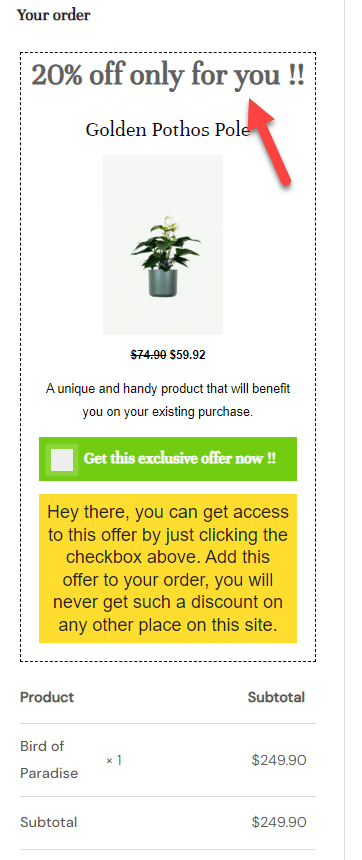
If you plan to offer product suggestions and increase purchases, consider WooCommerce Checkout Upsell Order Bump. It is one of the most straightforward, minimalist tools for creating WooCommerce order bumps hassle-free. The plugin’s funnel generation process is easy to use, allowing anyone to start using the feature.
You can also add multiple conditions to the plugin settings. You can define product conditions, cart conditions, customer conditions, and more. Because the plugin is lightweight, it won’t slow down your website.
You can design the layout, content, and so on from the customization page. You do not need to use coding for the customization. All the changes can be handled without any coding experience. You can also use the cart and checkout conditions to enhance the funnel’s performance.
Features
- Funnel generation
- Display recommended products
- Position management
- Discount conditions
- Checkout conditions
Pros
- Adds both upsell and order bump offers directly within the WooCommerce checkout experience.
- Simple setup with basic display and trigger options included.
- Free, lightweight solution for stores seeking essential bump-and-upsell functionality.
Cons
- Limited customization and styling options compared to premium tools.
- Fewer advanced targeting rules for bump offers and upsell suggestions.
Pricing
WooCommerce Checkout Upsell Order Bump is a free WordPress plugin. You can download it from the plugin repository.
Live demo:
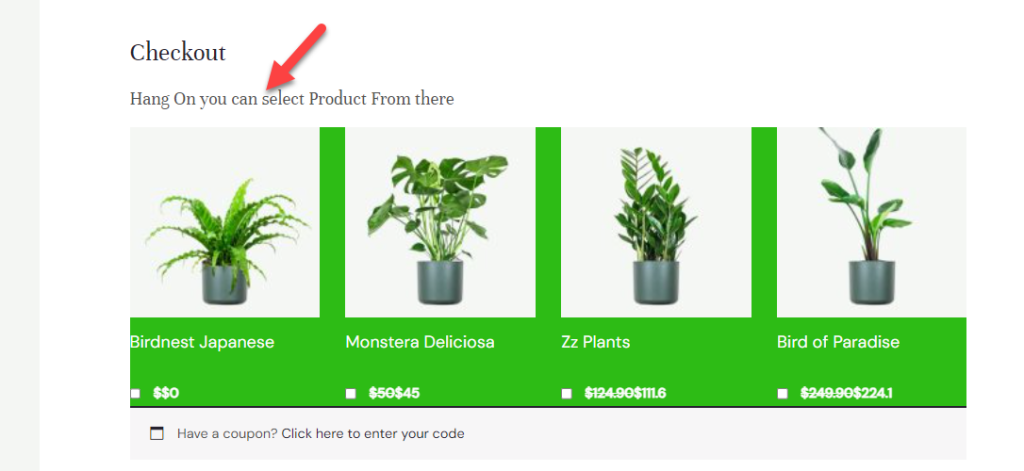
7. WooCommerce Product Recommendations
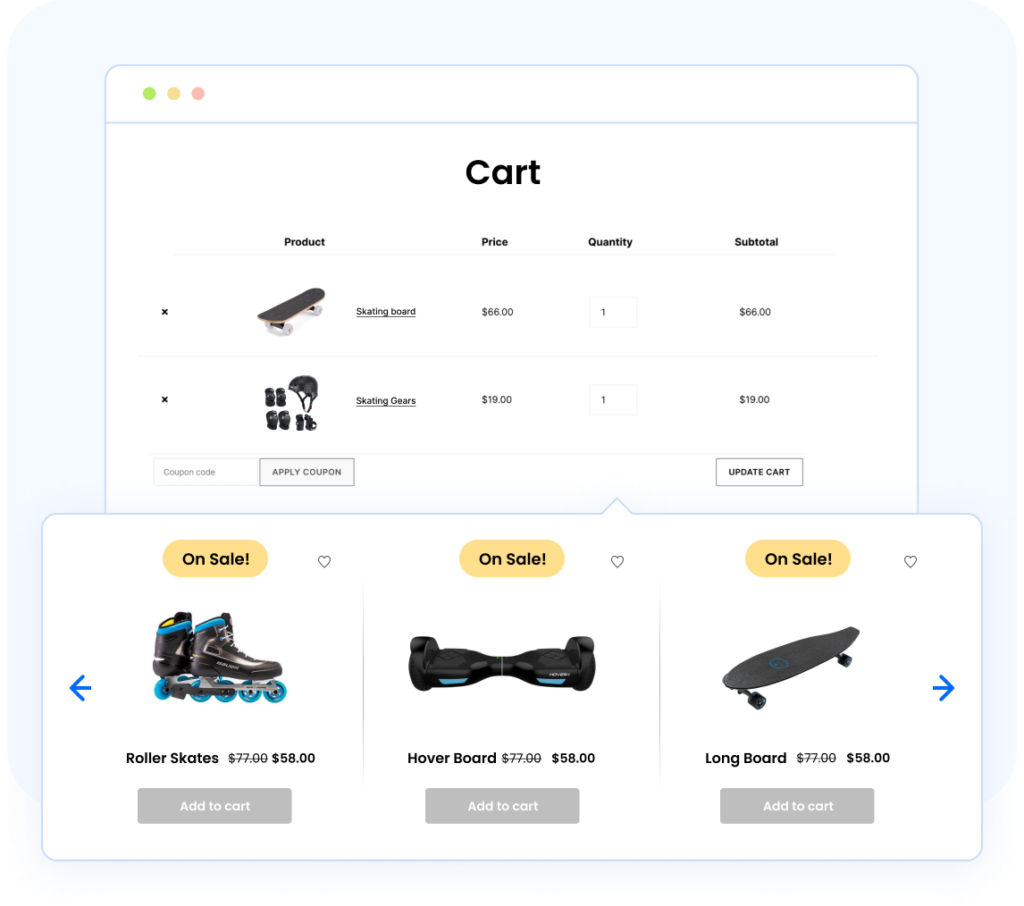
WooCommerce Product Recommendations by WebToffee is a complete recommendation engine that handles order bumps, upsells, cross-sells, and frequently bought together suggestions from a single plugin. With more than 10 ready-made campaign types and a no-code setup, you can deploy proven recommendation layouts in minutes. It also pairs well with WebToffee’s eCommerce Marketing Automation app, letting you extend your upselling beyond checkout through automated cart recovery and post-purchase upsell emails.
Features
- 10+ campaign types, including best sellers, frequently bought together, upsells, cross-sells, and recently viewed
- Placement on product, cart, checkout, category, and no-search-results pages
- Grid or slider display with sorting by popularity, rating, or price
- Display conditions and filters for targeted offers
- Automatic out-of-stock product filtering
Pros
- No-code setup with a visual campaign builder
- A wide range of recommendation types in one plugin
- Granular targeting via conditions and filters
- Free version available on WordPress.org
Cons
- The volume of campaign types and rules can feel overwhelming for first-time users
Pricing
- Free version available on WordPress.org
- Premium plans start at $89/year for a single site
8. WooCommerce Upsell & Order Bump
If you need a dedicated WordPress plugin for WooCommerce upsells with many unique upselling features, check out WooCommerce Upsell & Order Bump. Flycart, a leading eCommerce developer, develops the plugin. They have combined unique features with this plugin to make your life easier.
You can display product upsells on checkout, product, or thank-you pages. A frequently bought-together widget is another option to increase the product’s visibility and sales. You can also offer customers a coupon code to maximize conversion rate and revenue.
With upsell pop-ups, you can quickly capture your customers’ attention and drive more sales.
Features
- Checkout upsells
- Frequently bought together
- Next order coupon
- Thank you upsell
- Upsell popups
Pros
- Enables you to add order bump offers directly on the WooCommerce checkout page.
- Provides customizable bump-offer templates to match your store’s styling.
- Works with conditional rules to show offers based on cart contents or totals.
Cons
- Some advanced rules and design options are only available in the paid version.
- Can feel limited for stores that want highly dynamic or multi-step bump logic.
Pricing
WooCommerce Upsell & Order Bump is a premium plugin. A single-domain license costs $53 per year.
9. YITH WooCommerce Frequently Bought Together
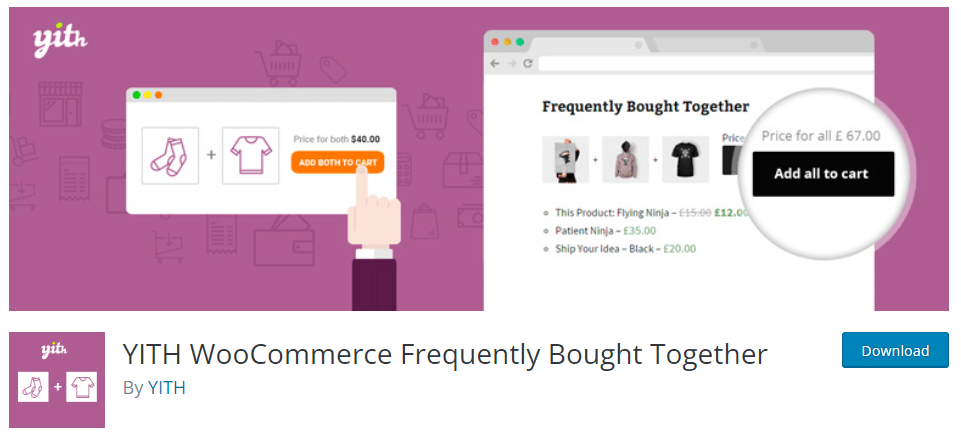
If you have been in the WooCommerce and online store areas for a while, you have probably heard of YITH. YITH offers some of the best plugins to enhance your online store’s features. To help with product upselling, consider the YITH WooCommerce Frequently Bought Together plugin.
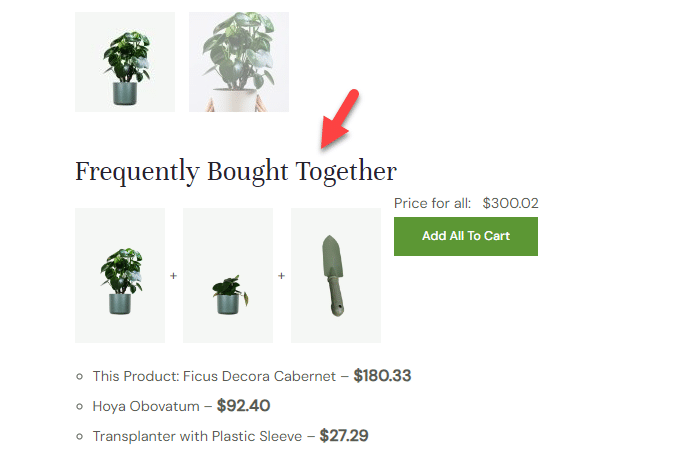
The plugin will give you complete control over the product upselling strategy. You can add a new Frequently Bought Together section to your product pages and list related products. The products can be customized, of course. You can display related products or specific products based on your requirements.
Another thing you will love about the plugin is the ability to customize the title, text, and colors. If you need to stand out from the crowd, you can use the feature to tweak the heading and CSS without any coding. You can also choose how many products you want to display on the page. It will be three products by default, but you can adjust the number as needed.
Features
- Complete control
- Title customization
- Text and color customization
- Targeted advertising
- Number of products to display
Pros
- Lets you display frequently bought together suggestions to boost average order value.
- Works well with both simple and variable products in your WooCommerce store.
- Offers customizable layouts to match your theme’s aesthetic.
Cons
- Advanced display settings are available only with the premium version.
- Limited upsell logic compared to more comprehensive bundle or bump solutions.
Pricing
YITH WooCommerce Frequently Bought Together is a freemium WordPress plugin. You can get the Lite version plugin from the repository. The premium version will cost you $79.99 a year.
Live demo:
10. WooCommerce Product Bundles
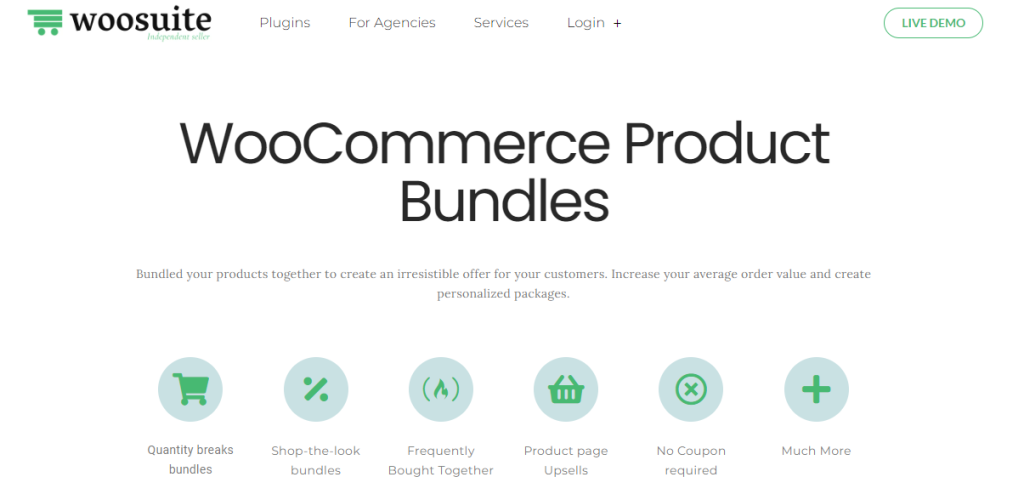
The final option we have for you is WooCommerce Product Bundles. The plugin comes with unique features to help you upsell more products. The main advantage of this tool is the ability to add custom purchase rules to bundles. Based on the user group, you can set custom bundle prices.
With this tool, you can display frequently purchased products in your shop archive. It will help you increase sales on your WooCommerce store. You do not need to write any custom code to achieve this. The plugin has a minimalistic configuration, so you can easily tweak every option.
WooCommerce Product Bundles is also compatible with the Divi theme. So, if you use Divi on your online store, this plugin won’t cause compatibility issues. You can use multiple layout options to suit your preferences and improve the store.
Features
- Compatible with Divi
- Custom purchase rules
- Lightweight
- Works with product variations
- Frequently purchased products
Pros
- Allows you to create flexible product bundles for upselling and cross-selling.
- Supports variable and straightforward products inside a single bundle.
- Automatically manages stock for bundled items to prevent overselling.
Cons
- Limited advanced promotional or marketing customization options.
- Setting up bundles can be restrictive for highly complex product structures.
Pricing
WooCommerce Product Bundles is a freemium WordPress plugin. If you choose the annual license, it will cost you $12.5 a month. On the other hand, the lifetime license costs $199 (one-time fee).
Here are some more articles you need to be checking:
- Cross-Sells vs Upsells vs Order Bumps: Best Practices and More
- Photo & Video Reviews in WooCommerce: Why They Convert Better Than Text
- 7 WooCommerce Discount Strategies That Actually Increase Average Order Value
- How to Get More (and Better) Product Reviews on Your WooCommerce Store
- How to Add a Request a Quote Button to Your WooCommerce Store
Frequently Asked Questions
Now, let’s take a look at some frequently asked questions and answers about this topic.
An order bump is a targeted product offer shown during checkout that encourages customers to add an extra item with a single click.
WooCommerce does not include order bumps by default, so store owners rely on plugins like YayPricing to create flexible, rule-based order bump offers that integrate smoothly into the checkout flow.
No, WooCommerce does not provide built-in order bump functionality. You need a dedicated plugin to add and manage order bumps. Plugins such as YayPricing allow you to create order bump offers using pricing rules without modifying core WooCommerce files.
Order bumps work by presenting highly relevant add-on products at the right moment, usually before payment. Tools like YayPricing automate this process by triggering offers based on cart contents, product categories, or cart value, thereby improving conversions without disrupting the checkout experience.
Yes, advanced order bump plugins support conditional logic. YayPricing allows you to build order bump offers using conditions like product combinations, quantity, subtotal, or user roles, giving you precise control over when and how offers appear.
A poorly optimized plugin can degrade performance, but a well-coded plugin minimizes overhead. YayPricing is lightweight and rule-based, so it applies pricing and order bump logic efficiently without adding unnecessary scripts to the checkout page.
Yes, but compatibility matters. YayPricing is designed to handle dynamic pricing, discounts, and order bumps within a single rules engine, which prevents conflicts that often occur when multiple pricing plugins are used together.
For stores planning to scale, flexibility and performance are critical. YayPricing stands out by combining order bumps, dynamic pricing, and conditional discounts in a single plugin, reducing reliance on multiple tools as your WooCommerce store grows.
Comparison Table
| Plugin | Highlight Feature | Free Version | Pro Version Starts At | Best for |
| YayPricing | Supports pricing rules, upsell notices, and condition-based offers tied into discount campaigns. | Yes | $49 a year | Stores wanting dynamic pricing + order bump style upsells integrated |
| FunnelKit | Full order bump builder, rule engine (cart contents, user role, location), skin templates, variable products support. | Yes | $69.50 a year | Stores wanting a powerful checkout funnel + order bump features with rules |
| Upsell Order Bump Offer for WooCommerce | Checkout page order bumps, variable & subscription product support, live preview builder, and multiple funnel creation. | Yes | $59 a year | Shops looking for quick setup of order bumps at checkout |
| Woocommerce Checkout Upsell Order Bump | Provide product suggestions on checkout under “order bump”, design control, and discount deals at checkout. | Yes | Stores wanting a simple checkout upsell/order bump plugin with minimal fuss | |
| WooCommerce Upsell & Order Bump | One-click add to cart, supports variable products, display on product/checkout/thank-you, mobile optimized, basic A/B testing or analytics. | Yes | $41 a year | Merchants wanting dedicated upsell + bump features with analytics |
| YITH WooCommerce Frequently Bought Together | Automatically display related items, bundle suggestions, frequently-bought templates, and boost upsell via product combinations. | Yes | $51.99 a year | Stores aiming to boost AOV via cross-sell / “people also bought” patterns at checkout |
| WooCommerce Product Bundles | Create product bundles, mix upsell with bundle strategies; although not purely “order bump” it contributes to AOV increase. | Paid only | $199 (one-time fee) | Shops wanting bundled products + upsell combo offers (not purely order bump) |
Conclusion
Upselling products is an excellent way to increase your sales and revenue. As mentioned, if you need to stand out from the crowd and sell better, use a dedicated WooCommerce order bump plugin.
In this article, we have shown you eight of the best tools you can use to sell more products. YayPricing will be an excellent fit if you need to take complete control of your WooCommerce pricing structure.
On the other hand, if you need a minimalist design and customization options, consider the YITH plugin. However, you can choose an option based on your requirements and preferences.
We hope you found this article helpful and enjoyed reading it. If you need to learn more WooCommerce tips and tricks, check out the YayCommerce blog. Also, feel free to check out our social media handles, such as Facebook, X, Instagram, and YouTube, for more interesting content.
Which tool will you use?
Let us know in the comments.
