
Are you looking for the best WP Mail Logging plugins? If you are, keep reading this article. In this post, we will show you the top 6 plugins you need to try to log your emails in WordPress or WooCommerce.
Email delivery problems can silently damage your WooCommerce store. Important emails like order confirmations, password resets, and customer notifications often fail to reach inboxes without you knowing.
A reliable mail logging plugin helps you track every email sent from your WordPress website, view their content, check delivery status, and quickly debug issues.
In this guide, we have compared the 6 best free WP mail logging plugins available today. We evaluated their features, performance, and real-world usefulness to help you find the most suitable option for your site.
First, let’s see why you need a WordPress mail logging plugin.
Table of contents
Why You Need a WordPress Mail Logging Plugin
WordPress sends many critical emails every day, such as order confirmations, password resets, contact form replies, and WooCommerce notifications. The problem is that these emails often fail to reach customers without any warning or error message.
A good mail logging plugin solves this issue by recording every email your website tries to send. It gives you full visibility into email activity so you can:
- Quickly identify and fix delivery problems
- View the complete content of sent emails for troubleshooting
- Check the status of every email (sent or failed)
- Improve overall email deliverability and customer experience
- Maintain records for support and compliance purposes
- Monitor important transactional emails from WooCommerce
Without a mail logging plugin, you stay completely blind to email issues that can damage your business reputation and lead to lost sales. Installing one is a simple but essential step for any serious WordPress website.
What to Look for in a Mail Logging Plugin
Choosing the right email logging plugin is important for effectively monitoring and troubleshooting email issues on your WordPress site.
Here are the most important features to consider:
- Complete Email Logging: The plugin should automatically record every email sent from your site, including WooCommerce order emails, password resets, contact form replies, and all other notifications, so nothing is missed.
- Email Content Viewer: You should be able to open and read the full content of any logged email, including the subject line, message body, recipients, and headers, directly from the dashboard.
- Delivery Status Tracking: The plugin must clearly show the status of each email, such as Sent, Failed, or Pending, along with helpful error messages to make troubleshooting easier.
- Search and Filter Options: A robust search system that lets you quickly find specific emails by sender, recipient, subject, date range, or status is essential for daily use.
- Resend Email Feature: The ability to resend any failed or important email with just one click saves time and ensures critical messages reach your customers.
Evaluating plugins based on these features will help you pick the most suitable option for your needs.
Quick Comparison Table
| Plugin Name | Free Version | Author Rating | Best For | Pros | Cons |
|---|---|---|---|---|---|
| Log Emails | Available | High | Simple & lightweight logging | Very lightweight, clean logs, easy search | Basic features only |
| Bit SMTP | Available | High | SMTP + basic logging | Modern interface, reliable, fast setup | Limited logging depth |
| YaySMTP | Available | High | SMTP + basic email troubleshooting | Excellent deliverability, clean UI | Few missing features (upcoming btw) |
| Check & Log Email | Available | Good | General email logging & resending | One-click resend, good content viewer | Some features locked in Pro |
| Mail Logging | Available | Good | Minimal & fast logging | Extremely lightweight, no bloat | Very basic features |
| Email Tracker | Available | Good | Email logging + tracking | Open & click tracking, detailed analytics | Premium features needed for full power |
In-Depth Review of the 6 Best Free WP Mail Logging Plugins
We will be showing you:
- Log Emails
- Bit SMTP
- YaySMTP
- Check & Log Email
- Mail Logging
- Email Tracker
Below, we will explain what each offers. Based on your preferences and requirements, you can choose an option. Without any further ado, let’s get into the list.
1. Log Emails
Log Emails is a simple, lightweight, and completely free WordPress plugin that automatically records every email sent from your website.
It is known for its minimal design and excellent performance. The plugin captures the full email content and delivery status, and helps site owners troubleshoot email delivery issues effectively. What makes Log Emails unique is its extreme lightness, no bloat, and straightforward approach.
It is perfect for developers, WooCommerce store owners, and anyone who needs reliable email logging without complicated settings.
Features
- Logs all outgoing emails
- Full email content viewer
- Delivery status tracking
- Easy search and filters
- One-click email resend
- Lightweight and fast performance
- Simple and clean interface
Pros and Cons
| Pros | Cons |
|---|---|
| Completely free with no upsells | No automatic log deletion option |
| Extremely lightweight and fast | Basic reporting features |
| Simple and beginner-friendly | |
| Good for basic troubleshooting |
Pricing
Log Emails is a completely free plugin.
2. Bit SMTP
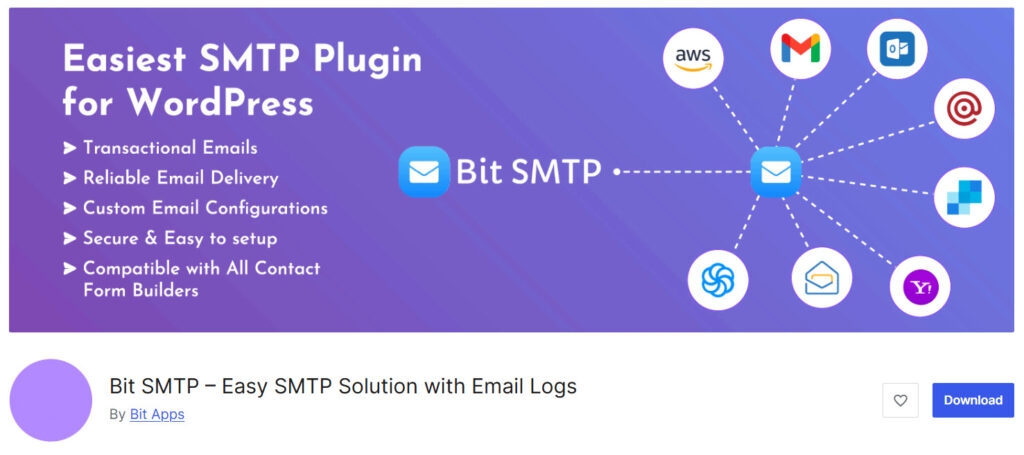
Bit SMTP is a clean and efficient WordPress SMTP plugin that helps resolve email delivery issues and provides built-in email logging. It automatically logs all outgoing emails, allowing you to view full email content, check delivery status, and troubleshoot issues quickly.
What makes Bit SMTP unique is its simple setup process, modern interface, and reliable performance. It supports popular SMTP providers and is particularly useful for WooCommerce store owners and site administrators who need both better email deliverability and a straightforward logging solution.
Features
- Logs all outgoing emails
- Full email content viewer
- Delivery status tracking
- Easy SMTP configuration
- Test email sending tool
- Search email logs
- Lightweight and fast performance
Pros and Cons
| Pros | Cons |
|---|---|
| Simple and easy to set up | Basic logging features |
| Clean and modern interface | No advanced analytics or reports |
| Good email deliverability | No email open or click tracking |
| Lightweight with minimal impact |
Pricing
Bit SMTP is a completely free plugin.
3. YaySMTP
YaySMTP is a lightweight and user-friendly SMTP plugin developed by the YayCommerce team. It primarily solves email delivery issues by routing emails through professional SMTP servers and includes a built-in email logging system.
The plugin automatically logs all outgoing emails from your WordPress site, allowing you to view full email content, check delivery status, and debug problems easily. It is especially useful for WooCommerce store owners who need reliable transactional email tracking and improved deliverability.
YaySMTP stands out for its clean interface, fast performance, and simple configuration with major providers like Gmail, SendGrid, and Amazon SES.
Features
- Easy SMTP configuration
- Support for multiple SMTP providers
- Email logging and tracking
- Debug and error reporting
- Test email sending tool
- Lightweight and fast performance
- Simple and clean dashboard
Pros and Cons
| Pros | Cons |
|---|---|
| Excellent email deliverability | No one-click resend |
| Simple and clean interface | |
| Lightweight with minimal performance impact | |
| Strong WooCommerce compatibility |
Pricing
YaySMTP is a freemium WordPress plugin. The free version of the plugin can be downloaded from the WordPress plugin repository, and the premium version costs $49 per year for a single-domain license. If you need a lifetime license, it will cost you $99 (one-time fee).
4. Check & Log Email
Check & Log Email is a simple, lightweight, and free WordPress plugin that automatically logs every email sent from your website. It is especially popular among users who want a straightforward solution for monitoring email activity and troubleshooting delivery issues.
What makes this plugin unique is its clean, minimal design, excellent performance, and focus on essential logging features without unnecessary bloat. It allows you to view full email content, check delivery status, search through logs, and resend emails easily.
It is an ideal choice for beginners and small- to medium-sized websites, including WooCommerce stores, that need reliable email tracking without added complexity.
Features
- Logs all outgoing emails
- Full email content viewer
- Delivery status tracking
- Easy search and filters
- One-click email resend
- Lightweight and fast performance
- Simple and clean interface
Pros and Cons
| Pros | Cons |
|---|---|
| Very lightweight and fast | Some advanced features are premium only |
| Simple and easy to use | Limited built-in reporting |
| Good for basic email troubleshooting | No email open or click tracking |
| Completely free core version |
Pricing
It is a freemium WordPress plugin. The free version of the plugin can be downloaded from the repository, and the premium version costs $49 per year.
5. Mail Logging
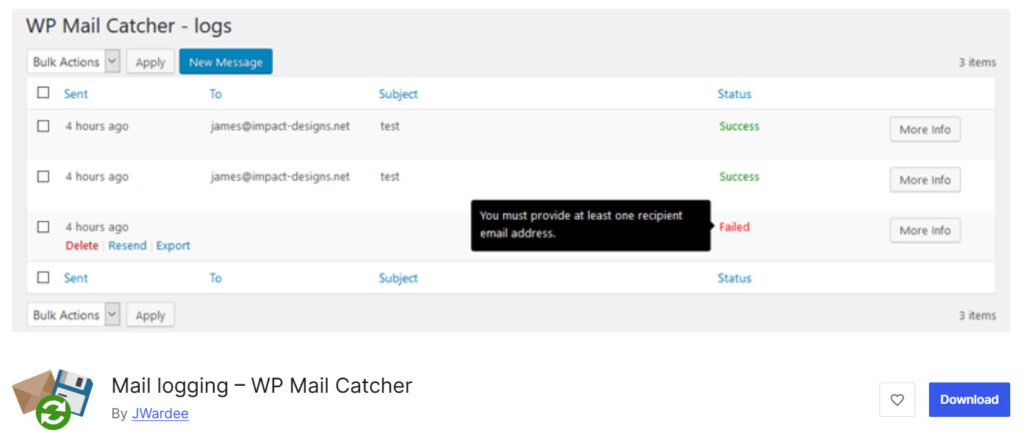
Mail Logging, also known as WP Mail Catcher, is a lightweight and completely free plugin that automatically logs every email sent from your WordPress website. It stands out for its simplicity and minimal impact on site speed.
With no setup required, it captures full email content, delivery status, and attachments.
You can easily view, search, resend failed emails, and export logs to CSV. It is especially useful for debugging email issues, troubleshooting WooCommerce notifications, and maintaining records of all outgoing communication.
Features
- Logs all outgoing emails
- Full email content viewer
- Delivery status tracking
- Powerful search and filters
- One-click email resend
- Export logs to CSV
- Lightweight and fast performance
Pros and Cons
| Pros | Cons |
|---|---|
| Completely free and no upsells | No email open or click tracking |
| Extremely lightweight and fast | Very basic reporting and analytics |
| Simple and beginner-friendly interface | No automatic log cleanup or deletion |
| One-click resend for failed emails |
Pricing
Mail Logging is a free WordPress plugin. You can download it for free from the WordPress plugin repository.
6. Email Tracker
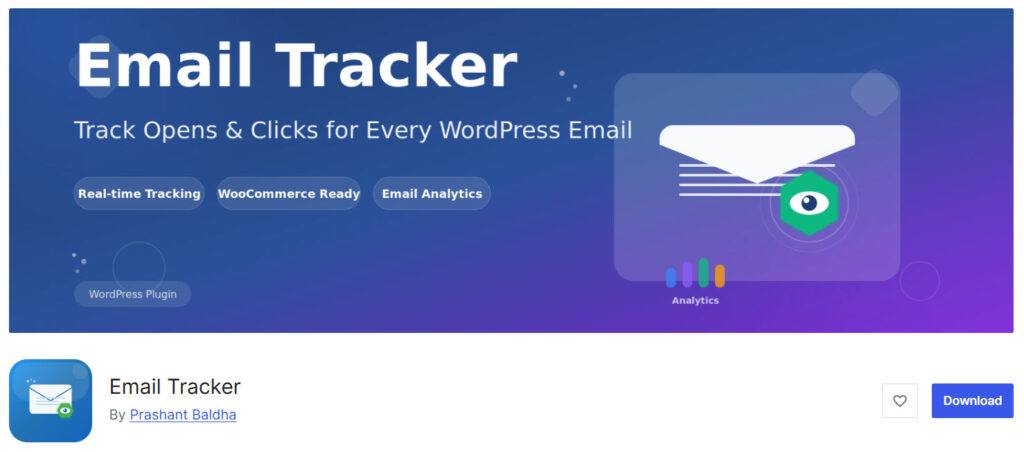
Email Tracker is a comprehensive WordPress plugin that not only logs every outgoing email but also tracks email opens, link clicks, and provides detailed analytics.
It stands out by combining powerful email logging with real-time tracking capabilities. The plugin automatically records all emails sent through WordPress and provides valuable insights, including open rates, click rates, and recipient engagement.
It is particularly useful for WooCommerce store owners, marketers, and site administrators who want to monitor email performance and improve deliverability.
Features
- Logs all outgoing emails
- Email open tracking
- Email link click tracking
- Full email content viewer
- Delivery status tracking
- Detailed analytics and reports
- Search and filter logs
Pros and Cons
| Pros | Cons |
|---|---|
| Combines logging and tracking | Some advanced tracking features are premium |
| Real-time open and click analytics | Can feel feature-heavy for simple needs |
| Good for WooCommerce and marketing emails | |
| Lightweight core logging |
Pricing
It is a free WordPress plugin.
Common Issues with Email Logging and How to Fix Them
Even the best mail logging plugins can run into issues. Here are the most common problems and how to solve them:
- No Emails Are Being Logged
- Solution: Ensure the plugin is properly activated. Try sending a test email using the plugin’s built-in test tool and check your WordPress error logs.
- Emails Show as Failed but Still Reach the Inbox
- Solution: This usually happens due to spam filters. Improve deliverability by using a reliable SMTP service, such as Gmail, SendGrid, or Amazon SES, via YaySMTP or Bit SMTP.
- Plugin Slows Down the Website
- Solution: Switch to a lightweight plugin such as Log Emails, Bit SMTP, or YaySMTP, which are known for minimal performance impact.
- Cannot View Full Email Content
- Solution: Some free versions have limitations. Try Check & Log Email or upgrade to the Pro version of your chosen plugin.
- Logs Are Growing Too Large
- Solution: Regularly delete old logs or use a plugin that offers automatic log cleanup.
- WooCommerce Emails Are Not Being Logged
- Solution: Make sure the plugin is set to capture all email hooks. Test by placing a new order and checking the logs.
Fixing these issues early will help you maintain reliable email tracking and better overall deliverability.
Frequently Asked Questions
Now, let’s take a look at some frequently asked questions and answers on this topic.
A WordPress mail logging plugin records every email sent from your website so you can view the content, check delivery status, and troubleshoot issues easily.
It helps you identify failed emails, debug delivery problems, monitor WooCommerce transactional emails, and improve overall email reliability.
Log Emails and YaySMTP are among the top choices for most users. Log Emails is best for pure simplicity, while YaySMTP excels in deliverability and ease of use.
Yes. YaySMTP logs all outgoing emails with full content viewer and delivery status, making it useful for troubleshooting.
YaySMTP and Email Tracker are strong choices for WooCommerce. YaySMTP focuses on reliable delivery, while Email Tracker adds open and click tracking.
Yes. Plugins like Check & Log Email and Log Emails allow you to resend emails with one click directly from the log.
Most of them are. Log Emails, Bit SMTP, and YaySMTP are particularly lightweight and have minimal impact on site speed.
Yes. Free versions usually offer basic logging. Advanced features like detailed analytics, open tracking, or automatic log cleanup are often available only in premium versions.
Consider your needs: simple logging (Log Emails or Bit SMTP), better deliverability (YaySMTP), or tracking (Email Tracker).
Yes. All the plugins listed are from reputable developers and are safe to use. They only record emails sent from your own website.
Conclusion
After comparing these 6 free WordPress mail logging plugins, one thing is clear: having a reliable logging tool is essential for any serious website.
YaySMTP stands out as a strong all-rounder with excellent deliverability and clean logging, making it a great choice for most users, especially WooCommerce store owners. For pure simplicity, Log Emails and Bit SMTP are excellent lightweight options.
If you need open and click tracking, Email Tracker is a solid pick.
Which plugin are you going to try?
We hope you found this article helpful and enjoyed reading it. If you need to learn more WooCommerce tips and tricks, check out the YayCommerce blog. Also, feel free to check out our social media handles, such as Facebook, X, Instagram, and YouTube, for more interesting content.