Are you looking for the best WordPress education themes? In this post, we’ll show you seven of the best themes for your school’s website.
Choosing the right WordPress theme makes a real difference for any school website. The best education WordPress themes help you present courses, staff, events, and admissions clearly while staying easy to manage.
Schools need layouts that work for parents, students, and teachers, plus solid support for online courses and customization options. In this guide, we review seven of the best WordPress education themes built for schools and educational institutions.
You will see how each theme handles design, page templates, LMS plugins, and overall flexibility so you can pick the right one for your education website.
First, let’s see what WordPress education themes are and why using those would be a good idea.
Table of contents
What Are WordPress Education Themes and Why You Need Them
WordPress education themes are templates built specifically for schools, colleges, training centers, and online learning sites.
Unlike generic multipurpose themes, an education WordPress theme already includes layouts for courses, faculty profiles, event calendars, admissions pages, and student resources.
Many also work smoothly with LMS plugins, page builders, and WooCommerce so you can handle online courses and payments without starting from scratch. Schools need these themes because a regular WordPress theme often forces you to rebuild the same education-related sections over and over.
A good educational theme gives you ready-made page templates, clean headers, and customization options that fit an educational website. It saves time, keeps the design consistent across your school website, and helps parents and students find the information they need quickly.
What to Look for In an Education WordPress Theme
Picking the right education WordPress theme saves time and prevents headaches later. A strong school website needs more than a nice design.
It needs layouts that support courses, staff pages, events, and online learning without forcing you to rebuild everything from scratch. Focus on these key points when comparing the best WordPress themes for education.
- LMS and plugin compatibility so the theme works smoothly with popular education plugins and online course tools
- Ready-made page templates for courses, faculty, admissions, and events that fit an educational institute
- Flexible customization options through the WordPress customizer or page builder without needing heavy coding
- Mobile-friendly and fast-loading design that keeps parents and students engaged on any device
- Clean theme options panel and support for multilingual websites if your school serves diverse communities
- Regular updates and solid documentation so the theme stays secure and compatible with new WordPress versions
7 Best WordPress Education Themes (Free and Premium)
| Theme | Best For | Pricing | Free Version | Key Strength |
|---|---|---|---|---|
| EduBlock | Schools & universities using Full Site Editing | Free + Pro from $69/year | Yes | Modern block theme with clean design |
| TutorStarter | Tutor LMS users | Free | Yes | Perfect design match with Tutor LMS |
| Eduma | Full education platforms & online courses | $69 one-time | No | Deep LearnPress integration + many demos |
| Masterstudy | Video courses & live classes | $59 one-time | No | Includes full LMS plugin |
| EduBlink | Flexible multi-LMS education sites | $59 one-time | No | Works with multiple LMS plugins |
| Tabula | Art, music & language schools | $79 one-time | No | Creative design for specialized schools |
| Kadence | Fast & flexible school websites | Free + Pro from $99/year | Yes | Excellent speed and customization |
1. EduBlock
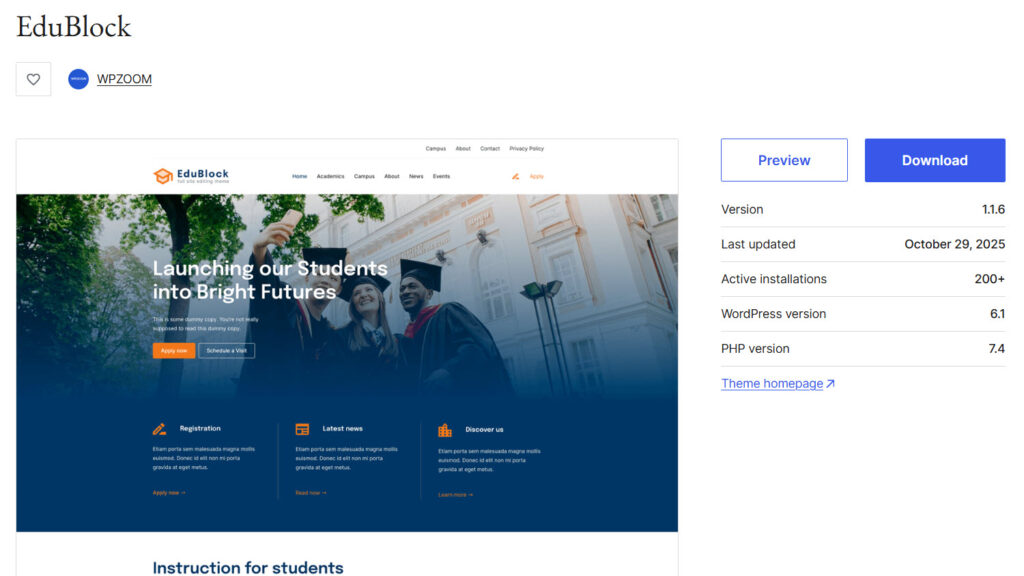
EduBlock is a clean block theme from WPZOOM made for schools, colleges, and universities. It uses Full Site Editing so you can change headers, footers, and page layouts right inside the WordPress Site Editor without needing complex page builders.
The free version gives you a solid base with modern design and education-focused templates that work well for presenting basic school information, staff details, and campus updates. The Pro version adds more patterns, color schemes, and ready-made sections that help schools showcase courses, events, and campus life in a more complete way.
It stays lightweight and loads quickly, which is important for school websites that parents and students visit on mobile devices. The theme is also GDPR-friendly by hosting fonts locally instead of loading them from external sources.
Features
- Full Site Editing support
- Education-focused page templates
- Multiple style variations and block patterns
- Locally hosted fonts and GDPR compliance
- WooCommerce ready
- Demo importer and extra templates
Pros and Cons
| Pros | Cons |
|---|---|
| Modern and clean design | Free version has limited templates |
| Fast and lightweight | Pro features locked behind yearly plan |
| Easy to customize with Site Editor | |
| Good for schools and colleges |
Pricing
EduBlock is freemium. The free version can be downloaded from the WordPress themes repository, and the premium version starts at $69 a year.
2. TutorStarter
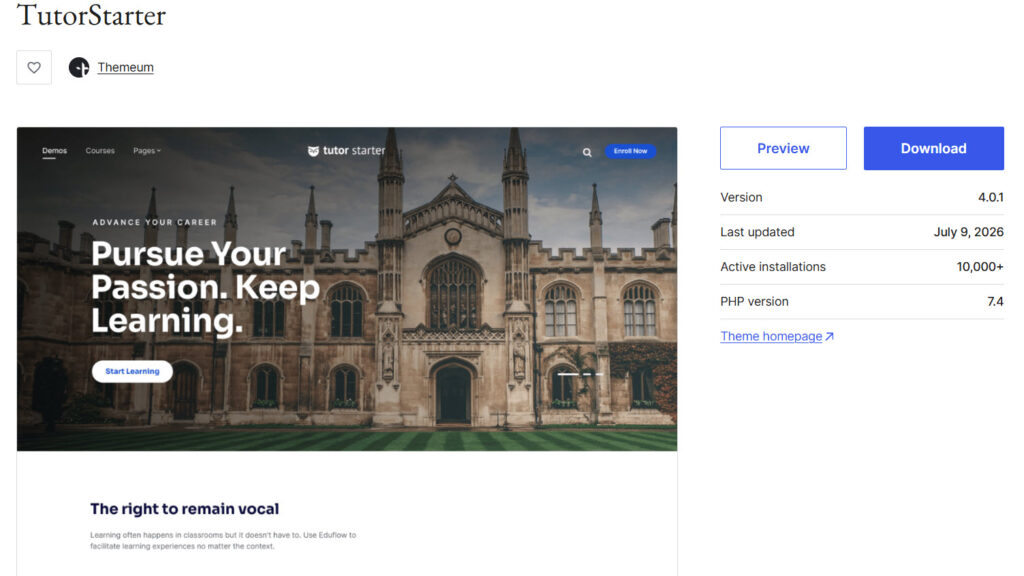
TutorStarter is a free WordPress theme specifically for Tutor LMS.
It shares the same design system as the plugin so course pages, student dashboards, and instructor areas look consistent right from the start. The theme supports both Elementor and Gutenberg, comes with several pre-built home layouts, and includes a one-click demo importer.
It focuses heavily on speed and SEO, with schema-ready pages and clean code that helps school and course websites load quickly. Multiple header and footer options plus advanced typography settings give you enough flexibility without making the theme complicated.
Features
- Designed as the official companion theme for Tutor LMS
- Full support for Elementor and Gutenberg
- Pre-built home layouts and inner pages
- One-click demo importer
- Multiple header and footer variations
- Advanced typography and contextual page settings
- Schema-ready and performance-optimized
Pros and Cons
| Pros | Cons |
|---|---|
| Completely free | Best experience requires Tutor LMS |
| Excellent speed and SEO focus | Fewer general school templates than dedicated education themes |
| Seamless design match with Tutor LMS | |
| Easy demo import and customization |
Pricing
TutorStarter is a free theme. The free version can be downloaded from the WordPress themes repository.
3. Eduma
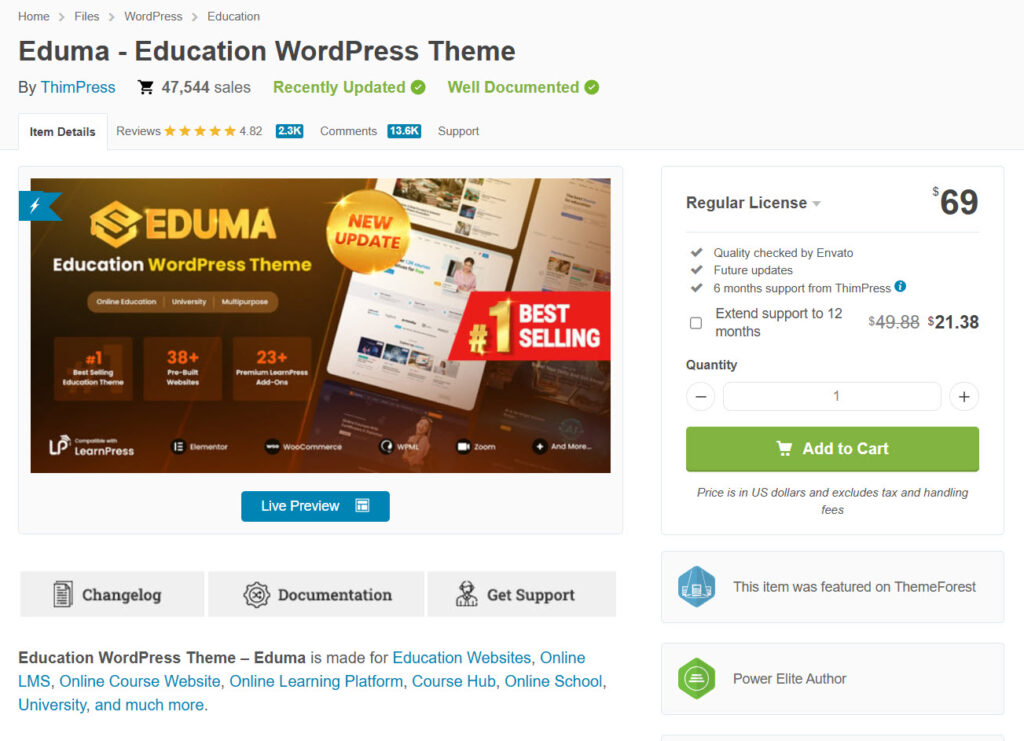
Eduma is one of the most popular education WordPress themes on ThemeForest and is built by ThimPress. It works tightly with the LearnPress LMS plugin and includes many premium LearnPress add-ons at no extra cost.
Schools, universities, and online course platforms can use its large collection of demos to quickly set up course catalogs, instructor profiles, student dashboards, and event pages.
The theme supports Elementor for easy design changes and offers strong tools for selling courses, managing instructors, and running both online and offline education programs.
Features
- Deep integration with LearnPress LMS and premium add-ons included
- 35+ education-focused demos with one-click import
- Course builder, quizzes, certificates, and student dashboards
- Elementor compatibility and event management tools
- WooCommerce ready for course sales and payments
- Instructor profiles and multi-instructor support
Pros and Cons
| Pros | Cons |
|---|---|
| Complete LMS package with many add-ons included | Best experience requires LearnPress |
| Large number of ready-made education demos | Can feel feature-heavy for simple school sites |
| Strong tools for selling courses and managing instructors | |
| Regular updates and solid documentation |
Pricing
Eduma is a premium theme. The premium version starts at $69 (one-time fee).
4. Masterstudy
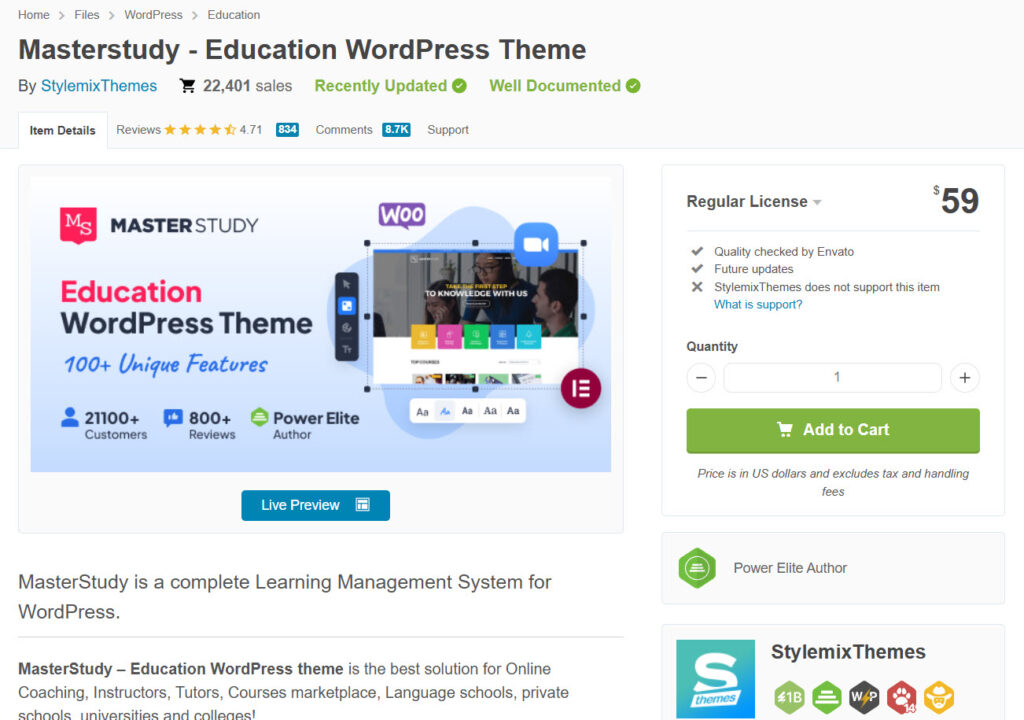
Masterstudy is a popular education WordPress theme from StylemixThemes that includes its own powerful MasterStudy LMS plugin. It is designed for online courses, training centers, and schools that need strong course creation tools, video lessons, quizzes, and student management.
The theme offers a frontend course builder, multiple demos, and integrations for live classes via Zoom. Schools and course creators can sell courses, issue certificates, and manage instructors from one place.
It works with Elementor and supports both online and offline learning setups.
Features
- Includes MasterStudy LMS Pro plugin
- Frontend and backend course builder
- Video lessons, quizzes, assignments, and certificates
- Zoom integration and live streaming support
- Multiple education demos with one-click import
- Elementor and WooCommerce compatible
- Group courses, content drip, and multi-instructor tools
Pros and Cons
| Pros | Cons |
|---|---|
| Full LMS plugin included with the theme | Best results require using the bundled MasterStudy LMS |
| Strong tools for video courses and live classes | Can feel complex for very simple school brochure sites |
| Good value with many education features in one package | |
| Regular updates and solid demo options |
Pricing
Masterstudy is a premium theme. The premium version starts at $59 (one-time fee).
5. EduBlink
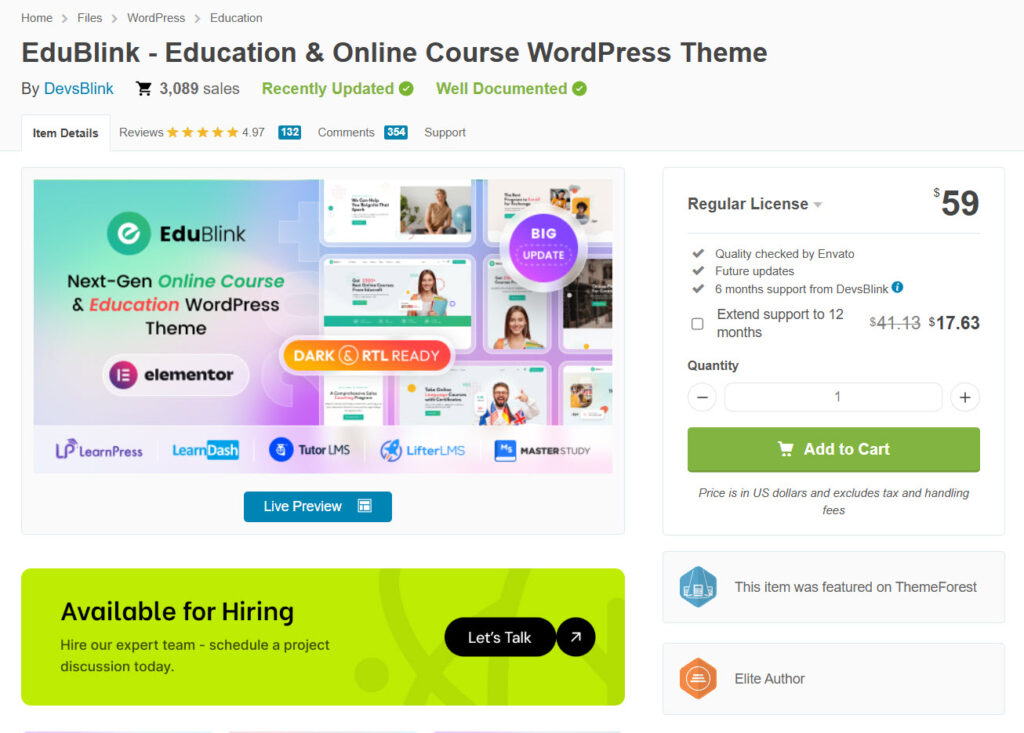
EduBlink is a flexible education WordPress theme designed for schools, universities, online courses, and coaching platforms. It comes with more than 20 ready-made home demos and over 70 inner pages covering courses, instructors, events, and more.
One of its strongest points is broad LMS compatibility. It works with LearnPress, LearnDash, Tutor LMS, LifterLMS, Sensei, and MasterStudy, so you can choose the system that fits your needs.
The theme also supports Zoom for live classes, event management, and WooCommerce for selling courses.
Features
- 22+ education-focused home demos and 70+ inner pages
- Compatible with multiple LMS plugins (LearnPress, LearnDash, Tutor LMS, and more)
- Zoom integration for live classes and webinars
- Event management tools
- Multiple course layouts and course filter options
- Elementor-based with WooCommerce support
- Responsive design with modern layouts
Pros and Cons
| Pros | Cons |
|---|---|
| Works with several popular LMS plugins | Relatively newer theme with fewer long-term user reviews |
| Large number of demos for different education niches | |
| Strong support for live classes and events | |
| Clean design and flexible course layouts |
Pricing
EduBlink is a premium theme. The premium version starts at $59 (one-time fee).
6. Tabula
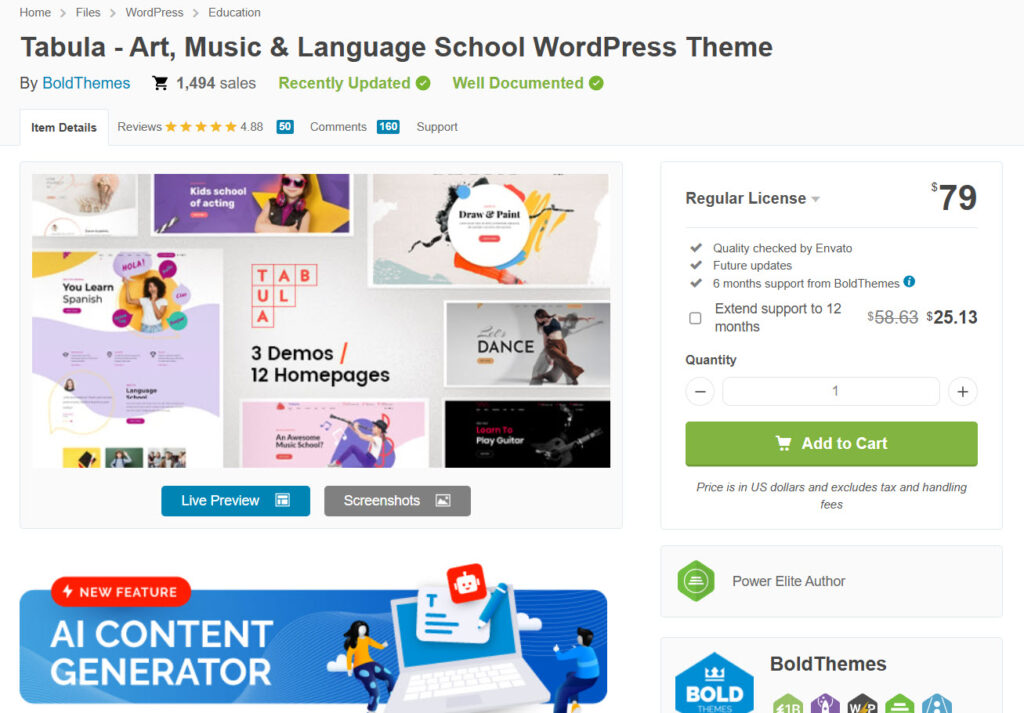
Tabula is a WordPress theme from BoldThemes made for art, music, language schools, dance studios, and similar teaching environments. It focuses on creative and specialized education rather than large online course platforms.
The theme includes multiple demos and homepage layouts that help schools present classes, teachers, schedules, and events in a clean and visual way.
It comes with the Bold Builder page builder and a cost calculator plugin, making it easier to build custom pages and pricing tables. Tabula is responsive, supports RTL, and works well with WooCommerce for selling courses or related products.
Features
- Designed for art, music, language, and creative schools
- Multiple demos and homepage layouts
- Includes Bold Builder page builder
- Cost Calculator plugin included
- Responsive and retina-ready design
- RTL support and WooCommerce compatibility
- Customizable headers, typography, and page transitions
Pros and Cons
| Pros | Cons |
|---|---|
| Strong focus on creative and specialized schools | Limited built-in LMS features compared to full education themes |
| Includes useful page builder and cost calculator | Fewer demos aimed at traditional K-12 or large universities |
| Clean design with good visual options | |
| Solid customization through the Customizer |
Pricing
Tabula is a premium theme. The premium version starts at $79 (one-time fee).
7. Kadence
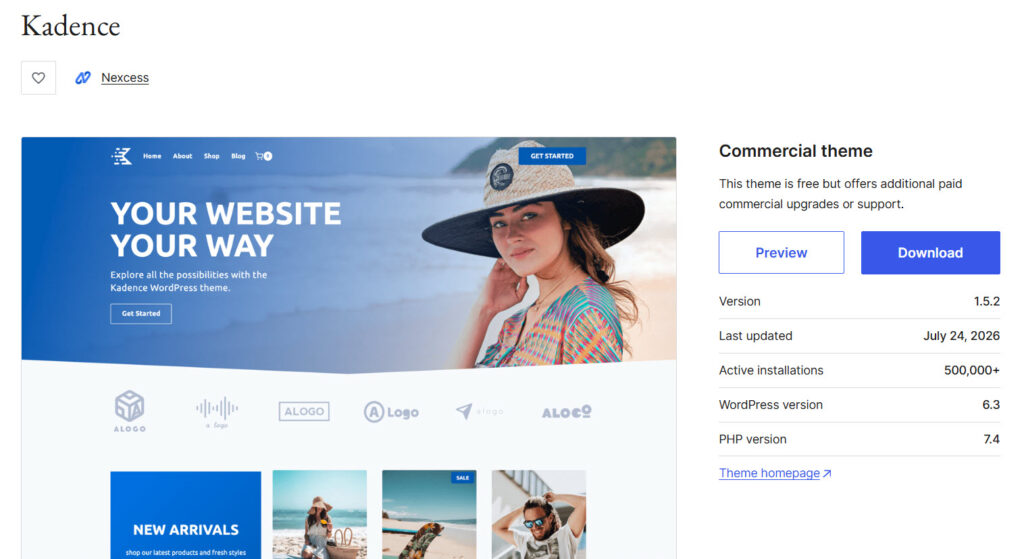
Kadence is a fast and flexible multipurpose WordPress theme that works very well for school and education websites.
The free version already offers strong customization options, a powerful header and footer builder, and good performance. It includes education and online course starter templates that help you set up a professional school site quickly.
Kadence pairs smoothly with popular LMS plugins like LearnDash, Tutor LMS, and LifterLMS. Schools that want a lightweight theme with modern design control and room to grow often choose Kadence over heavier dedicated education themes.
Features
- Lightweight and performance-focused design
- Powerful header and footer builder
- Education and online course starter templates
- Strong compatibility with major LMS plugins
- Advanced customization with Kadence Blocks
- Fully responsive and Gutenberg optimized
- Regular updates and solid documentation
Pros and Cons
| Pros | Cons |
|---|---|
| Excellent speed and clean code | Not a dedicated education theme out of the box |
| Highly flexible for schools and course sites | Advanced features and extra templates require the Pro plan |
| Works well with popular LMS plugins | |
| Strong free version to start with |
Pricing
Kadence is freemium. The free version can be downloaded from the WordPress themes repository, and the premium version starts at $99 a year.
Common Mistakes to Avoid While Choosing the Best Education WordPress Themes
Many schools pick a theme based on looks alone and later run into problems with courses, staff pages, or online learning features.
A professional education website needs more than a modern design. It needs a theme that actually supports the way an educational institute works day to day. Avoid these common mistakes when selecting a WordPress theme for schools.
- Choosing a multipurpose WordPress theme that looks nice but lacks education-related templates and layouts
- Ignoring LMS and WordPress plugin compatibility so online courses and student management become difficult later
- Overlooking mobile performance and speed, which frustrates parents and students on phones
- Picking a free WordPress theme without checking how limited the theme options and customization really are
- Focusing only on design and forgetting about regular updates, documentation, and long-term support
- Selecting a theme that is hard to customize through the theme customizer or page builder for non-technical staff
Frequently Asked Questions
Now, let’s take a look at some of the frequently asked questions and answers regarding this topic.
Several solid free options exist for schools that want a professional education website without paying upfront. Themes like Education Hub, Education Zone, and the free versions of Kadence and TutorStarter offer clean layouts, basic customization, and compatibility with popular WordPress plugins. These free themes work well as a starting point for smaller educational institutes or those testing an online presence.
The best educational theme depends on your school’s needs. If you want strong LMS support and many demos, Eduma or Masterstudy are strong premium choices. For a lightweight and flexible option, Kadence works very well. Schools that need a simple and clean design often prefer dedicated school WordPress themes that already include course pages, staff profiles, and event sections.
Yes. Many modern WordPress educational themes are built to work with LMS plugins. Eduma pairs tightly with LearnPress, Masterstudy includes its own LMS, and themes like EduBlink and TutorStarter support multiple systems. These education templates make it easier to create and sell online courses while keeping the site organized for students and parents.
Look for a theme that includes education-related page templates, mobile responsiveness, easy customization options, and compatibility with WordPress plugins. A good school WordPress theme should also load quickly, support events and staff pages, and give you enough design control without requiring heavy coding.
You can, but a dedicated educational WordPress theme usually saves time. Multipurpose themes are flexible, yet education-focused options come with ready layouts for courses, admissions, and faculty. This makes them more practical for building a complete educational site faster.
Kadence is a strong choice for schools that value speed and flexibility. While it is not a pure educational theme, it offers education starter templates and works smoothly with major LMS plugins. Many schools use it as a modern WordPress foundation for both traditional school websites and online learning platforms.
Most of the best WordPress themes for education support key plugins like WooCommerce, contact form tools, and major LMS systems. Themes such as Eduma, Masterstudy, and EduBlink are designed to work with course management and payment plugins so you can handle enrollments and online education features without major conflicts.
Using a child theme is a good practice with any educational WordPress theme. It lets you make custom changes safely so your edits are not lost during theme updates. This is especially useful for school websites that need ongoing design or content adjustments.
For a complete education academy that offers multiple courses and online learning, Eduma and Masterstudy stand out. Both provide strong course management tools, student dashboards, and ready-made layouts. They are designed to handle the needs of a professional educational site with less extra setup.
You can find quality options on ThemeForest, WordPress.org, and the official sites of theme developers. Looking at recent reviews, demo sites, and LMS compatibility helps you choose the right education template for your school or educational institute.
Conclusion
Choosing the right education WordPress theme depends on what your school needs most. Eduma stands out for schools and academies that want a complete package with strong course tools and many ready demos.
Masterstudy works especially well if you focus on video courses and live classes. For a free and clean starting point, TutorStarter pairs perfectly with Tutor LMS, while Kadence offers excellent speed and flexibility.
Tabula is a solid pick for art, music, or language schools. Review the features that matter most to your educational website and pick the theme that fits your goals.
We hope you found this article helpful and enjoyed reading it. If you need to learn more WooCommerce tips and tricks, check out the YayCommerce blog. Also, feel free to check out our social media handles, such as Facebook, X, Instagram, and YouTube, for more interesting content.
Which theme are you going to use?
Let us know in the comments.