
Most WordPress traffic in 2026 starts somewhere else. A reader sees a post in their Instagram feed, a deal in a Telegram channel, a thread on Bluesky, a Reel from a creator, or a TikTok review. Then they tap through and land on your site. If that journey is missing on even one or two channels, the front of your funnel narrows for no good reason.
A modern WordPress site owner has four very different social jobs to handle:
- Publishing new posts, products, and pages to social accounts automatically.
- Scheduling future content across a calendar so the feed never goes quiet.
- Showing live social activity (Instagram, Facebook, YouTube, TikTok) inside the site.
- Making it easy for visitors to share what they read with their own networks.
No single plugin owns all four jobs perfectly. The right stack is usually two or three well-chosen plugins, not one all-in-one tool stitched onto everything. This guide is a 2026 roundup of the strongest options in each job, ranked so a WordPress publisher, agency, or shop owner can pick a plugin in minutes rather than hours.
Table of contents
- How we picked these plugins
- The plugins, ranked
- 1. FS Poster: Best overall WordPress social media plugin for 2026
- 2. WP MediaVerse: Best for building media-rich WordPress communities
- 3. Smash Balloon: Best for polished social feeds on your WordPress site
- 4. AddToAny Share Buttons: Best free share buttons for almost any WordPress site
- 5. WP Social Ninja: Best all-in-one feeds, reviews, chat, and notifications
- 6. SchedulePress: Best editorial calendar planner with auto-share
- 7. Jetpack Social: Best for solo bloggers already in the Jetpack ecosystem
- 8. Spotlight Social Media Feeds: Best single-Instagram-account feed plugin
- 9. Social Warfare: Best Pinterest-friendly share buttons
- 10. Sassy Social Share: Best deeply configurable free share buttons
- 11. Hubbub Lite: Best free share buttons with a per-post analytics dashboard
- 12. Revive Old Posts: Best for recycling evergreen WordPress content
- 13. Bit Social: Best budget auto-poster with a lifetime tier
- 14. Monarch: Best share-button plugin inside the Elegant Themes membership
- 15. Blog2Social: Best freemium auto-poster with a real editorial calendar
- How to choose the right WordPress social media plugins?
- You want new posts and products to auto-share across many networks
- You want a calendar-first editorial workflow
- You want live social feeds embedded on your WordPress site
- You want visitor-facing share buttons
- You want a budget lifetime license on the auto-posting side
- You sell on WooCommerce as well as publish
- Final recommendation
- FAQ
How we picked these plugins
The plugin pool was assembled from three sources: long-running favorites that still ship updates, newer entrants that have earned real install counts on WordPress.org, and tools that show up consistently in 2025 and 2026 WordPress community discussions, vendor changelogs, and public review threads. From there, every plugin had to clear five gates:
- Active maintenance. A recent release, a public changelog, and a maintainer who answers support.
- A real WordPress integration. Native admin or block editor surfaces, not a thin SaaS wrapper.
- Honest pricing. A buyer can find every tier on a public page without a sales call.
- Network or feature breadth. Either many networks under one license, or a sharp specialty (Pinterest, Instagram, calendar planning) that earns its place.
- A clear “best for” profile. A plugin that fits a specific WordPress site type is more useful than a plugin that fits “everyone.”
We also kept the ordering category-aware. The top entries cover the broadest, most strategically useful jobs (auto-posting, feeds, share buttons). The middle entries serve more specific profiles (Pinterest-first sites, Instagram-only brands, editorial teams). Older or narrower plugins sit lower on the list, even when they have plenty of installs, because they fit fewer WordPress sites in 2026 than they did a few years ago.
Pricing in this guide reflects the lowest paid annual starting tier on each vendor’s public page in June 2026, billed annually, intro pricing where applicable. Vendors change prices often, so confirm the current figure on the vendor pricing page before you buy.
| # | Plugin | Best for | Starting price | Main strength | Notes |
|---|---|---|---|---|---|
| 1 | FS Poster | All-in-one WordPress auto-posting and scheduling across 26+ networks | $58/year | Broadest WordPress-native network coverage with a real calendar | The strongest single pick for serious WordPress publishers, agencies, and stores |
| 2 | Smash Balloon | Polished feeds for Instagram, Facebook, YouTube, TikTok, X, and reviews | $49/year | Best-in-class customizer per network | Sold per network; All Access bundle covers the whole family |
| 3 | AddToAny Share Buttons | Free, fast share buttons for almost any WordPress site | $0 | Tiny footprint, 95+ networks, no upsell | The safest free pick for share buttons in 2026 |
| 4 | WP Social Ninja | Feeds, reviews, chat widgets, and notification popups under one license | $44/year | Multiple jobs covered by one plugin | Strong fit for small businesses and hospitality sites |
| 5 | SchedulePress | Editorial calendar planning with auto-share to 8 networks | $39/year | Cheapest annual entry for a real calendar planner | Great for multi-author blogs and editorial teams |
| 6 | Jetpack Social | Lightweight auto-share for solo bloggers on a few mainstream networks | $59/year (intro) | Simplest install if you already use Jetpack | Narrow network coverage; renewal jumps to ~$107/year |
| 7 | Spotlight Social Media Feeds | Premium single-account Instagram feeds on WordPress | $59/year | Three-step wizard plus shoppable Instagram | Instagram-only despite the rebrand |
| 8 | Social Warfare | Pinterest-friendly share buttons and Click-to-Tweet | $29 single-site license | Per-post custom Pinterest images and tweets | Strong fit for food, recipe, and lifestyle blogs |
| 9 | Sassy Social Share | Deeply configurable free share buttons with a very wide network roster | $0 | Around 100 sharing services including ChatGPT and Grok | Free version is the realistic option today |
| 10 | Hubbub Lite | Share buttons with a per-post share dashboard | $99/year (Pro) | In-WordPress share analytics, free tier covers per-post stats | Most relevant for food and recipe publishers |
| 11 | Revive Old Posts | Recycling older WordPress posts into social traffic | $99/year | Fully automated evergreen reshares | Pair with a primary auto-poster, not a replacement |
| 12 | Bit Social | Budget auto-poster with AI captions and a lifetime tier | $49/year | $149 one-time Lifetime for unlimited sites | Free tier only supports 2 networks |
| 13 | Monarch | Share buttons inside the Elegant Themes membership | $89/year (membership) | Six placement styles in one polished UI | Only sold as part of the Elegant Themes membership |
| 14 | Blog2Social | Editorial calendar with a generous free tier | ~$78/year (Smart) | Real free auto-share workflow on 12 networks | Auto-share on publish is paid; X is a separate add-on subscription |
The plugins, ranked
1. FS Poster: Best overall WordPress social media plugin for 2026
Best for: WordPress publishers, agencies, WooCommerce stores, and any site owner who wants one plugin to push new posts and products to every social network that matters.
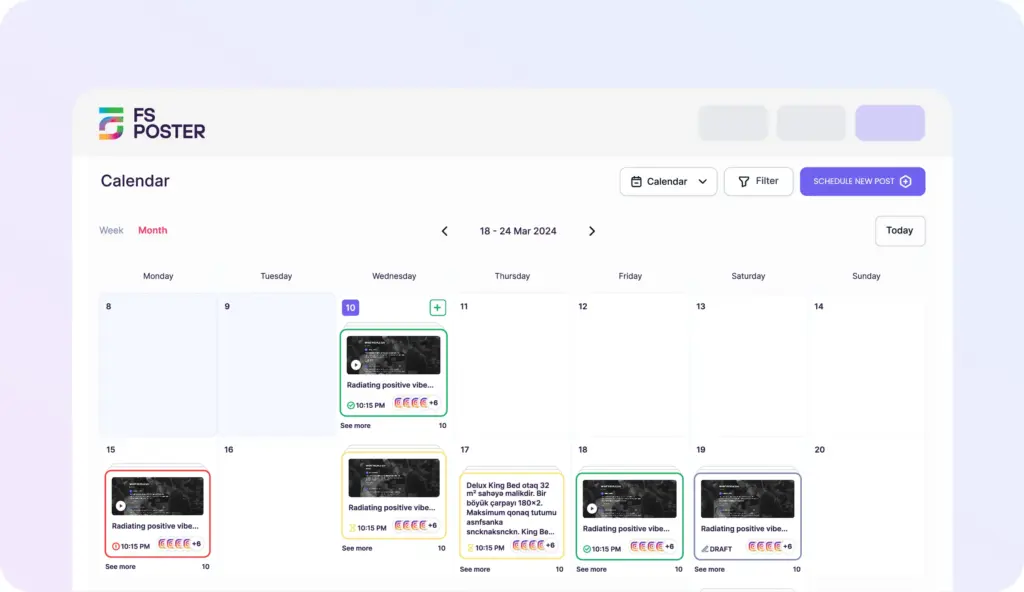
What it does. FS Poster is a WordPress-native auto-posting and scheduling plugin. When you publish a post, page, custom post type, or WooCommerce product, FS Poster pushes it out to the social accounts you connected, with the right image, caption, and link. It is built for site owners who do not want a separate SaaS subscription and prefer a tool that lives inside their WordPress admin.
The reason it sits at the top of this list in 2026 is range with depth. Most WordPress-side plugins cover three or four networks and stop there. FS Poster covers 26-plus social networks and services from a single license, and supports multiple accounts per network so a brand page and a community page can both receive a campaign at the same time.
Key features:
- 26-plus social networks under one license, including Facebook, Instagram, Threads, X, LinkedIn, Pinterest, TikTok, YouTube (Community and Shorts), Bluesky, Mastodon, Telegram, Reddit, Discord, Google Business Profile, Tumblr, VK, OK.ru, and a generic Webhook destination.
- Auto-publishing on post, page, and custom post type publish, with native WooCommerce product support and per-category routing rules.
- Scheduling calendar plus a Planner view for recurring evergreen reshares, queued days or weeks ahead.
- AI captions and AI image prompts (on your own OpenAI key), per-network templates, and variable tags for title, excerpt, price, and category.
- Instagram Stories, Reels, and YouTube Shorts support where the network APIs allow it.
- First comments on networks that permit them, useful for hashtag stacks and partner mentions.
- Click tracking, per-channel logs, retry on failure, and a clean dashboard view of every dispatch.
Pricing. Paid only. Single starts at $58/year on the current pricing page, with Plus at $109/year, Developer at $229/year, and a Lifetime tier at $490 one-time for long-run buyers. Renewals are at full price. A 14-day money-back guarantee covers every plan, which removes most of the buying risk.
Pros:
- The widest WordPress-native social network roster on the market today.
- Calendar and Planner views built for real publishing teams.
- AI templates remove the writer’s block on the 200th product caption.
- Native handling of posts, pages, custom post types, and WooCommerce products.
- Lifetime tier available, which is rare in this category.
- Active development cycle and a public roadmap.
Cons:
- No permanent free tier, so the entry point is paid.
- Feature depth comes with a small learning curve compared with the lightest auto-posters.
Best-fit verdict. If your site publishes regularly and you want one tool to handle scheduling, multi-network auto-share, and evergreen reshares, FS Poster is the strongest single pick on WordPress today. It is the plugin most growing publishers should install when they get serious about social distribution.
2. WP MediaVerse: Best for building media-rich WordPress communities
Best for: Membership sites, online communities, creator platforms, photography clubs, educational communities, and businesses that want members to upload, share, and interact with photos, videos, audio, and documents directly on WordPress.
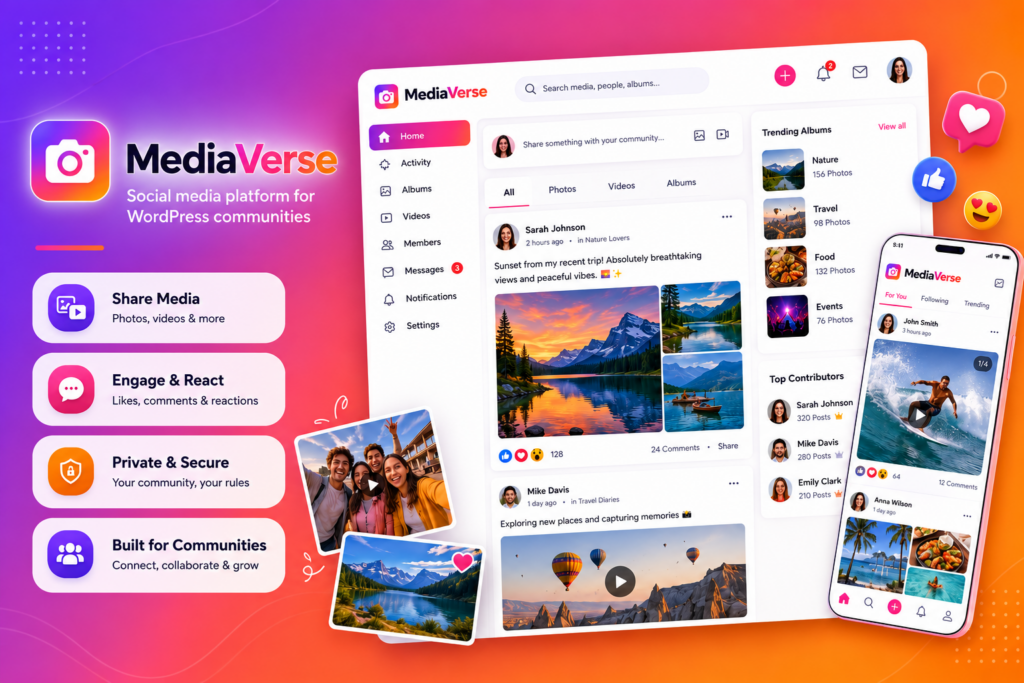
What it does. WP MediaVerse transforms WordPress into a complete media sharing platform where members can upload photos, videos, audio, and documents, organize content into albums and collections, interact through reactions and comments, and communicate using built-in direct messaging. The plugin includes a modern frontend upload experience with drag-and-drop media uploads, privacy controls, AI-powered content moderation, social interactions, and an Explore feed for discovering community content. Pro users gain advanced features such as cloud storage, adaptive video streaming, gamification, migration tools, and multiple gallery layouts.
Key features
- Frontend uploads for photos, videos, audio, documents, and PDFs.
- Albums, collections, gallery groups, and an Explore feed for organizing and discovering content.
- Social features including reactions, comments, favorites, follows, mentions, and built-in direct messaging.
- AI-powered content moderation with OpenAI Vision, plus advanced moderation providers in Pro.
- Six privacy levels for media visibility, including public, members-only, friends, groups, private, and custom access.
- BuddyPress integration with profile tabs, group media, activity feeds, and notifications.
Pricing
WP MediaVerse offers a feature-rich Free version with unlimited sites. Pro licenses start at $69/year or $199 one-time for a single site, while the Agency license supports unlimited sites with additional enterprise features such as migration tools, advanced AI moderation, and priority support.
Pros
- Built on custom database tables for improved scalability.
- Rich social features beyond simple media galleries.
- AI moderation included even in the free version.
- Works as a standalone plugin or integrates with BuddyPress.
- Advanced cloud storage, video, and gamification features available in Pro.
Cons
- Advanced cloud storage and video processing require the Pro version.
- Community-focused features provide the most value for membership and social websites.
Best-fit verdict
WP MediaVerse is an excellent choice for anyone who wants to build a media-first community on WordPress. Rather than simply displaying media, it enables members to upload, organize, discover, and interact with content through social features, AI moderation, direct messaging, and flexible privacy controls. It is particularly well suited for membership websites, creator platforms, online learning communities, photography clubs, and BuddyPress-powered social networks.
3. Smash Balloon: Best for polished social feeds on your WordPress site
Best for: Brands, creators, restaurants, and agencies that want to embed Instagram, Facebook, YouTube, TikTok, X, or review feeds with a polished, configurable look.
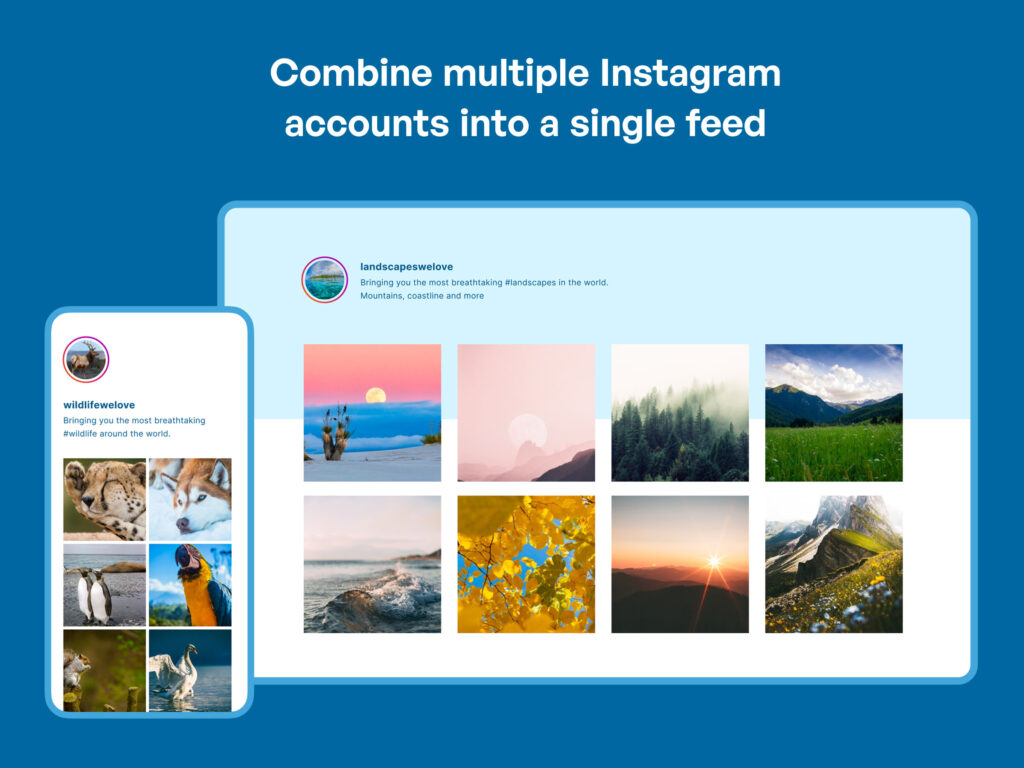
What it does. Smash Balloon makes a family of WordPress feed plugins (Instagram Feed Pro, Custom Facebook Feed Pro, X Feed Pro, Feeds for YouTube Pro, TikTok Feeds Pro, Reviews Feed Pro, and Social Wall) that pull posts from your social accounts and render them inside your WordPress pages. Each plugin shares one customizer, one design system, and one bundle option. For sites that lean on social content as a homepage element, it is the default choice in 2026.
The live customizer renders real posts from the connected account the moment you pick a source. Pro tiers unlock Reels, Stories, hashtag and tagged feeds, shoppable Instagram, Facebook albums and events, YouTube playlists and live streams, and moderation tools across the whole family.
Key features:
- Feeds for Instagram, Facebook, YouTube, TikTok, X, plus a reviews feed and a combined social wall.
- Layout options: grid, carousel, masonry, and highlight rows on Instagram; timelines and event grids on Facebook.
- Shoppable Instagram that maps posts to WooCommerce or WordPress products.
- Image caching and lazy loading designed to keep feeds gentle on Core Web Vitals.
- One Smash Balloon style system across every plugin in the family.
Pricing. Instagram Feed Pro Basic starts at $49/year intro on the current Smash Balloon pricing page (renewals near $98/year), with Plus at $99/year, Elite at $149/year, and the All Access Bundle (every plugin in the family) at $299/year intro. A free tier on WordPress.org covers a single basic feed per network.
Pros:
- The most polished feed customizer in WordPress.
- One brand and one customizer across every network you might need.
- Strong WordPress.org evidence: Instagram Feed alone has 1,000,000-plus installs and a 4.9/5 rating.
- Caching and lazy loading by default.
Cons:
- Sold per network on the single-plugin tiers, so multi-network sites push you toward the bundle.
- Renewals step up to full price after year one.
- Feeds only; nothing outbound.
Best-fit verdict. Smash Balloon is the plugin to install when social content needs to live inside your site, not just be linked from it. If you only need Instagram, the single-plugin tier is fine. If you need two or more networks, jump to the All Access Bundle on day one.
4. AddToAny Share Buttons: Best free share buttons for almost any WordPress site
Best for: Almost any WordPress site that wants clean, fast share buttons without paying for them.
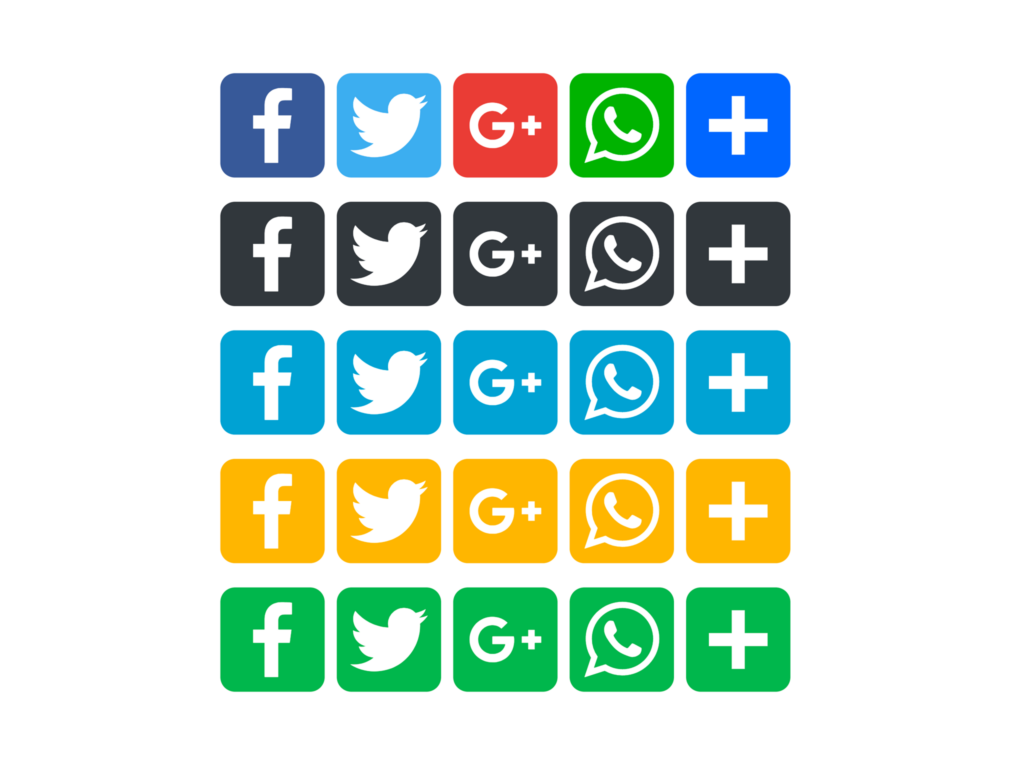
What it does. AddToAny adds inline share buttons, a floating bar, and an optional follow widget to any WordPress site. It supports more than 95 networks and sharing services, including the modern set (Threads, Bluesky, Mastodon, WhatsApp, Telegram, Microsoft Teams). It is free, lightweight, and one of the longest-running plugins in the WordPress repository.
It does not try to be a feed plugin or an auto-poster. That focus is exactly why it works so well. Visitors get clean share buttons; the site keeps a tiny footprint; the admin spends zero time managing licenses.
Key features:
- Inline, floating bar, and follow widget placements.
- 95-plus networks and sharing services.
- Built-in Google Analytics, GA4, and GTM event integration for share clicks.
- Gutenberg block, shortcode, sidebar widget, PHP template tag, and a JavaScript API.
- Privacy-first defaults: short server log retention, no third-party tracking cookies.
Pricing. Free. No paid tier, no upsell in the core experience.
Pros:
- Free with no upsell tax.
- Tiny front-end footprint, even on long lists of buttons.
- Modern network library kept current (Bluesky, Threads, Mastodon, WhatsApp).
- Largest install base of any share-button plugin (over 300,000 active installs).
Cons:
- No drag-and-drop visual designer.
- No in-WordPress click analytics dashboard; analytics go through GA4 or GTM.
Best-fit verdict. If you only need one share-buttons plugin in 2026, install AddToAny first and only move off it if you have a very specific reason to.
5. WP Social Ninja: Best all-in-one feeds, reviews, chat, and notifications
Best for: Small businesses, hospitality, restaurants, and WordPress stores that want one license to cover feeds, reviews, chat widgets, and notification popups.
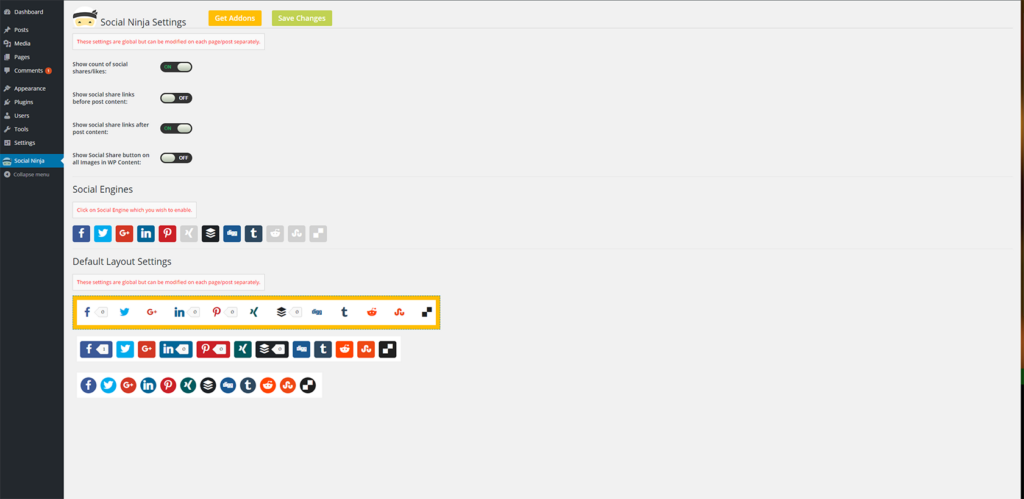
What it does. WP Social Ninja from WPManageNinja (the team behind Fluent Forms, FluentCRM, and FluentCart) bundles five social feed networks, ten-plus business review sources (Google Business Profile, Facebook, Yelp, Tripadvisor, Airbnb, Booking.com, and more), fifteen-plus chat widgets, notification popups, and a testimonial slider into a single plugin. For sites that want social proof everywhere without juggling four plugins, it is the most efficient one-license option.
The per-network feed quality is not as deep as Smash Balloon’s per-plugin polish, but the breadth is the point.
Key features:
- Social feeds for Instagram, Facebook, YouTube, TikTok, and X.
- Review widgets for Google, Yelp, Tripadvisor, Airbnb, Booking.com, Facebook, and others.
- Chat widgets for WhatsApp, Messenger, Telegram, SMS, Microsoft Teams, Instagram DM, and more.
- Notification popups for recent activity and conversions.
- Testimonial slider with schema markup.
Pricing. Single Site is $89/year regular, with a recurring 50% sitewide promo that drops it to $44/year on the vendor’s pricing page. Agency at $149/year and Unlimited at $299/year intro pricing scale to more sites. A free tier on WordPress.org covers Google Business Profile reviews and Airbnb reviews, which is unusual at the free level.
Pros:
- Several jobs covered by one license.
- The free tier already covers Google reviews and Airbnb reviews.
- Active development, with regular releases on both Free and Pro channels.
Cons:
- Per-network polish lags dedicated specialists.
- The breadth can feel overwhelming if you only need one feature.
Best-fit verdict. Pick WP Social Ninja when one license needs to handle reviews plus feeds plus chat. For a site that only needs the deepest Instagram feed, Smash Balloon or Spotlight will deliver more polish.
6. SchedulePress: Best editorial calendar planner with auto-share
Best for: Multi-author blogs, editorial teams, and price-sensitive publishers who want a real drag-and-drop calendar with 8-network auto-share.
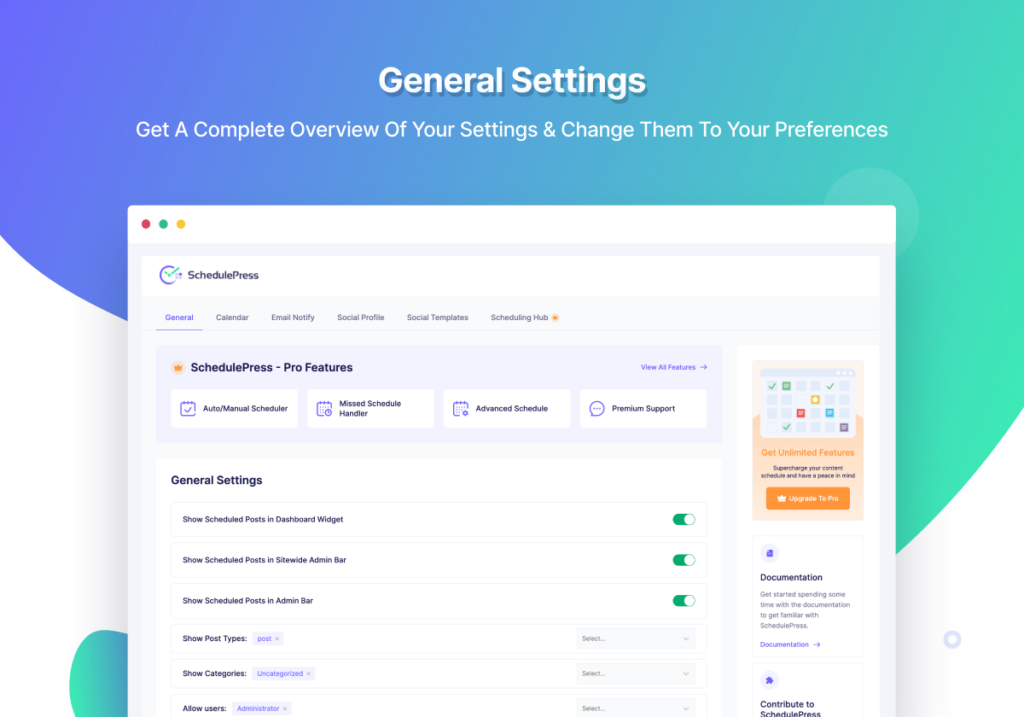
What it does. SchedulePress from WPDeveloper (formerly “WP Scheduled Posts”) is built around a drag-and-drop calendar of every scheduled, published, and draft post on your site. On top of the calendar it adds an Auto Scheduler that fills weekday and time slots automatically, a Manual Scheduler queue, a Missed Schedule Handler, and an Advanced Schedule that can publish updates to already-live posts. Auto-share to social accounts is layered on top of the editorial calendar.
It is one of the few plugins where the calendar is the primary surface, not an afterthought.
Key features:
- Drag-and-drop editorial calendar covering scheduled, published, and draft posts.
- Auto Scheduler that fills weekday and time slots based on a planner matrix.
- Auto-share to 8 networks (Facebook, X, LinkedIn Profile and Page, Pinterest, Instagram, Medium, Threads, Google Business Profile).
- Missed Schedule Handler to recover failed publishes.
- Advanced Schedule for staged updates to already-live posts.
Pricing. Individual at $39/year is the lowest annual entry of any plugin in this guide, with higher tiers scaling to more sites and a Lifetime Unlimited at $299 one-time on the vendor pricing page. A free version on WordPress.org covers the core scheduling workflow.
Pros:
- Cheapest annual entry for a serious editorial calendar.
- Calendar-first UX that matches how editorial teams plan.
- Active release cadence on both Free and Pro channels.
Cons:
- Narrower network roster than FS Poster, with no Reddit, Bluesky, TikTok, Discord, Tumblr, or Mastodon.
- No in-product activity log for verifying auto-share dispatch end-to-end.
Best-fit verdict. If the calendar matters more than network breadth, SchedulePress is the cleanest pick at a budget-friendly annual price.
7. Jetpack Social: Best for solo bloggers already in the Jetpack ecosystem
Best for: Solo bloggers and small businesses who already use Jetpack and only need a handful of mainstream networks.
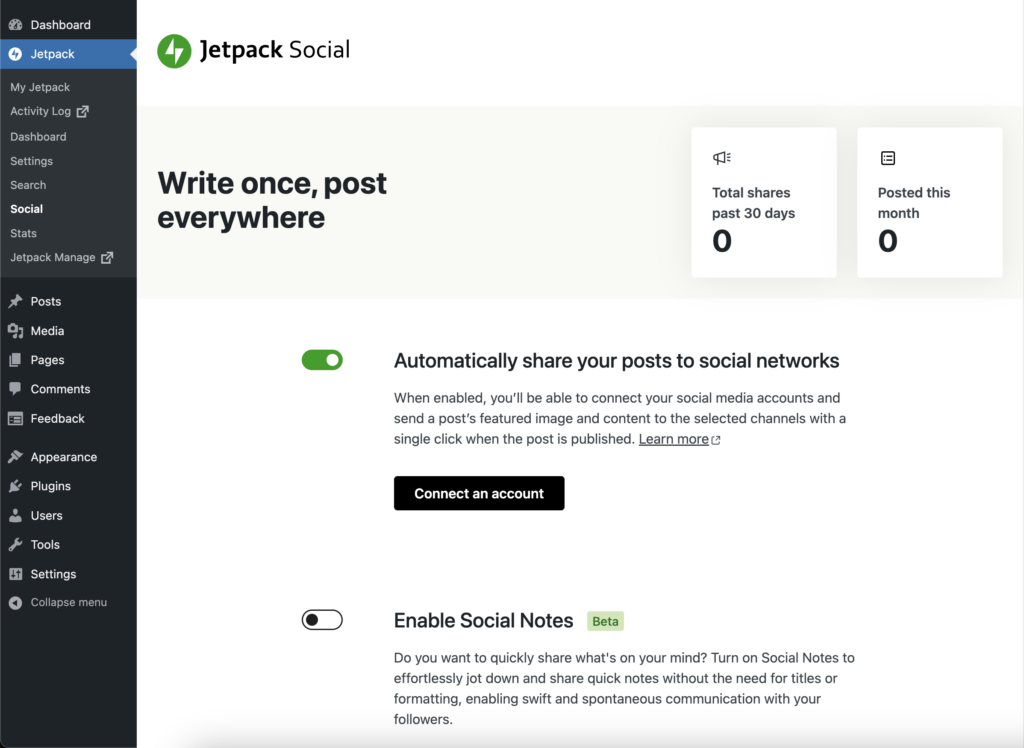
What it does. Jetpack Social is Automattic’s stripped-down auto-publishing plugin, built into the Jetpack suite. It connects a small set of mainstream networks (Facebook Pages, Instagram Business, Threads, LinkedIn, Bluesky, Nextdoor, Tumblr, Mastodon) and shares new posts when you publish. The setup lives inside the Gutenberg editor, with a sidebar panel for connected accounts and per-share toggles.
For sites that already run Jetpack for stats, backups, or image CDN, adding Social is a quick check-the-box decision.
Key features:
- Auto-share new WordPress posts to connected social accounts.
- Native Gutenberg sidebar workflow for per-share controls.
- Sharing Activity dialog with per-network logs.
- Unlimited shares on the free tier as of late 2024.
- Tight integration with the rest of the Jetpack suite.
Pricing. The paid Social plan starts at €59.40 for the first year (about $59/year), with renewals near €107.40/year (about $107/year). A free tier on WordPress.org covers basic auto-sharing on the supported networks.
Pros:
- The simplest auto-share install in this guide.
- Already part of the Jetpack toolkit for many sites.
- Lightweight, no separate admin to learn.
Cons:
- Only 8 networks: no Pinterest, X, TikTok, YouTube, Reddit, Discord, Telegram, or Google Business Profile.
- WordPress.org rating is bimodal; some users hit recurring token issues.
Best-fit verdict. Use Jetpack Social if you already run Jetpack and your social plan is “a handful of mainstream networks, no more.” Anything broader, and FS Poster or SchedulePress will fit better.
8. Spotlight Social Media Feeds: Best single-Instagram-account feed plugin
Best for: Single-Instagram-account brands, hospitality and lifestyle sites, photographers, and stores that want a polished Instagram-only feed with a shoppable option.
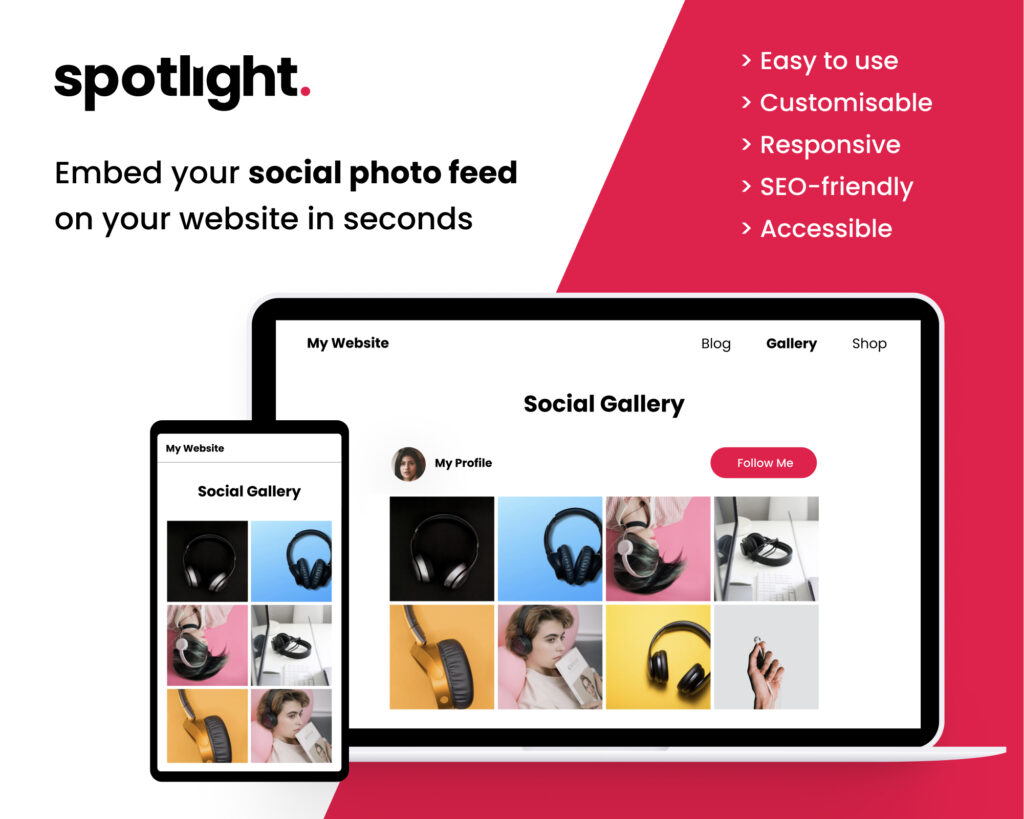
What it does. Spotlight from RebelCode (the team also behind WP Mayor) is one of the strongest credible alternatives to Smash Balloon for Instagram-only sites. The setup is a three-step wizard: connect the account, choose a layout, and embed. The free tier is genuinely generous, with unlimited connected accounts, unlimited feeds, four layouts, a popup lightbox with Reels playback, per-device responsive controls, and per-feed custom CSS.
The differentiator is Promotions, a Pro feature that maps a hashtag in your Instagram captions to a WordPress page, post, or custom URL. Any Instagram post containing that hashtag becomes a “Buy this product” CTA inside the lightbox, which is unusual at this price.
Key features:
- Three-step wizard from connect to embed.
- Grid, masonry, highlight, and carousel layouts.
- Popup lightbox with Reels playback and per-device responsive controls.
- Promotions automation that maps hashtags to product pages (Pro).
- Per-feed custom CSS for design teams.
Pricing. Essentials at $59/year, Pro at $99/year, Agency at $199/year on the Spotlight pricing page, with “price locked for life” renewals (no surprise step-up after year one) and a 30-day refund window. A free tier on WordPress.org covers the four core layouts and the lightbox.
Pros:
- Generous free tier compared with most competitors.
- Promotions automation is a genuinely useful Pro feature for shoppable feeds.
- Predictable renewal pricing.
Cons:
- Instagram-only despite the rebrand to “Social Media Feeds.”
- Multi-network sites still need a second plugin.
Best-fit verdict. Pick Spotlight if Instagram is the only social feed you need on the site and shoppable lightbox flow matters. If you need Facebook, YouTube, or TikTok feeds too, Smash Balloon or WP Social Ninja is the better starting point.
9. Social Warfare: Best Pinterest-friendly share buttons
Best for: Pinterest-heavy publishers (food, lifestyle, DIY, recipes) who want per-post custom Pinterest images, an Image Hover Pin button, and in-content Click-to-Tweet boxes.

What it does. Social Warfare is a freemium share-button plugin with one of the strongest Pinterest workflows in the category. Free covers a small set of default networks; the paid Pro license unlocks nine extra networks, per-post custom Pinterest images, custom tweets per post, an Image Hover Pin button, Twitter Cards, Rich Pins, Bitly integration, and Share Recovery for moved URLs.
The buttons are self-hosted, lightweight, and configurable per post type, which makes them a sensible fit for visually heavy blog templates.
Key features:
- Per-post custom Pinterest image and description.
- Image Hover Pin button on every in-content image.
- Click-to-Tweet TinyMCE button plus a shortcode in the free tier.
- Self-hosted assets and Frame Buster anti-content-hijack on by default.
- Share Recovery for changed URLs (Pro).
Pricing. Social Warfare Pro is listed at $29 for a single-site license on the current Warfare Plugins purchase flow, with multi-site licenses at $89 (up to 5 sites), $139 (up to 10 sites), and $349 (unlimited). The vendor page does not specify a billing cadence next to the price, so confirm the current renewal terms on the vendor’s checkout before buying. A free version on WordPress.org covers the basic share buttons and Click-to-Tweet.
Pros:
- Low entry price for a paid commercial share-button plugin.
- The Pinterest workflow is genuinely best-in-class.
- Click-to-Tweet block included in the free tier.
Cons:
- Release cadence has slowed in recent releases.
- Smaller free network roster than AddToAny or Sassy Social Share.
Best-fit verdict. Pick Social Warfare when Pinterest is a meaningful traffic source and per-post pinning controls matter. For everyone else, AddToAny or Sassy Social Share is the simpler call.
10. Sassy Social Share: Best deeply configurable free share buttons
Best for: Bloggers and small stores that want deeper free customization than AddToAny offers, with a very wide network roster.
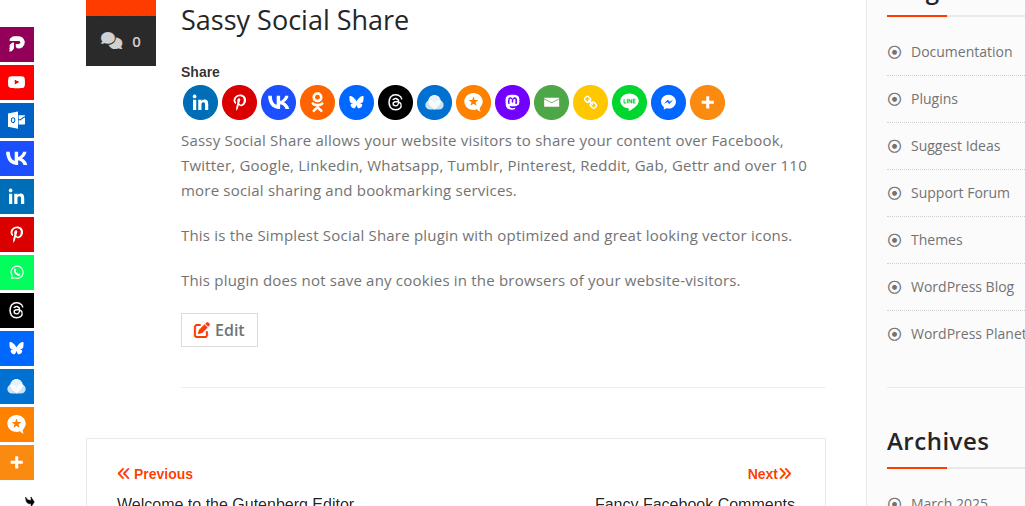
What it does. Sassy Social Share by Heateor is the #2 free WordPress share-button plugin on WordPress.org, with 100,000-plus active installs and a 4.8/5 average rating across 520 reviews. The official listing advertises support for around 100 sharing and bookmarking services, with the prominent marketing copy naming Facebook, X, Reddit, Pinterest, WhatsApp, Grok, ChatGPT, Gab, Gettr, and more. Share clicks go directly to each network’s official endpoint, with no third-party redirector and no tracking cookies on the visitor’s browser.
Free customization is deep: shape (round, square, rectangle), pixel size, default and hover colors, eight counter placements, AMP toggle, Bitly integration, and a mobile Web Share API trigger.
Key features:
- Around 100 sharing and bookmarking services, with ChatGPT and Grok among the named modern targets on the official listing.
- Inline and floating-bar buttons with extensive style controls.
- Eight counter placements and many shape and color options.
- AMP-compatible share buttons.
- Mobile Web Share API trigger.
Pricing. The WordPress.org plugin is free and is the realistic option to install today. The Heateor brand site has been intermittently offline at the time of writing, so paid add-ons are not directly purchasable through normal flows. The free version is the right install for almost every buyer.
Pros:
- Deepest free-tier configuration in the share-buttons category.
- One of the widest network rosters in the share-button category, with around 100 services.
- Strong WordPress.org evidence and an active free release cadence.
Cons:
- Dense seven-tab admin compared with AddToAny’s two-tab layout.
- Paid add-ons are not reliably purchasable today.
Best-fit verdict. Pick Sassy Social Share when AddToAny’s two-tab simplicity is too thin and you want a wider, more configurable network roster. For most sites, the free version is all you need.
11. Hubbub Lite: Best free share buttons with a per-post analytics dashboard
Best for: Food, recipe, and lifestyle bloggers who want a polished free share-button plugin with built-in share analytics.
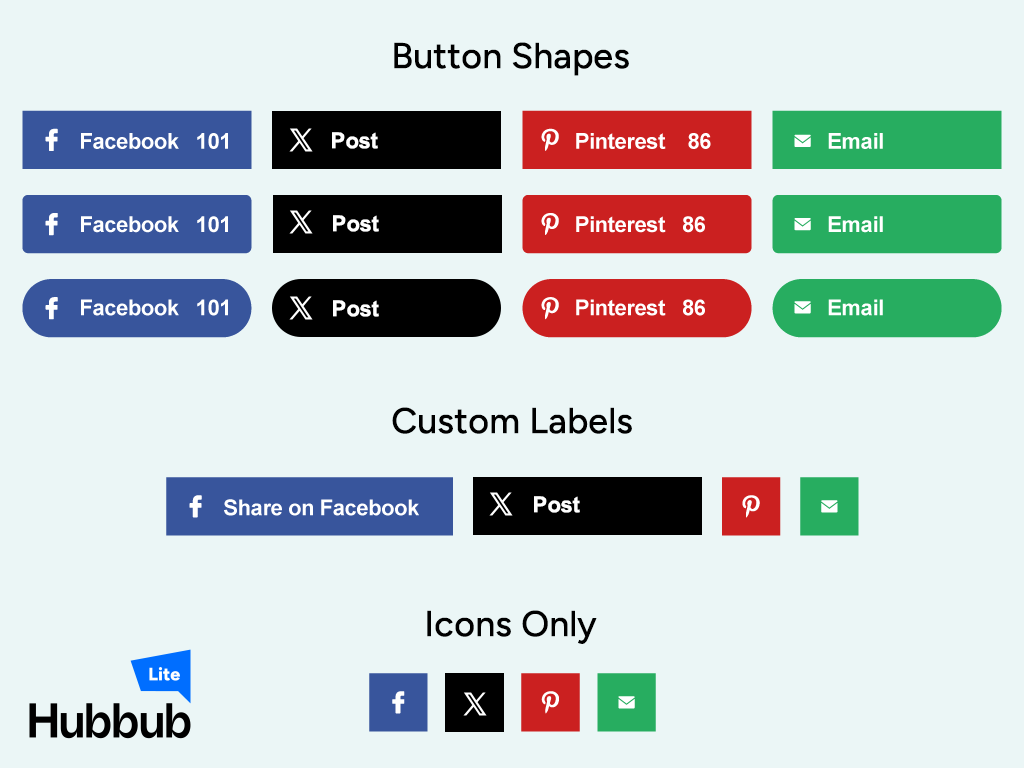
What it does. Hubbub Lite (formerly Grow Social by Mediavine) is maintained by NerdPress, a US-based WordPress maintenance company that acquired the plugin from Mediavine in 2023. The standout feature is the in-WordPress Hubbub Dashboard, which shows per-post share counts, sortable engagement stats, and a Missing Information preview that flags posts missing social-card data. No other free share-button plugin in this guide matches that out of the box.
Free ships seven networks until you register a free email with the vendor, which expands the library. Pro adds a Sticky mobile bar, Click-to-Tweet, Pinterest hover and hidden images, custom colors, Bitly, and GA UTM tagging.
Key features:
- In-WordPress share-counts dashboard, per post and sortable.
- Missing Information preview for social-card data.
- Sticky mobile share bar (Pro).
- Click-to-Tweet (Pro).
- Pinterest hover and hidden images (Pro).
Pricing. Free on WordPress.org, with Hubbub Pro at $99/year on the NerdPress pricing page. A 30-day satisfaction guarantee covers Pro.
Pros:
- The only free share-button plugin with a real share-analytics dashboard.
- Maintained by a credible WordPress agency.
- Reliable Pinterest tooling on Pro.
Cons:
- The email-registration wall on the free tier is a friction point.
- Pro is the most expensive commercial tier among share-button plugins in this guide.
Best-fit verdict. Pick Hubbub Lite when share analytics matter inside WordPress, especially for food and recipe sites that need per-post share data without leaving the admin.
12. Revive Old Posts: Best for recycling evergreen WordPress content
Best for: Sites with deep archives that want older posts and products back into social feeds on a schedule.
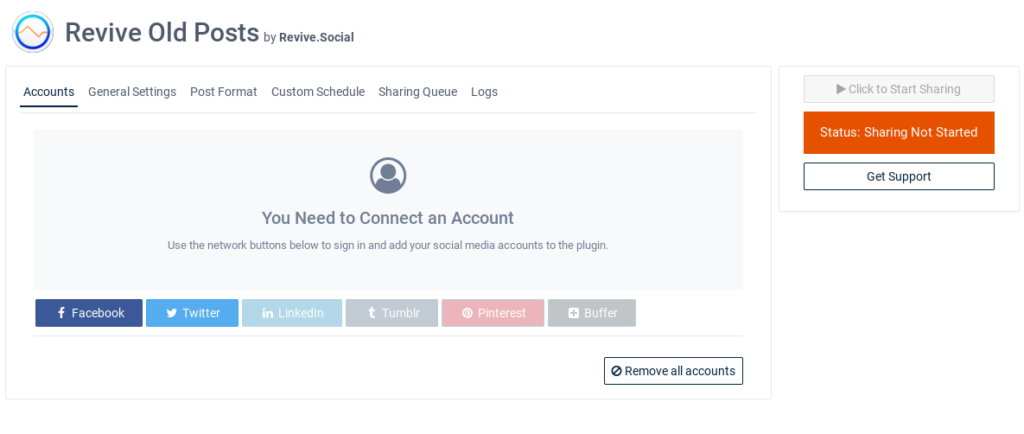
What it does. Most sites publish posts, then forget them. Revive Old Posts from Revive Social automatically re-shares older WordPress posts and WooCommerce products on a schedule, so evergreen items keep earning impressions long after launch day. You can include or exclude categories, set minimum and maximum age, randomize, and add hashtags per network.
It is not a replacement for a primary auto-poster. It is the companion plugin you pair with FS Poster or Jetpack Social when your archive has dozens of evergreen items worth resurfacing.
Key features:
- Auto re-share of older WordPress posts and WooCommerce products.
- Category, tag, and age filters.
- Custom share intervals and randomization.
- Hashtag and variable support per network.
Pricing. Paid tiers on the current Revive Social pricing page start at Starter from $99/year, with Business from $199/year and Marketer from $399/year scaling on sites, accounts, and features. A free core plugin on WordPress.org covers the basic recycling workflow.
Pros:
- Fully automated recycling without manual scheduling.
- Filters keep the queue on-brand.
- Pairs cleanly with a primary auto-poster.
Cons:
- Newer network coverage lags front-line auto-posters.
- Recycled posts can feel repetitive without rules and image variety.
Best-fit verdict. Pair Revive Old Posts with FS Poster (or another primary auto-poster) when you have an archive worth re-airing on social.
13. Bit Social: Best budget auto-poster with a lifetime tier
Best for: Budget-driven bloggers and small agencies who want auto-share plus AI captions on a one-time license.
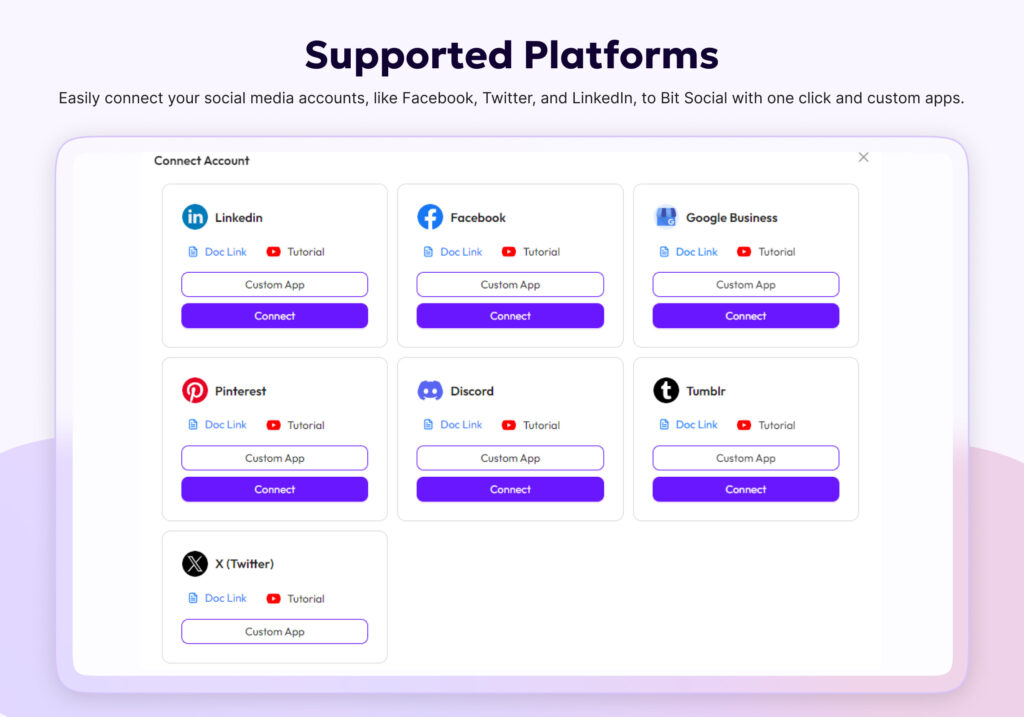
What it does. Bit Social from Bit Apps is a challenger auto-poster with a modern admin UI, 13 networks on Pro (Facebook, LinkedIn, Threads, Google Business Profile, Pinterest, Discord, Tumblr, Instagram, TikTok, X, Bluesky, Line, Telegram), AI prompts driven by ChatGPT and DALL-E on your own OpenAI key, an open-source codebase on GitHub, and one of the most aggressive lifetime prices in the entire WordPress social-publishing category.
The per-platform Templates page autosaves silently as you type and persists across reload. The WP Post Schedule module ships a 3-tab Create modal for recurring evergreen reshares with a live “posts matched by current filters” counter.
Key features:
- 13 social networks on Pro.
- AI captions and image prompts on your own OpenAI key.
- Per-platform templates with silent autosave.
- WP Post Schedule module for recurring evergreen reshares.
- Open-source codebase on GitHub.
Pricing. Starter at $49/year is the annual entry on the Bit Apps pricing page; Agency LTD at $149 one-time covers unlimited sites and is one of the cheapest credible lifetime tiers in this category. A free tier covers two networks (Facebook plus LinkedIn Profile).
Pros:
- Genuinely cheap lifetime tier for unlimited sites.
- AI captions on the user’s own API key.
- Modern admin UI.
Cons:
- The free tier is too narrow to be production-ready.
- Several per-platform Previews still say “Coming Soon,” and a few admin pages have visible polish gaps.
Best-fit verdict. Pick Bit Social if a sub-$200 lifetime auto-poster with AI captions is the priority and the gaps in the build are acceptable. FS Poster remains the more complete choice for serious publishers.
14. Monarch: Best share-button plugin inside the Elegant Themes membership
Best for: Elegant Themes / Divi customers who want share buttons that match the Divi visual language.
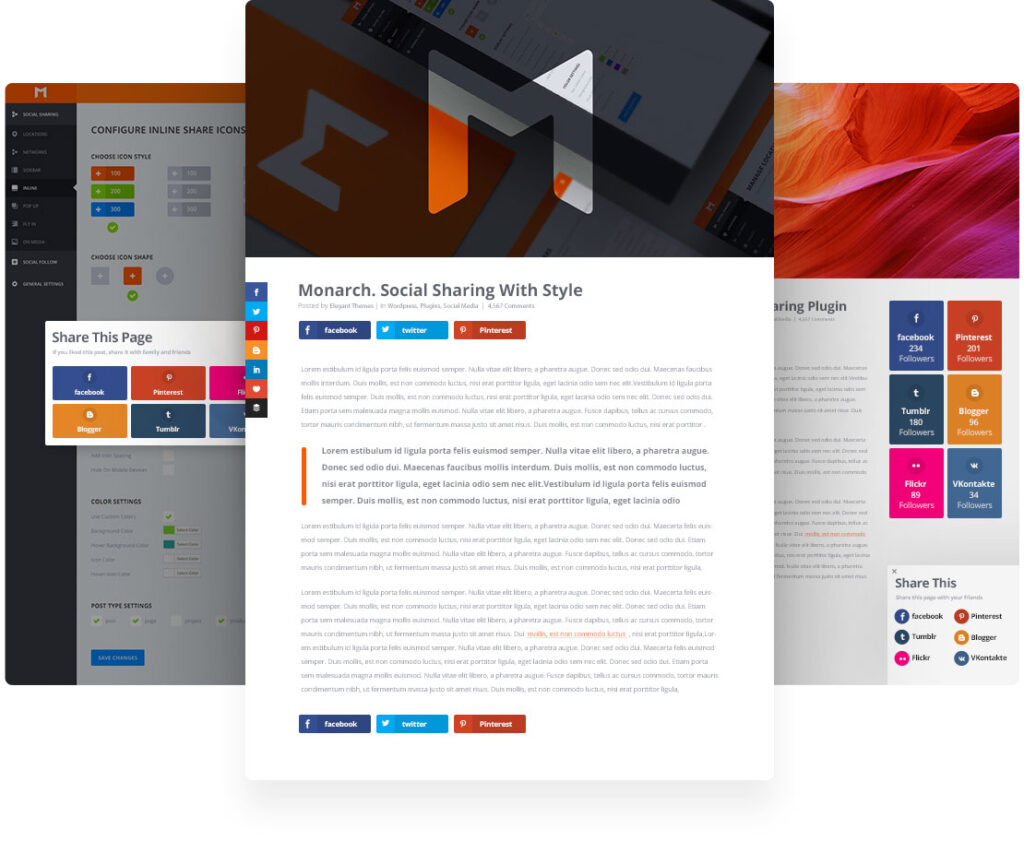
What it does. Monarch from Elegant Themes is a share-button plugin sold only as part of the Elegant Themes membership (which also includes Divi, Bloom, and Extra). It supports six placement styles: floating sidebar, above and below content, on images and videos, in pop-ups, in fly-ins, and in widgets. Each placement has independent design controls, which makes it the most placement-flexible share-button plugin in this guide.
It is the right pick for a very specific audience: a Divi-powered site that already pays for the Elegant Themes membership and wants share buttons that match the Divi design language without a second purchase.
Key features:
- Six placement styles, each independently configured.
- Native Divi visual language and color controls.
- Optional pop-up and fly-in share invitations.
- Targeting rules per post type and per page.
Pricing. Sold only as part of the Elegant Themes membership at $89/year, which also covers Divi, Bloom, and Extra. There is no standalone Monarch license, and no permanent free tier.
Pros:
- The most placement-flexible share-button plugin in this guide.
- Polished UI that matches Divi.
- Bundled with the rest of the Elegant Themes toolkit.
Cons:
- Not sold standalone, so the cost is the membership price.
- Pop-up and fly-in share invitations should be used sparingly to avoid hurting the reading experience.
Best-fit verdict. Pick Monarch only if you already pay for the Elegant Themes membership. For a standalone WordPress site, AddToAny is the simpler call.
15. Blog2Social: Best freemium auto-poster with a real editorial calendar
Best for: Editorial teams and content marketers who want a generous free tier plus an editorial-style calendar.
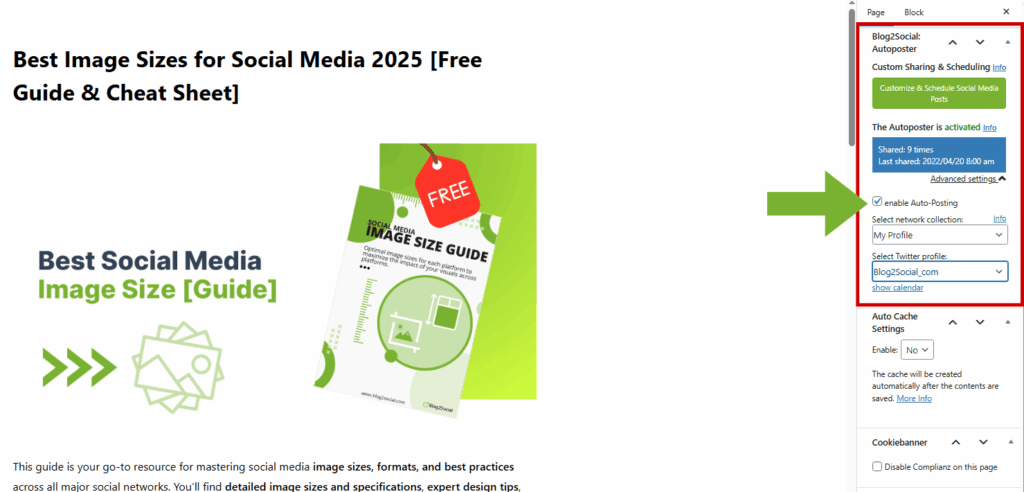
What it does. Blog2Social from Adenion is a long-running WordPress auto-poster with a real free tier and an editorial-style calendar that some teams prefer to a pure scheduling grid. It supports manual and scheduled sharing of WordPress posts and WooCommerce products, with per-network captions, character counters, and a Best Time Manager that suggests posting times by audience time zone. The plugin has one of the largest install bases in the auto-posting niche.
The reason it sits lower in this guide is not quality. The free tier and calendar are useful, and the plugin keeps shipping. The reason is the total cost picture: auto-share on publish is paid, the X (Twitter) integration is sold as a separate monthly subscription, video posting is a separate add-on, and pricing scales on networks, accounts, users, and sites. For most growing sites in 2026, FS Poster (one license, broader coverage) or SchedulePress (cheaper annual entry, calendar-first) will land on a lower total cost of ownership.
Key features:
- Auto-share of WordPress posts and WooCommerce products to many networks.
- Editorial-style calendar with per-network text and image.
- Best Time Manager based on audience time zones.
- Team and multi-author support on higher paid tiers.
- Large WordPress.org install base.
Pricing. Paid Smart starts at about €72/year at checkout (about $78/year) on the Blog2Social pricing page, with Pro and Business at higher annual rates based on user, website, and account limits. The X (Twitter) add-on is sold as a separate monthly subscription ($14.99 to $59.99/month). A free version on WordPress.org covers manual sharing on 12 networks.
Pros:
- The free tier is the most usable freemium auto-poster on this list.
- Editorial calendar with per-network text and image.
- Posting-time helper baked into the admin.
Cons:
- Auto-share on publish is gated to Smart and above.
- X is a separate monthly subscription on top of any plan.
- Total cost can rise quickly with network, account, and user multipliers.
Best-fit verdict. Use Blog2Social if you specifically want a real freemium starting point and an editorial calendar. For most paying customers, FS Poster delivers broader network coverage at a lower total cost.
How to choose the right WordPress social media plugins?
The fastest way to land on the right pick is to start with the job, not the plugin.
You want new posts and products to auto-share across many networks
Start with FS Poster. It is the strongest single pick on the list for 2026, with 26-plus networks, a real calendar, AI templates, and native WooCommerce and custom-post-type support. Pair it with Revive Old Posts if you also want evergreen posts and products recycled back into the feed.
You want a calendar-first editorial workflow
SchedulePress is the cheapest annual entry for a real drag-and-drop calendar planner. Blog2Social is the freemium choice if you want an editorial-style calendar with per-network captions out of the box. FS Poster’s Planner sits on top of a broader network roster if you prefer one tool for both the calendar and the auto-publishing job.
You want live social feeds embedded on your WordPress site
Smash Balloon is the default pick for polished feeds across multiple networks. WP Social Ninja is the better call if you also want reviews, chat widgets, and notification popups in one license. Spotlight is the strongest single-Instagram-account choice with a shoppable lightbox.
You want visitor-facing share buttons
AddToAny is the safe default for almost any WordPress site. Reach for Social Warfare if Pinterest is a meaningful channel and per-post Pinterest images matter. Reach for Sassy Social Share if you want a wider network roster and deeper free-tier configuration. Reach for Hubbub Lite if share analytics inside WordPress matter for editorial reporting. Reach for Monarch only if you already pay for the Elegant Themes membership.
You want a budget lifetime license on the auto-posting side
Bit Social Agency LTD at $149 one-time is the lowest credible lifetime price in this guide. FS Poster Lifetime at $490 one-time is the more complete option for serious publishers who plan to keep the site for years.
You sell on WooCommerce as well as publish
Lead with FS Poster for product auto-share and scheduling. Add Smash Balloon Social Photo Feed for a shoppable Instagram grid on the homepage or product pages. Add Revive Old Posts for evergreen catalog recycling.
Final recommendation
There is no single “best” plugin that covers every WordPress social job equally well in 2026, but there is a clear winner per job.
For outbound publishing (auto-posting new posts and products to your social accounts), FS Poster is the most complete WordPress-native pick on the market. It treats posts, pages, custom post types, and WooCommerce products as first-class content, covers 26-plus networks from one license, ships a real calendar and Planner, and adds AI templates and per-channel caption overrides. Pricing starts at $58/year for the Single plan, with a Lifetime tier at $490 for long-run buyers. That combination is why it sits at the top of this ranking and why it is the first plugin most growing WordPress sites should install when social distribution gets serious.
For social feeds inside the site, Smash Balloon is the strongest family option. For all-in-one feeds plus reviews plus chat, WP Social Ninja is the most efficient single-license pick. For Instagram-only sites with a shoppable lightbox need, Spotlight is the right call.
For visitor-facing share buttons, AddToAny is the safe default for most sites. Social Warfare is the Pinterest-friendly choice. Sassy Social Share is the widest-roster free pick. Hubbub Lite is the share-analytics choice. Monarch is the right pick only if you are already in the Elegant Themes ecosystem.
For editorial calendars, SchedulePress is the cheapest annual entry; Blog2Social is the strongest freemium starting point.
The right WordPress social stack in 2026 is usually two or three plugins, not one all-in-one tool. Pick one outbound plugin, one feeds plugin if you need feeds, and one share-buttons plugin if you need visitor sharing. Install only what you actually need, and revisit the stack once a quarter.
FAQ
For most WordPress sites that want one plugin to push new posts and products across many social networks with scheduling, templates, and analytics, FS Poster is the strongest all-in-one pick, starting at $58/year for the Single plan with a $490 Lifetime option. Lighter sites can start with Jetpack Social or Blog2Social Free and graduate up.
Technically yes, but well is the harder bar. Auto-posting, feeds, and share buttons are three different jobs that need different integrations. Most sites land on a two-plugin or three-plugin stack: one auto-poster (FS Poster, Blog2Social, or Jetpack Social), one feed plugin (Smash Balloon, WP Social Ninja, or Spotlight) when needed, and one share-buttons plugin (AddToAny, Sassy Social Share, or Social Warfare). Two specialised plugins almost always beat one overloaded compromise.
Free plugins like AddToAny, Sassy Social Share, Jetpack Social Free, Blog2Social Free, and Smash Balloon’s per-network free plugins cover real use cases and are safe to start with. Once you need many networks, custom captions, AI templates, scheduling, and analytics, a paid plugin like FS Poster usually pays for itself in saved time and recovered impressions.
Well-built plugins like FS Poster, AddToAny, and Smash Balloon are designed to keep their front-end footprint small. Slowdowns usually come from heavy hosted scripts, oversized feed embeds, or stacking redundant share-button plugins. Run a baseline page-speed test before and after installing any new plugin.
If your content already lives in a WordPress post, a WordPress auto-poster is cheaper, tighter to the publish workflow, and avoids the per-seat SaaS bill. SaaS schedulers stay useful when you publish a lot of content that does not start as a WordPress post (TikTok videos, Instagram Stories, native X threads), when you need multi-user inboxes and approvals, or when social listening matters more than publishing.
Two or three is the right answer for most sites: one auto-poster, optionally one feed plugin, and one share-buttons plugin. Anything beyond that usually means overlapping jobs, slower pages, and more update toil for no extra benefit.
Yes. FS Poster supports auto-share to Instagram (Reels and Stories where the API allows), TikTok, and Pinterest from one plugin, with per-network caption templates and image controls. Smash Balloon’s TikTok Feeds Pro covers the inbound side if you also want TikTok content inside the site. Confirm specific network behavior on each vendor’s feature pages before relying on it for a campaign.
AddToAny ships privacy-first defaults: short server log retention, no cross-site tracking cookies, and GDPR and CCPA compatibility. Sassy Social Share sends share clicks directly to each network’s official endpoint with no third-party redirector. Both are good defaults for privacy-strict sites. Cloud-dependent share-button plugins should be evaluated more carefully against current data-protection rules.
