
Are you looking for a comparison of YayCurrency vs Aelia Currency Switcher? If you are, keep reading this article!
Choosing the right currency switcher is essential for any WooCommerce store looking to boost global sales and improve user experience.
A reliable multi-currency plugin helps display prices accurately, builds trust, and increases conversions across different regions. In this comparison, we take a closer look at YayCurrency vs Aelia Currency Switcher, focusing on pricing, user experience, and performance.
If you are trying to decide which solution fits your store better, this guide will help you understand the key differences and choose the right plugin for your needs.
First, let’s see why you should use a currency switcher plugin on your WooCommerce store.
Table of contents
Why Do You Need a Currency Switcher Plugin
A currency switcher plugin is essential for any WooCommerce store that wants to sell to a global audience and improve conversions.
- Improve user experience: Displaying prices in a shopper’s local currency makes your store easier to understand and more user-friendly.
- Increase trust and credibility: Customers are more likely to buy when they see familiar pricing instead of converting it manually.
- Boost conversions: Localized pricing reduces confusion and encourages users to complete their purchase.
- Support international customers: A multi-currency setup allows you to reach a wider audience and grow your online store globally.
- Automate currency conversion: Modern plugins automatically handle exchange rates, saving time and reducing errors.
- Enhance checkout experience: Showing accurate prices throughout the cart and checkout process improves overall shopping confidence.
What to Look for In a Currency Switcher Plugin
Choosing the right currency switcher plugin can directly impact your WooCommerce store’s conversions and user experience.
- Automatic currency detection: The plugin should detect the user’s location and display prices in the correct currency without manual input.
- Accurate exchange rates: Look for real-time or regularly updated rates to ensure pricing remains reliable.
- Seamless checkout compatibility: Prices should remain consistent from the product page to the cart and checkout to avoid confusion.
- Flexible pricing rules: Advanced options such as manual rates, rounding, and country-based pricing help you optimize revenue.
- Lightweight performance: A fast plugin ensures your store’s speed and performance are not affected.
- Easy setup and user interface: A simple dashboard makes it easy to configure currencies without technical complexity.
- Integration support: Ensure it integrates smoothly with your theme, plugins, and overall WooCommerce setup.
YayCurrency: An Introduction
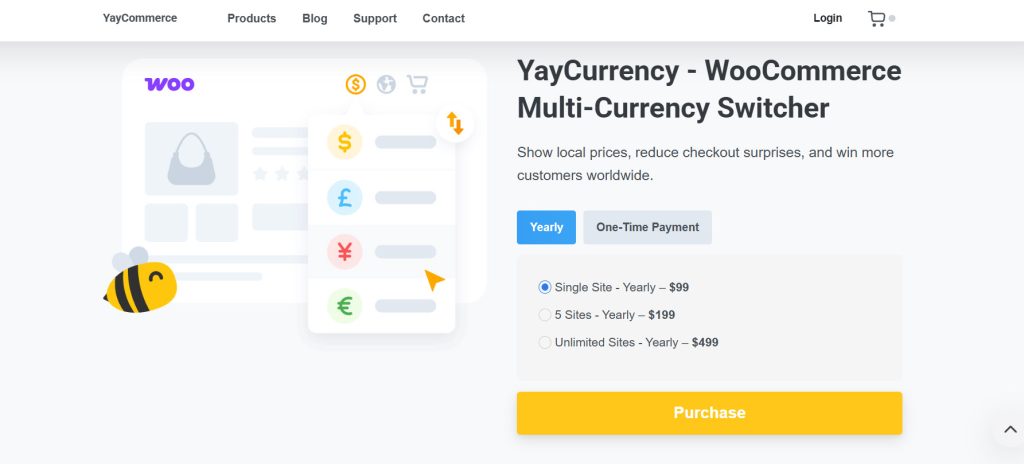
YayCurrency is a modern WooCommerce currency switcher plugin designed to help store owners sell globally with ease. It allows you to display product prices in multiple currencies, making your online store more accessible to international customers and improving overall conversions.
The plugin focuses on simplicity, performance, and flexibility. You can automatically detect a user’s location and show the correct currency, or let customers switch manually. YayCurrency also supports custom pricing rules, exchange rate automation, and seamless integration with the WooCommerce cart and checkout process.
With its clean interface and lightweight design, it is a strong choice for store owners who want a fast, user-friendly multi-currency solution.
Aelia Currency Switcher: An Introduction
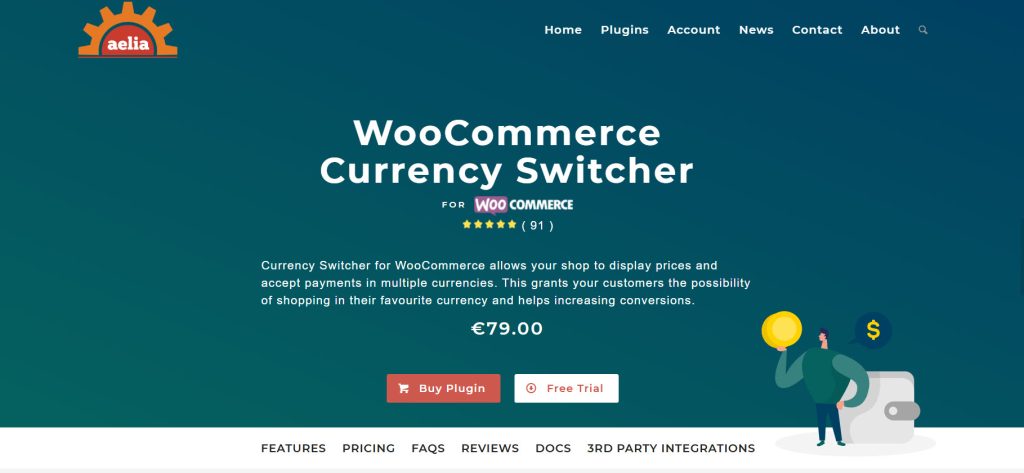
Aelia Currency Switcher for WooCommerce is a premium plugin designed for store owners who need advanced multi-currency control and flexibility. It allows your WooCommerce store to display prices and process orders in multiple currencies, helping you serve international customers more effectively.
The plugin includes features like automatic currency detection based on user location, configurable exchange rates, and the ability to set custom prices for each currency. It also supports currency-based payment options and integrates deeply with WooCommerce for accurate cart and checkout behavior.
Due to its extensive configuration options, Aelia is often preferred by experienced users managing complex global stores over beginners looking for a simple setup.
YayCurrency vs Aelia Currency Switcher: Everything You Need to Know
In this article, we will be comparing:
- Ease of use
- User interface
- Performance and speed
- Compatibility
- Features
- Pricing
- Support and documentation
- Pros and cons
We will explain everything below. Without any further ado, let’s get started.
Ease of Use
Ease of use plays a major role in how quickly you can launch and manage a multi-currency WooCommerce store.
YayCurrency Ease of Use
YayCurrency is built for simplicity and speed. The setup process is straightforward, and most features can be configured directly from an intuitive dashboard without technical knowledge.
Adding currencies, enabling auto-detection, and customizing the switcher can be done in just a few clicks. Its clean interface and logical layout make it easy for beginners and non-technical users to manage everything efficiently.
Aelia Currency Switcher Ease of Use
Aelia Currency Switcher offers a more advanced setup that requires manual configuration of currencies, exchange rates, and other settings.
While this gives you more control, it also makes the process more complex. The interface is more technical, and beginners may find it harder to navigate. It is better suited to users comfortable with detailed WooCommerce configurations.
User Interface
The user interface determines how easily you can manage currencies and how smoothly customers interact with your WooCommerce store. A clean and intuitive UI helps reduce setup time and improves overall usability.
YayCurrency User Interface
YayCurrency features a modern, clean, and well-structured interface designed for simplicity. The dashboard is organized into clear sections, making it easy to configure currencies, exchange rates, and display options without confusion.
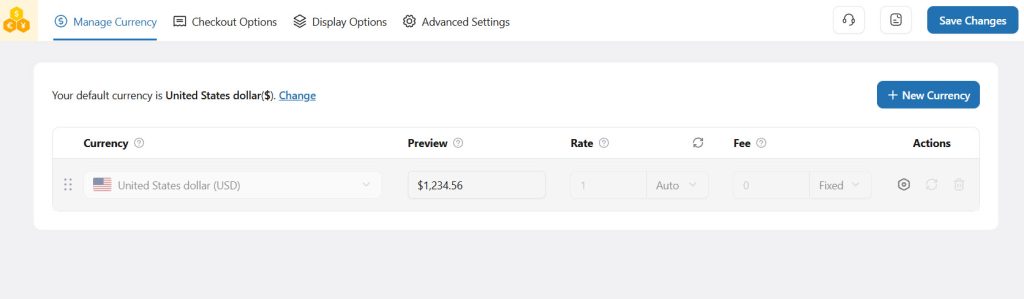
Most settings are accessible in just a few clicks, which is ideal for beginners. On the frontend, the currency switcher is visually appealing and blends well with your store design, creating a smooth user experience.
Aelia Currency Switcher User Interface
Aelia Currency Switcher relies on a more traditional interface within the WooCommerce settings panel. Configuration options are spread across different sections, requiring users to go through multiple steps to set up currencies and rules.
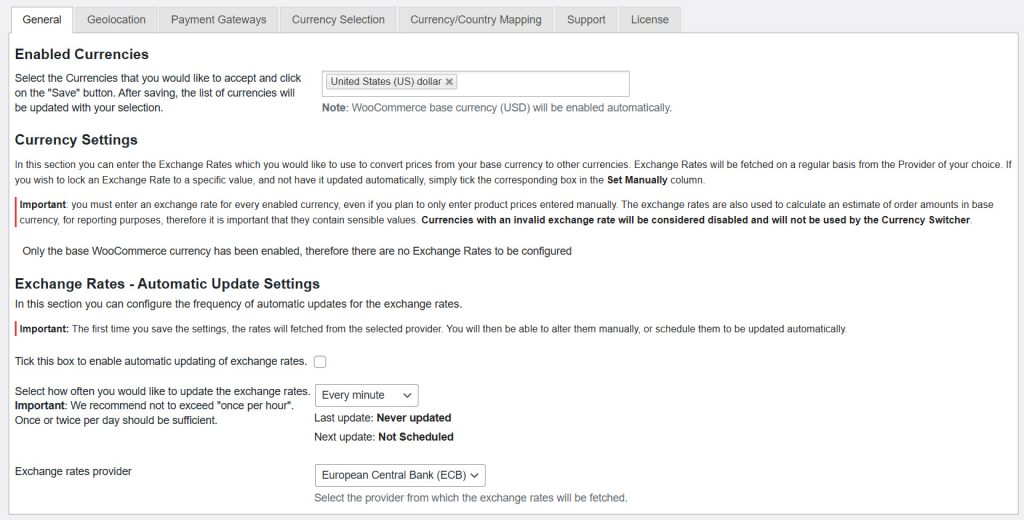
While this provides flexibility, it can feel more technical and less intuitive. The frontend switcher is functional but relatively basic in design compared to more modern solutions.
Performance and Speed
Performance and speed are critical for any WooCommerce store, as slow loading times can negatively impact user experience, SEO, and conversions. A currency switcher should handle price conversions efficiently without adding noticeable delays.
YayCurrency Performance and Speed
YayCurrency is designed with a lightweight architecture that minimizes its impact on page load time. It uses optimized methods to handle currency conversion dynamically, ensuring prices update smoothly across product pages, cart, and checkout.
This makes it a strong choice for stores that prioritize speed and want to maintain high performance while offering multi-currency functionality.
Aelia Currency Switcher Performance and Speed
Aelia Currency Switcher is feature-rich and reliable, but its advanced configuration and deeper integration can add some overhead, especially in more complex WooCommerce setups.
While it performs well in structured environments, it may require additional optimization and careful configuration to maintain fast loading times. This makes it more suitable for stores that prioritize flexibility over lightweight performance.
Compatibility
Compatibility is critical for a currency switcher, especially in WooCommerce, where multiple plugins, payment gateways, and themes need to work together without conflicts.
YayCurrency Compatibility
YayCurrency is built to work smoothly with a wide range of WooCommerce plugins, payment gateways, and themes. It supports popular tools like Stripe, PayPal, subscriptions, product add-ons, and multilingual plugins such as WPML and Polylang.
It is also designed to work well with caching solutions, using optimized methods to keep prices accurate across product pages, the cart, and checkout. This makes it a reliable option for most WooCommerce stores, even those with multiple integrations.
Aelia Currency Switcher Compatibility
Aelia Currency Switcher works reliably with WooCommerce core features and structured store setups. However, it does not provide a clearly defined compatibility list for third-party plugins, which can make it harder to evaluate how it will perform in more complex environments.
In some cases, additional configuration or testing may be required to ensure smooth integration with other plugins and custom setups.
Features
Features are where the biggest differences between these two plugins are most apparent. Both handle multi-currency basics, but they take very different approaches to usability, flexibility, and depth of control.
YayCurrency Features
- Simple multi-currency setup with a beginner-friendly dashboard
- Automatic currency detection based on user location
- Manual currency switcher for better user control
- Real-time exchange rate updates or manual configuration
- Flexible pricing rules, including rounding and country-based pricing
- Full checkout support in selected currency
- Lightweight and optimized for performance
- Broad compatibility with 50+ WooCommerce plugins and payment gateways
Aelia Currency Switcher Features
- Multi-currency display and checkout support
- Automatic and manual exchange rate configuration
- Ability to set product prices per currency instead of relying on conversion
- Geolocation-based currency detection
- Currency-based payment method control
- Advanced configuration options for complex WooCommerce setups
- Designed for stores that need detailed pricing and operational control
Pricing
Pricing is an important factor when choosing a currency switcher, especially if you are balancing features with budget for your WooCommerce store.
YayCurrency Pricing
- Free version available in the WordPress plugin repository
- Premium starts at $99 per year for a single site
- A lifetime plan is available at $299 for a single site
- Freemium model makes it accessible for beginners and scalable for growing stores
Aelia Currency Switcher Pricing
- Premium only plugin, no free version
- Starts at €79.00 per year for a single site
- Requires upfront investment even for basic usage
Support and Documentation
Support and documentation are important when choosing a currency switcher, especially if you plan to scale your WooCommerce store or deal with custom configurations. Clear guides and responsive support can save time and help you resolve issues quickly.
YayCurrency Support and Documentation
YayCurrency provides simple and well-organized documentation that is easy to follow, even for beginners.
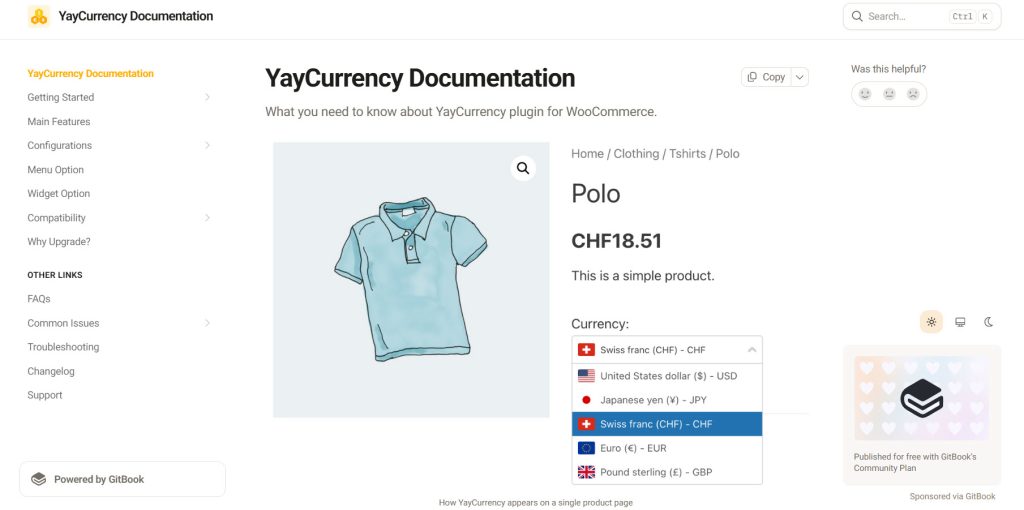
The setup guides focus on practical steps, allowing store owners to configure multi-currency features without confusion. Its support team is responsive and helpful, making it easier to troubleshoot issues and keep your WooCommerce store running smoothly.
Aelia Currency Switcher Support and Documentation
Aelia Currency Switcher offers detailed, comprehensive documentation covering advanced configurations and integrations.
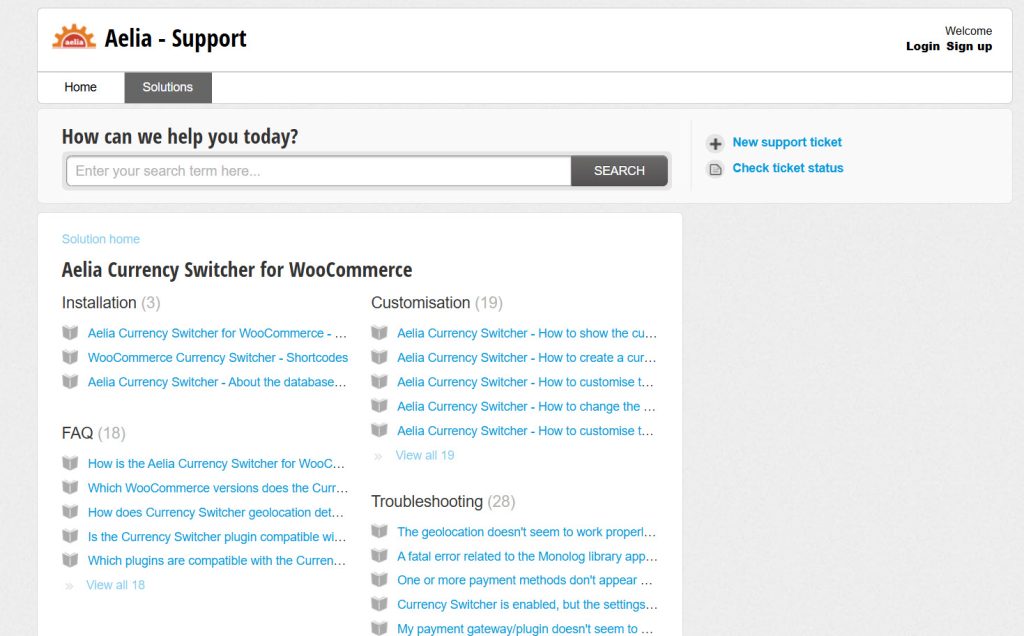
This is useful for developers and experienced users who need deeper control over their setup. However, the documentation can feel technical and harder to follow for beginners, and resolving issues may require a better understanding of WooCommerce and plugin configurations.
Pros and Cons
A clear pros-and-cons comparison helps you quickly evaluate which currency switcher best fits your WooCommerce store.
Instead of going through features one by one, this section highlights the strengths and limitations of both plugins side by side, making it easier to identify the right solution based on your needs, technical comfort, and performance expectations.
YayCurrency Pros and Cons
| Pros | Cons |
|---|---|
| Easy to use with a clean interface | – |
| Lightweight and optimized for speed | |
| Quick setup, beginner-friendly | |
| Supports automatic currency detection | |
| Flexible pricing rules and smooth checkout integration |
Aelia Currency Switcher Pros and Cons
| Pros | Cons |
|---|---|
| Advanced pricing control per currency | More complex setup and configuration |
| Suitable for complex WooCommerce stores | Less beginner-friendly interface |
| Strong compatibility with advanced setups | Can impact performance if not optimized |
| Detailed exchange rate control | Premium only, no free version |
| Flexible for international pricing strategies |
Final Verdict
Use YayCurrency if you are looking for a fast, lightweight, and beginner-friendly currency switcher that is easy to set up and optimized for performance. It is the ideal choice for most WooCommerce store owners who want to improve the user experience, boost conversions, and manage multiple currencies without complex configuration.
Use Aelia Currency Switcher if you need advanced customization, detailed control over pricing per currency, and support for more complex WooCommerce setups. It is better suited for experienced users who are comfortable with a more technical configuration and require deeper flexibility for international ecommerce operations.
Here are some similar articles you will find useful:
- Cross-Sells vs Upsells vs Order Bumps: Best Practices and More
- Photo & Video Reviews in WooCommerce: Why They Convert Better Than Text
- 7 WooCommerce Discount Strategies That Actually Increase Average Order Value
- How to Get More (and Better) Product Reviews on Your WooCommerce Store
- How to Add a Request a Quote Button to Your WooCommerce Store
Frequently Asked Questions
Now, let’s take a look at some frequently asked questions and answers about this topic.
YayCurrency is the better choice for most WooCommerce store owners who want a balance of performance, ease of use, and flexibility. It offers a clean interface, quick setup, and optimized speed, making it ideal for both beginners and growing stores, while still covering essential multi-currency features.
Yes, but it depends on the plugin. A lightweight solution like YayCurrency is built to maintain fast load times and smooth performance, ensuring your WooCommerce store remains responsive while handling multiple currencies.
Yes, YayCurrency allows customers to view prices and complete checkout in their selected currency. This improves the user experience, builds trust, and increases conversions by keeping pricing consistent throughout the buying process.
Yes, YayCurrency is designed for simplicity. It features an intuitive dashboard, easy configuration, and quick setup, making it perfect for beginners who want to create a multi-currency WooCommerce store without technical complexity.
Yes, YayCurrency allows you to configure pricing rules, adjust exchange rates, and customize how prices appear in different currencies. This gives you better control over your pricing strategy across regions.
Yes, a currency switcher like YayCurrency is essential if you want to sell globally. It helps display localized pricing, improves trust, and makes your WooCommerce store more accessible to international customers.
YayCurrency stands out as the better option for speed and performance. Its lightweight architecture ensures fast load times and a smooth shopping experience, directly contributing to higher conversions and better overall WooCommerce sales.
Conclusion
Choosing the right currency switcher can make a significant difference in your WooCommerce store’s global performance, user experience, and conversions. While both plugins offer multi-currency functionality, the real difference comes down to pricing, usability, and speed.
Aelia Currency Switcher is powerful but better suited for complex setups that require advanced configuration. For most store owners, YayCurrency delivers a more balanced solution with an intuitive interface, faster performance, and easier setup.
It helps you create a smooth multi-currency experience without adding unnecessary complexity. If your goal is to boost conversions and scale your WooCommerce store efficiently, YayCurrency is the smarter choice.
We hope you found this article helpful and enjoyed reading it. If you need to learn more WooCommerce tips and tricks, check out the YayCommerce blog. Also, feel free to check out our social media handles, such as Facebook, X, Instagram, and YouTube, for more interesting content.
Which plugin is your favorite?
Let us know in the comments.

