
Are you looking for the best WordPress post grid plugins? In this post, we will show you the top 9 options on the market that deliver significant value to your website.
Displaying your blog posts and custom post types in an attractive grid layout can significantly improve the user experience on your WordPress site.
A good post grid plugin helps you create responsive grids, control the number of posts, and customize the design without writing complex code. You can use these plugins to showcase your latest articles, portfolio items, or WooCommerce products in clean and organized layouts.
In this article, we compare the 9 best post grid plugins for WordPress. We evaluate each plugin based on features, ease of use, design flexibility, and overall performance to help you find the best post grid plugin for your website.
First, we will see what post grids are and why we need them.
Table of contents
What Are Post Grids and Why Use Them?
A post grid is a layout that displays your blog posts, pages, or custom post types in an organized grid format on your WordPress site.
Instead of showing content in a long list, post grids present posts in rows and columns, making them more visually appealing and easier to browse.
Using post grids offers several benefits. They help you display your posts in a clean, structured way, improve your website’s overall design, and help visitors find content more quickly.
Post grids are especially useful when you want to showcase a large number of posts without making your pages look cluttered. Many WordPress users prefer post grids because they create a modern and professional appearance.
Whether you run a blog, portfolio, or WooCommerce store, a well-designed post grid can help you showcase your blog posts effectively and improve user engagement on your site.
What to Look for In WordPress Grid Plugins?
Choosing the right post grid plugin is important for creating attractive and functional layouts on your website. Here are the key features you should consider:
- Responsive Design: The plugin should create a responsive post grid that looks good on all devices, including mobile and tablet devices. A good responsive post grid plugin automatically adjusts the layout based on screen size.
- Custom Post Type Support: Make sure the plugin allows you to display posts from any post type, including custom post types. This flexibility is essential if you want to create grids for portfolios, products, or other content types.
- Multiple Grid Layouts: Look for plugins that offer various post grid layouts such as grid, masonry, list, and carousel. The ability to create beautiful grids with different designs gives you more creative control.
- Gutenberg and Page Builder Compatibility: Choose a plugin that is compatible with the WordPress Block Editor (Gutenberg) and popular page builders like Elementor. A good post grid block or post grid Elementor addon can save you a lot of time.
- Performance and Lightweight: A lightweight plugin is important for maintaining good site speed. Avoid plugins that add unnecessary code or slow down your website, especially if you plan to display many posts in a grid.
- Ease of Use and Customization: The plugin should have an intuitive interface that allows you to easily create and customize grids from the admin end without requiring coding knowledge. Also, check whether the free version is sufficient or if you need the premium version for advanced features.
Now, we will move to the core of the article, where we will teach you more about the post grid plugin for WordPress that you need to try.
Best 9 WordPress Post Grid Plugins You Need to Try
| Plugin Name | Free Version | Pricing | Best For | Gutenberg Support | Elementor Support | Performance | Ease of Use |
|---|---|---|---|---|---|---|---|
| WP Grid Builder | Yes | $49/year | Advanced & flexible grids | Excellent | Good | Excellent | Moderate |
| Spectra Gutenberg Blocks | Yes | $69/year | Gutenberg users wanting clean grids | Excellent | No | Excellent | Easy |
| The Post Grid | Yes | $31/year | Simple & affordable grids | Excellent | Good | Good | Easy |
| ElementsKit Elementor Addons | Yes | $39/year | Elementor users | Excellent | Excellent | Good | Easy |
| Post Grid (PickPlugins) | Yes | $19/year or $49 lifetime | Budget-friendly grids | Excellent | Good | Good | Easy |
| Kadence Blocks | Yes | $99/year | Modern Gutenberg-based grids | Excellent | No | Excellent | Easy |
| Post Grid Addon for Elementor | Yes | $29.99/year | Lightweight Elementor post grids | Excellent | Excellent | Excellent | Easy |
| Post Grid Gutenberg Blocks (PostX) | Yes | $44/year | Gutenberg users needing advanced grids | Excellent | No | Excellent | Easy |
| Essential Addons for Elementor | Yes | $47.99/year | Elementor users wanting multiple widgets | Excellent | Excellent | Good | Easy |
1. WP Grid Builder

WP Grid Builder is a powerful, flexible WordPress grid plugin that lets you create beautiful, dynamic post grids on your website. It comes with a visual grid builder that makes it easy to design complex layouts without writing code.
The plugin supports custom post types, advanced filtering, and multiple display options, making it suitable for blogs, portfolios, and WooCommerce stores. One of the biggest strengths of WP Grid Builder is its performance.
It is lightweight and optimized, so it does not slow down your website even when displaying many posts in a grid. It also works well with the WordPress Block Editor (Gutenberg), Elementor, and other popular page builders.
This flexibility makes it a strong choice for users who want advanced control over how posts are displayed on their WordPress site.
Features
- Visual drag-and-drop grid builder
- Supports custom post types and taxonomies
- Advanced filtering and faceted search
- Multiple grid layouts, including masonry and carousel
- Responsive design with full customization
- Ajax-powered filtering and pagination
- Works with Gutenberg and popular page builders
Pros and Cons
| Pros | Cons |
|---|---|
| Very powerful and flexible grid builder | Steep learning curve for beginners |
| Excellent performance and optimization | |
| Strong filtering and search capabilities | |
| Works well with Gutenberg and page builders |
Pricing
WP Grid Builder is a premium plugin. The Pro version starts at $49 per year.
2. Spectra Gutenberg Blocks

Spectra is a popular Gutenberg blocks plugin that includes a powerful Post Grid block, making it easy to display your posts in an attractive and responsive grid layout.
Developed by Brainstorm Force, the same team behind Astra and CartFlows, Spectra is designed to be lightweight and performance-focused while offering good design flexibility.
The Post Grid block in Spectra allows you to create clean grids with various layout options, control the number of posts, and customize the design directly in the WordPress Block Editor.
It supports custom post types and works well with most WordPress themes. While the free version offers solid basic grid functionality, the Pro version unlocks advanced features such as filtering, Ajax pagination, and more design controls.
Spectra is a good choice for users who prefer building with Gutenberg blocks and want a reliable post grid solution without installing heavy page builders.
Features
- Dedicated Post Grid block for Gutenberg
- Multiple grid layout options
- Responsive design with full control
- Supports custom post types and taxonomies
- Ajax-powered Load More and pagination (Pro)
- Filtering options based on categories and tags (Pro)
- Clean and lightweight code
Pros and Cons
| Pros | Cons |
|---|---|
| Strong free version with good features | Advanced grid features require Pro |
| Lightweight and performance-friendly | |
| Regular updates and active development | |
| Easy to use within the Gutenberg editor |
Pricing
Spectra is a freemium plugin. The Pro version starts at $69 per year.
3. PostX – Gutenberg Post Grid Plugin

PostX is a Gutenberg post grid plugin that helps WordPress users create visually appealing blog layouts, news websites, magazine pages, and content-driven websites. It provides ready-made post grid layouts, blocks, and customization options to display blog posts, categories, and custom post types in an organized way.
Unlike traditional blog layouts that require custom coding, PostX allows users to build professional content sections directly inside the WordPress block editor. Users can create grids, lists, sliders, carousels, and magazine-style layouts with flexible design controls.
Features:
- Create responsive post grids and layouts
- 40+ premade starter sites to create blog sites
- Use 50+ ready-made post grid design patterns
- Build sliders, lists, and magazine layouts
- Filter posts using categories and tags
- Display custom post types dynamically
- Customize post meta, images, and typography
- Import complete starter sites quickly
Pricing:
PostX offers a free version with essential Gutenberg blocks, while the premium version unlocks advanced layouts, dynamic site builder features, additional blocks, and more customization options.
4. The Post Grid
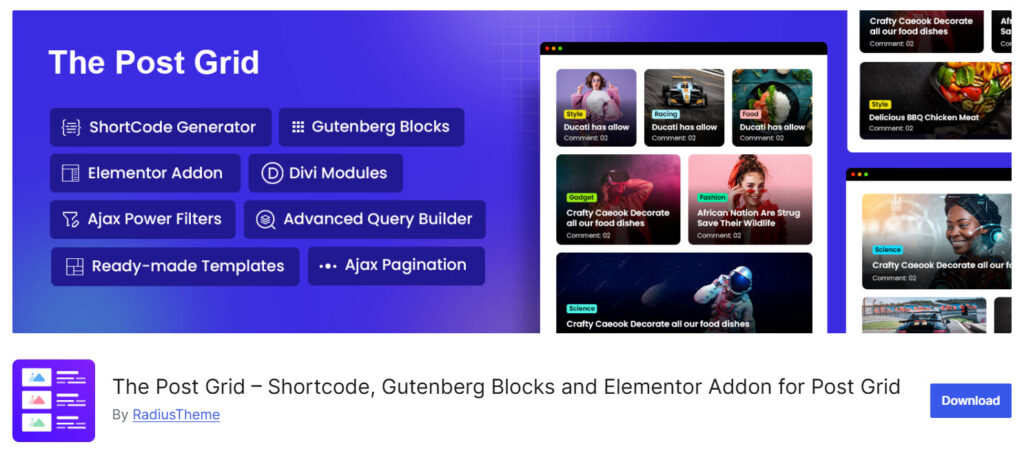
The Post Grid is a lightweight, easy-to-use WordPress plugin that lets you display your posts, pages, and custom post types in various grid and list layouts. Developed by RadiusTheme, it is designed to be simple and beginner-friendly while still offering decent customization options.
The plugin supports multiple layout styles, such as grid, list, and isotope filter. It works well with both the classic editor and Gutenberg through shortcodes and a dedicated block.
The free version is suitable for basic post grid needs, while the Pro version adds advanced features such as AJAX filtering, Load More functionality, and improved design controls.
Overall, the Post Grid is a practical choice for users who want a straightforward solution to display posts in a grid without dealing with complex settings or heavy page builders.
Features
- Multiple layout options, including Grid, List, and Isotope
- Supports custom post types and taxonomies
- Responsive design for all devices
- Shortcode and Gutenberg block support
- Custom field and meta field display
Pros and Cons
| Pros | Cons |
|---|---|
| Easy to use with a simple interface | Design options feel limited compared to premium plugins |
| Good free version for basic needs | |
| Affordable Pro pricing | |
| Supports custom post types |
Pricing
The Post Grid is a freemium plugin. The Pro version starts at $31 per year.
5. ElementsKit Elementor Addons
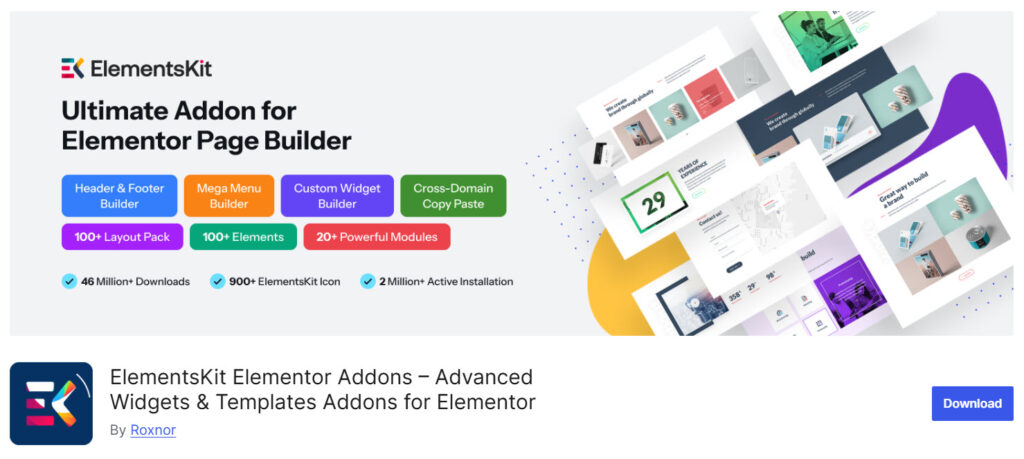
ElementsKit is a popular Elementor add-on that includes a powerful Post Grid widget, making it easy to display your posts in attractive, customizable grid layouts. It is designed for users who build their websites with Elementor and want more design control without switching to another page builder.
The Post Grid widget in ElementsKit allows you to create responsive grids with multiple layout options, control the number of posts, and customize the design using Elementor’s visual editor.
The free version offers solid basic functionality, while the Pro version unlocks advanced features such as Ajax filtering, Load More, and more advanced styling options.
It also supports custom post types and works well with WooCommerce. ElementsKit is a good choice for Elementor users seeking a reliable, feature-rich post grid solution with a familiar interface.
Features
- Dedicated Post Grid and Post Carousel widgets
- Multiple grid layout options
- Responsive design with full customization
- Supports custom post types and taxonomies
- Advanced styling and hover effects
Pros and Cons
| Pros | Cons |
|---|---|
| Excellent integration with Elementor | Advanced features require the Pro version |
| Good design flexibility and styling | |
| Clean and lightweight code | |
| Regular updates and active development |
Pricing
ElementsKit is a freemium plugin. The Pro version starts at $39 per year.
6. Post Grid

Post Grid is a flexible and affordable WordPress plugin that allows you to display your posts, pages, and custom post types in various grid and list layouts. It is suitable for users who want a straightforward solution to create post grids without relying on heavy page builders.
The plugin offers multiple layout options and supports shortcode-based implementation, making it easy to place grids anywhere on your site.
The free version provides decent functionality for basic needs, while the Pro version unlocks a visual grid builder, advanced filtering, Ajax pagination, and more design customization options.
It also supports WooCommerce products and works well with most WordPress themes. Overall, Post Grid is a good choice for users looking for an affordable, practical post grid plugin with both free and premium options.
Features
- Multiple grid and list layout options
- Supports custom post types and taxonomies
- Shortcode-based implementation
- Responsive design
- Custom field and meta field display
- WooCommerce product support
- Works with most WordPress themes
Pros and Cons
| Pros | Cons |
|---|---|
| Affordable pricing with a lifetime option | Interface feels slightly outdated |
| Good balance of features in the free version | |
| Supports custom post types | |
| Easy to use with shortcodes |
Pricing
Post Grid is a freemium plugin. The Pro version starts at $19 per year or $49 for a lifetime license.
7. Kadence Blocks

Kadence Blocks is a popular Gutenberg blocks plugin that includes a powerful Post Grid block, allowing you to create clean, responsive post grids directly in the WordPress Block Editor.
It is known for being lightweight, performance-friendly, and easy to use, making it a great choice for users who prefer building with Gutenberg instead of page builders. The Post Grid block in Kadence Blocks lets you display posts from any post type, control the number of posts, and customize the layout with various design options.
While the free version offers solid grid functionality with good customization, the Pro version unlocks features such as advanced filtering, AJAX pagination, and additional design controls.
It works well with most WordPress themes and is especially popular among users of the Kadence Theme. Overall, Kadence Blocks is a strong option for those who want a modern, Gutenberg-native post grid solution without adding heavy page builder plugins.
Features
- Dedicated Post Grid block for Gutenberg
- Supports custom post types and taxonomies
- Multiple grid layout options
- Responsive design with full styling control
- Lightweight and performance optimized
- Clean and modern design options
Pros and Cons
| Pros | Cons |
|---|---|
| Excellent free version with strong features | Advanced grid features require Pro |
| Lightweight and fast performance | |
| Easy to use within the Gutenberg editor | |
| Regular updates and active development |
Pricing
Kadence Blocks is a freemium plugin. The Pro version starts at $99 per year.
8. Post Grid Addon for Elementor
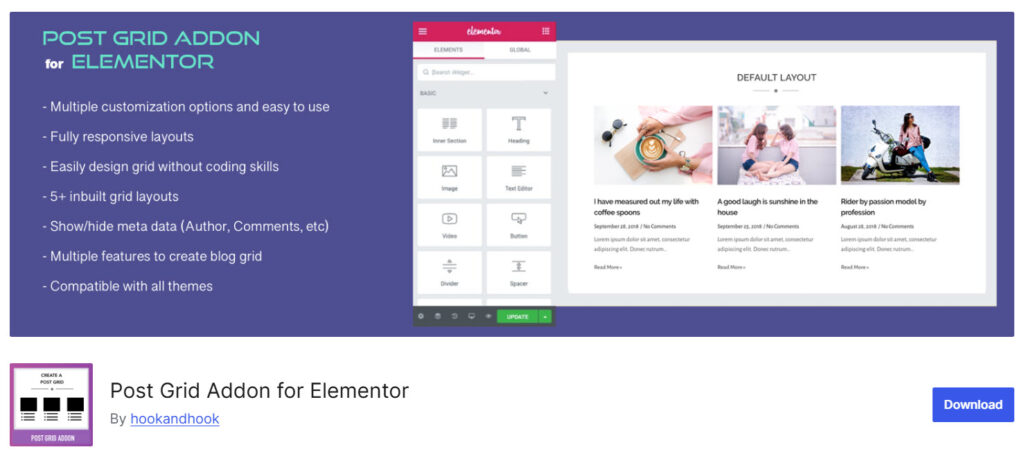
Post Grid Addon for Elementor is a lightweight plugin that adds a dedicated Post Grid widget to the Elementor page builder. It allows users to easily display their blog posts, pages, and custom post types in clean, responsive grid layouts without requiring a heavy add-on pack.
The plugin is designed to be simple and beginner-friendly. It integrates directly into Elementor’s interface, making it easy to customize the grid design, control the number of posts, and adjust styling using Elementor’s visual controls.
While the free version offers basic grid functionality, the Pro version unlocks advanced features such as AJAX filtering, Load More, pagination, and additional design options. This plugin is a good choice for Elementor users who want a focused and affordable post grid solution without installing large addon bundles.
Features
- Dedicated Post Grid widget for Elementor
- Supports custom post types and taxonomies
- Multiple grid layout options
- Responsive design with easy customization
- Control over the number of posts and columns
Pros and Cons
| Pros | Cons |
|---|---|
| Lightweight and focused only on post grids | Advanced features require the Pro version |
| Easy to use with Elementor’s interface | |
| Affordable pricing | |
| Good for users who don’t want heavy addons |
Pricing
Post Grid Addon for Elementor is a freemium plugin. The Pro version starts at $29.99 per year.
9. Post Grid Gutenberg Blocks
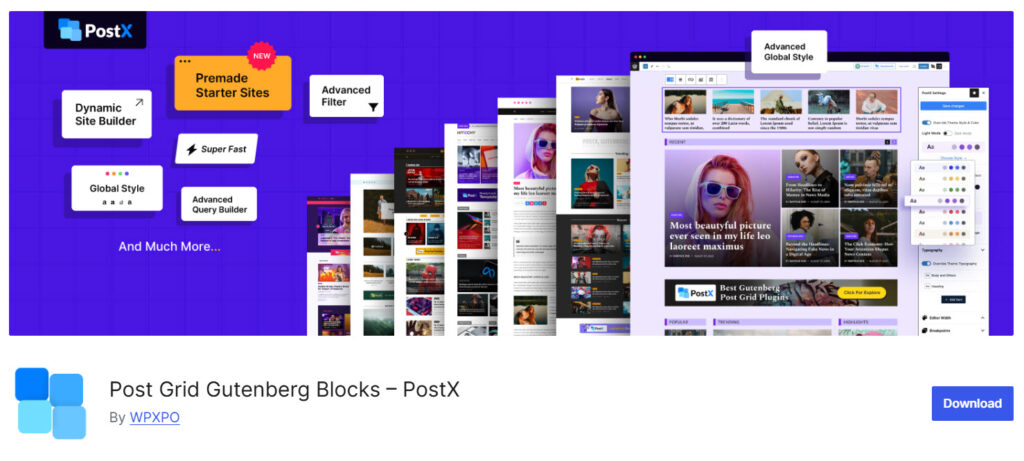
Post Grid Gutenberg Blocks, also known as PostX, is a Gutenberg-focused plugin that lets you create beautiful, responsive post grids directly in the WordPress Block Editor.
It is developed by WPXPO and is designed to be lightweight while offering good design flexibility for displaying blog posts and custom post types.
The plugin comes with multiple post grid blocks and layout options, giving users control over the number of posts, columns, and styling. The free version provides solid basic functionality, while the Pro version unlocks advanced features such as advanced filtering, Ajax pagination, Load More buttons, and more customization options.
It is a good choice for users who prefer building with Gutenberg blocks instead of page builders. Overall, Post Grid Gutenberg Blocks is a modern and performance-friendly option for those looking to create clean post grids without adding heavy plugins to their WordPress site.
Features
- Dedicated Post Grid blocks for Gutenberg
- Multiple responsive grid layout options
- Supports custom post types and taxonomies
- Easy styling and design controls
- Lightweight and optimized for performance
- Works well with most WordPress themes
Pros and Cons
| Pros | Cons |
|---|---|
| Lightweight and Gutenberg-native | Advanced features require the Pro version |
| Good performance and clean code | |
| Easy to use within the Block Editor | |
| Regular updates and active development |
Pricing
Post Grid Gutenberg Blocks is a freemium plugin. The Pro version starts at $44 per year.
10. Essential Addons for Elementor
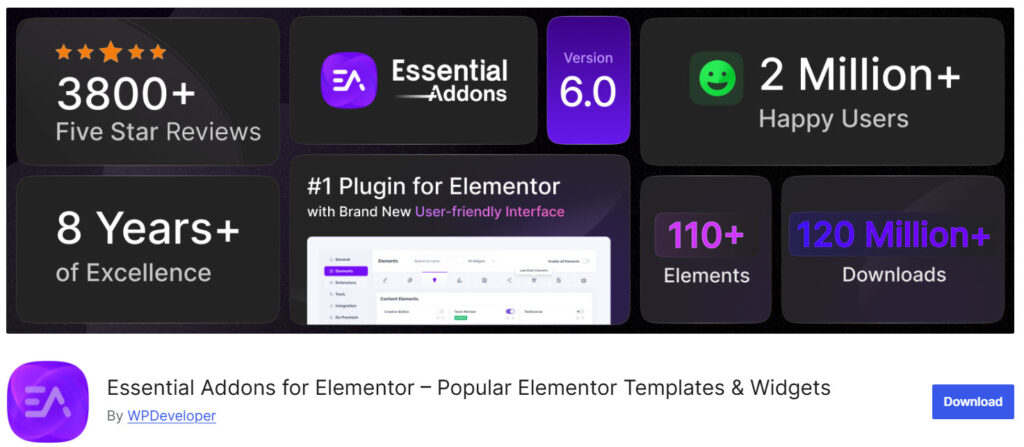
Essential Addons for Elementor is one of the most popular Elementor addon plugins, offering a wide range of widgets, including a dedicated Post Grid widget. It allows you to display your blog posts, pages, and custom post types in various grid layouts directly inside the Elementor editor. The plugin is designed to be flexible and feature-rich.
The free version includes a functional Post Grid widget with several layout options, while the Pro version unlocks advanced features such as advanced filtering, Ajax-powered pagination, Load More buttons, and more customization controls.
It also supports WooCommerce products and works well with most WordPress themes. Essential Addons is a good choice for Elementor users who want multiple widgets in one plugin and need a reliable post grid solution without installing several separate addons.
Features
- Dedicated Post Grid and Post Carousel widgets
- Multiple responsive grid layout options
- Supports custom post types and taxonomies
- Custom styling and hover effects
- WooCommerce product grid support
Pros and Cons
| Pros | Cons |
|---|---|
| Feature-rich with many useful widgets | Can feel bloated if too many widgets are activated |
| Strong free version available | |
| Good integration with Elementor | |
| Regular updates and active development |
Pricing
Essential Addons for Elementor is a freemium plugin. The Pro version starts at $47.99 per year.
Free Post Grid Plugins vs Premium Post Grid Plugins
| Feature | Free Post Grid Plugins | Premium Post Grid Plugins |
|---|---|---|
| Pricing | Completely free | Paid (one-time purchase or yearly subscription) |
| Grid Layout Options | Basic grid layouts | Advanced layouts, masonry, carousel, timeline, and more |
| Customization | Limited styling and design options | High customization with advanced styling, hover effects, and animations |
| Filtering & Search | Basic or not available | Advanced filtering, search, and taxonomy-based filters |
| Pagination & Load More | Simple pagination | Ajax pagination, Load More button, and Infinite Scroll |
| Custom Post Type Support | Limited support | Strong support for custom post types and WooCommerce |
| Performance | Usually lightweight | Can be heavier but often better optimized |
| Grid Builder / Visual Editor | Basic or no visual builder | Advanced drag-and-drop grid builder |
| Support & Updates | Community support or limited updates | Priority support and regular updates |
| Best For | Simple blogs and small websites | Professional websites, agencies, and complex layouts |
Common Mistakes to Avoid While Using a Post Grid Plugin
Many WordPress users face issues with post grids because of poor plugin selection or incorrect setup. Here are some common mistakes you should avoid:
- Choosing the Wrong Plugin for Your Needs: Many people choose a plugin without checking whether it supports custom post types or provides the layouts they need. Always choose a grid plugin for your WordPress site based on your actual requirements, not popularity alone.
- Ignoring Mobile Responsiveness: A post grid that looks good on desktop can break on mobile devices. Always test how your posts appear in a grid layout on smaller screens and choose a responsive post grid plugin.
- Displaying Too Many Posts at Once: Loading a large number of posts in a grid can slow down your website. Use pagination, load more buttons, or limit the number of post grids displayed per page to maintain good performance.
- Not Optimizing Images: Using unoptimized images in your post grid can significantly affect site speed. Make sure your chosen grid plugin supports lazy loading or image optimization features.
- Using Multiple Grid Plugins Together: Installing several different grid plugins on the same website often leads to conflicts, bloated code, and slower performance. Stick to one reliable grid plugin for your WordPress site whenever possible.
- Overlooking Performance Impact: Some premium WordPress grid plugins come with heavy features and scripts. If you don’t need advanced options like a complex grid layout builder, consider using a lightweight plugin instead to keep your site fast.
Here are some of the previously published articles you might be interested in:
- Photo & Video Reviews in WooCommerce: Why They Convert Better Than Text
- 7 WooCommerce Discount Strategies That Actually Increase Average Order Value
- How to Get More (and Better) Product Reviews on Your WooCommerce Store
- How to Add a Request a Quote Button to Your WooCommerce Store
- What’s New in YayExtra 2.1.0
Frequently Asked Questions
Now, let’s look at some frequently asked questions and answers on this topic.
The best post grid plugins for WordPress include WP Grid Builder, Kadence Blocks, PostX, and Spectra. These plugins allow you to display posts in a grid format with good customization options, responsive design, and strong performance.
Post grid plugins for WordPress let you fetch and display your blog posts, pages, or custom post types in an organized grid layout. Most plugins allow you to control the number of posts, choose layout styles, and customize the design directly from the WordPress admin.
Yes. Most modern post grid plugins support custom post types. You can create a grid from any post type on your WordPress site, including portfolios, testimonials, products, and custom content.
Kadence Blocks, Spectra, and PostX are currently among the best WordPress grid plugins for Gutenberg users. They offer clean Post Grid blocks with good performance and easy customization inside the Block Editor.
ElementsKit, Essential Addons, and Post Grid Addon for Elementor are strong choices if you use Elementor. These plugins provide dedicated Post Grid widgets with good design flexibility and advanced features in their premium versions.
When choosing a grid plugin, look for responsive design, custom post type support, filtering options, pagination or Load More functionality, and good performance. Also, check whether the free version is sufficient or if you need the pro version for advanced features.
Yes. Plugins like Kadence Blocks, Spectra, and The Post Grid offer capable free versions. These free plugins are good enough for many websites that need simple to moderate grid layouts without advanced filtering or complex designs.
Premium WordPress grid plugins usually offer advanced features such as Ajax filtering, better design controls, more layout options, and priority support. Free plugins are often more limited in customization and advanced functionality.
Yes. Many post grid plugins support creating grids from any post type, including WooCommerce products. This is useful if you want to display products in a grid layout on your website.
Choose a grid plugin based on your page builder (Gutenberg or Elementor), the complexity of the layout you need, and your budget. If you want advanced features and don’t mind paying, go for premium options. For simpler needs, a good free plugin can work well.
Conclusion
There are many great WordPress grid plugins available today, and choosing the right one depends on your specific needs. Whether you are looking for the best post grid plugin for Gutenberg or Elementor, or need a solution to display your posts in a grid layout, this list of the best post grid plugins can help you make an informed decision.
Plugins like WP Grid Builder, Kadence Blocks, and PostX are excellent choices if you prefer working with Gutenberg. On the other hand, if you use Elementor, plugins like ElementsKit and Essential Addons offer strong post grid widgets with good customization options.
For users who want simple and affordable solutions, the Post Grid and Post Grid Addon for Elementor are great options. Some plugins also support creating grids from any post type, including WooCommerce products, while others focus on clean design and performance.
In the end, the best WordPress grid plugin for your website depends on whether you need advanced filtering, want a free plugin, or prefer a premium solution with more features. Testing a few options is the best way to find the right fit for your project.
Which plugin are you going to use?
Let us know in the comments.
We hope you found this article helpful and enjoyed reading it. If you need to learn more WooCommerce tips and tricks, check out the YayCommerce blog. Also, feel free to check out our social media handles, such as Facebook, X, Instagram, and YouTube, for more interesting content.