

Are you looking for the best HappyFiles alternatives? In this post, we are going to show you the top 7 plugins you can use instead of HappyFiles.
The default WordPress Media Library makes it hard to organize files when your site grows.
As you upload more images, documents, and media files, finding the right content becomes time-consuming. HappyFiles is one option, but many users look for stronger alternatives with better folder management, drag-and-drop tools, and advanced features.
In this guide, we cover the best WordPress media library plugins that help you create folders, sort media files, and improve overall media organization. These solutions offer both free and premium versions to fit different needs.
First, we will see why you should use a WordPress media library plugin in the first place.
Table of contents
Why You Should Use a WordPress Media Library Plugin
The default WordPress Media Library stores files in a simple list based on upload date. Once your site has hundreds or thousands of media files, finding the right image or document becomes slow and frustrating.
A good media library plugin solves this problem by letting you create folders and subfolders, use drag and drop, and organize files in a clear structure. These tools help you manage media uploads more efficiently, speed up your workflow, and keep your WordPress site tidy.
With the right plugin, you can sort media files by project, client, or content type.
Many options also support custom post types, WooCommerce products, and page builders. Whether you choose a free version or a premium plugin, better folder management makes a big difference as your media library grows.
What to Look for In a WordPress Media Library Management Plugin
Choosing the right media library plugin can save you hours of work as your WordPress site grows. Not all folder plugins offer the same features, so it helps to know what matters most before you decide.
- Folder and Subfolder Support: Look for a plugin that lets you create unlimited folders and hierarchical subfolders for better organization.
- Drag and Drop Interface: A smooth drag-and-drop system makes it easy to move media files and folders quickly.
- Post Type Organization: The best tools also let you organize posts, pages, WooCommerce products, and custom post types.
- Import Options: Good plugins allow you to import existing folder structures from other media library plugins.
- Page Builder Compatibility: Strong support for Elementor, Divi, Gutenberg, and other builders is important for a seamless workflow.
- Performance and Ease of Use: The plugin should stay lightweight and keep the Media Library fast even with many media files.
7 Best WordPress Media Library Plugins (HappyFiles Alternatives)
| Plugin | Free Version | Pricing | Best For | Key Strength |
|---|---|---|---|---|
| FileBird | Yes | Starts at $39/year or $99 lifetime | Most users | Excellent free version + smooth interface |
| CatFolders | Yes | Starts at $79/year or $159 lifetime | Speed-focused sites | Fast performance + clean design |
| WPMediaVerse | Yes | Starts at $69/year or $199 one-time | Large media libraries | Albums, collections, AI moderation & cloud-ready media management |
| Media Library Organizer | Yes | Starts at $49/year | Users wanting free extras | Strong free features (ZIP export, defaults) |
| Folders | Yes | Starts at $69/year | Organizing media + posts/pages | Organizes posts, pages & media |
| Real Media Library | Yes | Starts at €39 (one-time) | Advanced folder systems | Collections, galleries & shortcuts |
| Organize Media Folder | Yes (fully free) | Free | Basic physical organization | Completely free + real server folders |
| Media Library Folders | Yes | Starts at $49/year | Physical folders + FTP sync | Real folders + strong FTP tools |
1. FileBird

FileBird is one of the most popular and complete WordPress media library folder plugins. It lets you create unlimited folders and subfolders to organize images, videos, documents, and other media files with a clean drag-and-drop interface.
The free version is already very capable, while the Pro version unlocks advanced features such as color-coded folders, ZIP download, better sorting options, and the ability to organize posts, pages, WooCommerce products, and custom post types.
It also offers excellent compatibility with major page builders.
Features
- Unlimited folders and hierarchical subfolders
- Smooth drag-and-drop organization
- Advanced sorting and bulk actions
- Organize posts, pages, and WooCommerce products
- Download entire folders as ZIP
- Strong compatibility with Elementor, Divi, Bricks, and more
Pros and Cons
| Pros | Cons |
|---|---|
| Excellent free version | Some advanced features require Pro |
| Fast and intuitive interface | |
| Strong page builder and WooCommerce support | |
| Regular updates and solid support |
Pricing
FileBird is a freemium plugin. The free version is available on WordPress.org. Premium plans start at $39 per year or $99 for a lifetime license.
2. CatFolders
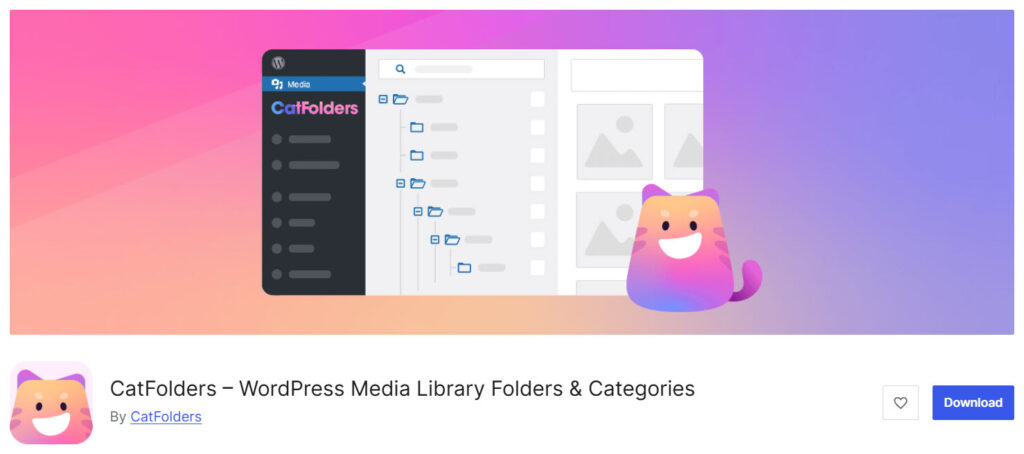
CatFolders is a modern WordPress media library folder plugin that helps you organize your media files with a clean and fast interface. It is designed to improve folder management inside the default Media Library and make it easier to sort and find content.
The free version already lets you create unlimited media folders, while the Pro version unlocks hierarchical subfolders, advanced sorting, user role permissions, and the ability to organize posts, pages, and custom post types.
CatFolders is known for its speed and works well for users who need better media library management without slowing down their WordPress website.
Features
- Unlimited media folders in the free version
- Hierarchical folders and subfolders
- Fast drag-and-drop to organize files into folders
- Advanced sorting options for media files
- Organize posts, pages, and custom post types
- User role-based folder permissions
Pros and Cons
| Pros | Cons |
|---|---|
| Excellent speed and clean interface | Higher pricing than some competitors |
| Strong free version for folder creation | Advanced features locked in Pro |
| Good page builder compatibility | |
| Easy migration from other folder plugins |
Pricing
CatFolders is a freemium plugin. The free version is available on WordPress.org. Premium plans start at $79 per year or $159 for a lifetime license.
3. WP Media Verse
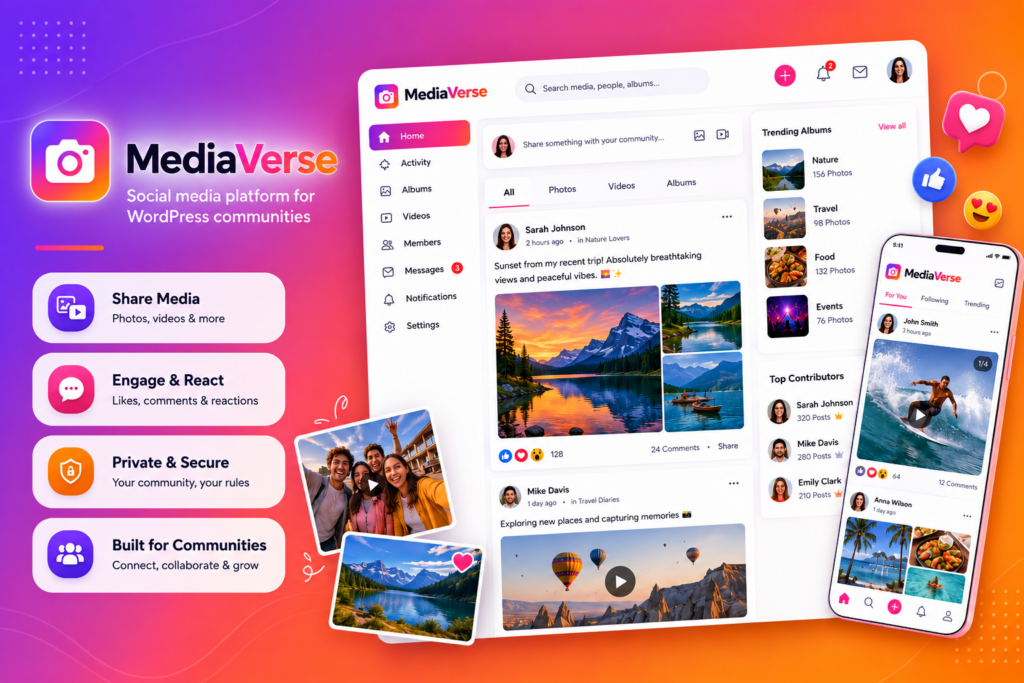
WPMediaVerse is a modern WordPress media management plugin that goes beyond basic folder organization. It helps you organize images, videos, documents, and other media into albums and collections, making large media libraries much easier to manage without changing the original file structure.
The free version provides essential media organization tools, while the Pro version adds powerful capabilities such as cloud storage integration, AI-powered image moderation, advanced video handling, and automated media processing. Whether you manage a content-heavy blog, an online store, or a membership website, WPMediaVerse helps keep your media library organized and efficient.
Features
- Organize media with Albums and Collections
- Clean and user-friendly media management interface
- AI-powered image moderation (Pro)
- Cloud storage integration with Amazon S3, Google Cloud, and DigitalOcean Spaces (Pro)
- Automatic video transcoding and optimization (Pro)
- AI-generated captions and media metadata (Pro)
Pros and Cons
| Pros | Cons |
| Organizes media without affecting WordPress uploads | Advanced AI and cloud features require Pro |
| Supports images, videos, and documents | Not all premium features are available in Lite |
| AI-powered media moderation and automation | |
| Cloud storage support for scalable media management |
Pricing
WPMediaVerse is available as a freemium plugin. The Lite version is free to use, while WPMediaVerse Pro starts at $69 per year and includes AI-powered media moderation, cloud storage integrations, video transcoding, AI captions, and other advanced media management features.
4. Media Library Organizer
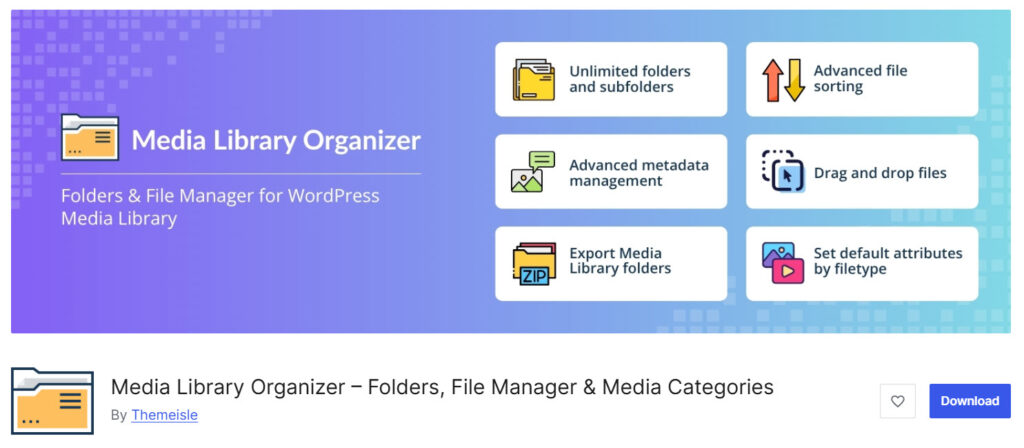
Media Library Organizer is a solid WordPress media library folder plugin that helps you create unlimited folders and subfolders to organize media files. It offers a clean drag-and-drop interface and several useful free features that many competitors keep behind a paywall.
The free version already includes unlimited folders, ZIP export, default attributes by file type, and advanced sorting. The Pro version adds AI image categorization, smarter upload workflows, EXIF editing, and more advanced automation tools.
It is a good option for users who want strong free features with the ability to scale later.
Features
- Unlimited folders and subfolders
- Drag-and-drop file organization
- Export folders as ZIP files
- Set default alt text, caption, and description by file type
- Advanced sorting options
- AI image categorization
Pros and Cons
| Pros | Cons |
|---|---|
| Strong free version with useful extras | Interface feels less polished than top alternatives |
| ZIP export available in free version | Some advanced tools require Pro |
| Good default metadata features | |
| Regular updates from Themeisle |
Pricing
Media Library Organizer is a freemium plugin. The free version is available on WordPress.org. Premium plans start at $49 per year.
5. Folders

Folders by Premio is a popular WordPress media library folder plugin that lets you organize media files, posts, and pages into folders. The free version already offers unlimited folders with a simple drag-and-drop interface, making it easy to keep your Media Library structured.
The Pro version unlocks unlimited subfolders, dynamic folders, media replacement, ZIP download, custom post type support, and advanced access management. It is a flexible option for users who want to organize more than just media files and need tools for larger websites or teams.
Features
- Unlimited folders in the free version
- Drag-and-drop organization for media, posts, and pages
- Media replace feature
- Import folders from other media library plugins
- Unlimited subfolders and dynamic folders
- Download folders as ZIP
Pros and Cons
| Pros | Cons |
|---|---|
| Unlimited folders available for free | Subfolders and many useful tools require Pro |
| Works with posts and pages too | Interface can feel slightly heavy |
| Good import options from other plugins | |
| Strong feature set in Pro |
Pricing
Folders is a freemium plugin. The free version is available on WordPress.org. Premium plans start at $69 per year.
6. Real Media Library
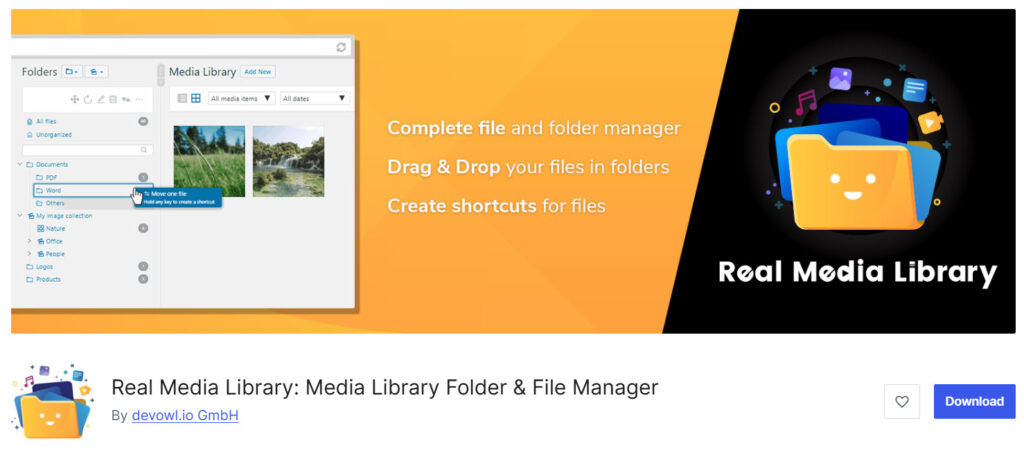
Real Media Library is a powerful WordPress media library folder plugin that acts like a full file manager.
It lets you organize images, videos, documents, and other media files into folders, collections, and galleries with a clean drag-and-drop interface. The free version allows unlimited main folders, while the Pro version unlocks subfolders and additional advanced tools.
It also supports file shortcuts, direct uploads to folders, and dynamic galleries. Real Media Library is a strong choice for users who want a more advanced folder system with good page builder compatibility.
Features
- Unlimited main folders in the free version
- Drag-and-drop file organization
- Create folders, collections, and galleries
- File shortcuts (files can appear in multiple folders)
- Direct upload to specific folders
- Dynamic galleries with Gutenberg block or shortcode
Pros and Cons
| Pros | Cons |
|---|---|
| Strong free version with unlimited folders | Subfolders require Pro |
| Supports collections and galleries | Interface can feel slightly complex |
| Good page builder compatibility | |
| One-time pricing option |
Pricing
Real Media Library is a freemium plugin. The free version is available on WordPress.org. Premium plans start at €39 (one-time payment).
7. Organize Media Folder
Organize Media Folder is a free WordPress media library plugin that helps you organize files by moving them into actual folders on your server. Unlike most folder plugins that use virtual folders, this one creates real directory structures and updates the file URLs in your content automatically.
It is a simple and lightweight option for users who prefer physical folder organization. You can create folders, upload media directly into specific folders, filter files by folder, and manage the structure from the Media Library.
Features
- Create and manage real folders on the server
- Move media files into specified folders
- Automatically update URLs in content after moving files
- Upload media directly to a chosen folder
- Filter and search media by folders
- Upload media with a custom date and time
Pros and Cons
| Pros | Cons |
|---|---|
| Completely free | Basic interface compared to modern plugins |
| Creates real folders on the server | Limited advanced features |
| Automatically updates file URLs | Smaller user base and fewer updates |
| Lightweight and simple |
Pricing
Organize Media Folder is a completely free plugin available on WordPress.org.
8. Media Library Folders

Media Library Folders (previously known as Media Library Plus) is a WordPress media library plugin that creates real folders on your server instead of virtual ones. It lets you organize media files with a drag-and-drop interface and automatically updates file URLs when you move or rename them.
The free version covers core folder creation, moving, copying, renaming, and syncing with FTP. The Pro version adds better editor integration, categories, gallery tools, WooCommerce support, S3 offloading, and stronger file protection features. It is a solid option for users who prefer physical folder organization.
Features
- Create real media folders on the server
- Drag-and-drop move and copy files
- Automatically update URLs in content
- Sync folders uploaded via FTP
- Regenerate thumbnails
- SEO image attributes on upload
- Categories, gallery integration, and S3 support
Pros and Cons
| Pros | Cons |
|---|---|
| Creates real folders on the server | Interface feels older than modern alternatives |
| Strong FTP sync and file management | Free version has limited editor integration |
| Good for large media libraries | Pro pricing is higher than some competitors |
| Useful protection and offloading tools |
Pricing
Media Library Folders is a freemium plugin. The free version is available on WordPress.org. Premium plans start at $49 per year.
Frequently Asked Questions
Now, let’s see some frequently asked questions and answers on this topic.
FileBird and CatFolders are among the strongest options for organizing your WordPress Media Library. Both offer excellent folder management, drag-and-drop tools, and solid free versions. Other good choices include Media Library Organizer and Folders, depending on your needs.
Yes, if you upload a lot of media files. The default Media Library becomes hard to manage as it grows. A good media folder plugin helps you create folders, sort files, and find content much faster.
Many modern folder plugins let you organize posts, pages, WooCommerce products, and custom post types in addition to media files. FileBird and CatFolders both support this feature in their Pro versions.
Yes. FileBird, CatFolders, Folders, and Media Library Organizer all offer free versions with useful core features. The free plans are enough for basic folder creation and organization.
Most WordPress media library plugins use virtual folders. These organize files inside the Media Library without moving the actual files on your server. Physical folder plugins change the file structure on the server.
Yes. Most quality folder plugins support importing existing folder structures from FileBird, Real Media Library, Enhanced Media Library, WP Media Folder, and similar tools.
Yes. The best media library management plugins work well with Elementor, Divi, Bricks, Gutenberg, and other popular page builders. Folders appear when you select media inside the builder.
FileBird generally offers a stronger free version, better long-term updates, and more advanced features. Many users switch from HappyFiles to FileBird or CatFolders for better performance and flexibility.
Some media library plugins include renaming tools or work well with Media File Renamer. For advanced renaming and SEO-friendly file names, combining a folder plugin with a dedicated renamer is often the best approach.
For large libraries, FileBird and CatFolders are usually the top recommendations because of their speed, clean interface, and strong folder management features. They handle many media files more efficiently than lighter alternatives.
Conclusion
Choosing the right media library folder plugin can make a big difference in how you manage files on your WordPress site.
While HappyFiles is a solid option, several stronger alternatives offer better features, performance, and long-term value.
FileBird stands out with its excellent free version, smooth interface, and advanced Pro tools. CatFolders is another strong choice for users who want speed and clean folder management.
Other plugins like Media Library Organizer and Folders also deliver useful features depending on your needs. If you want better organization, faster workflows, and more control over your media files, FileBird or CatFolders are the best places to start.
Which plugin are you going to choose?
Let us know in the comments.
We hope you found this article helpful and enjoyed reading it. If you need to learn more WooCommerce tips and tricks, check out the YayCommerce blog. Also, feel free to check out our social media handles, such as Facebook, X, Instagram, and YouTube, for more interesting content.